repligen.com XC-LAB-UG-V4
7.8.12 Service /performance screen
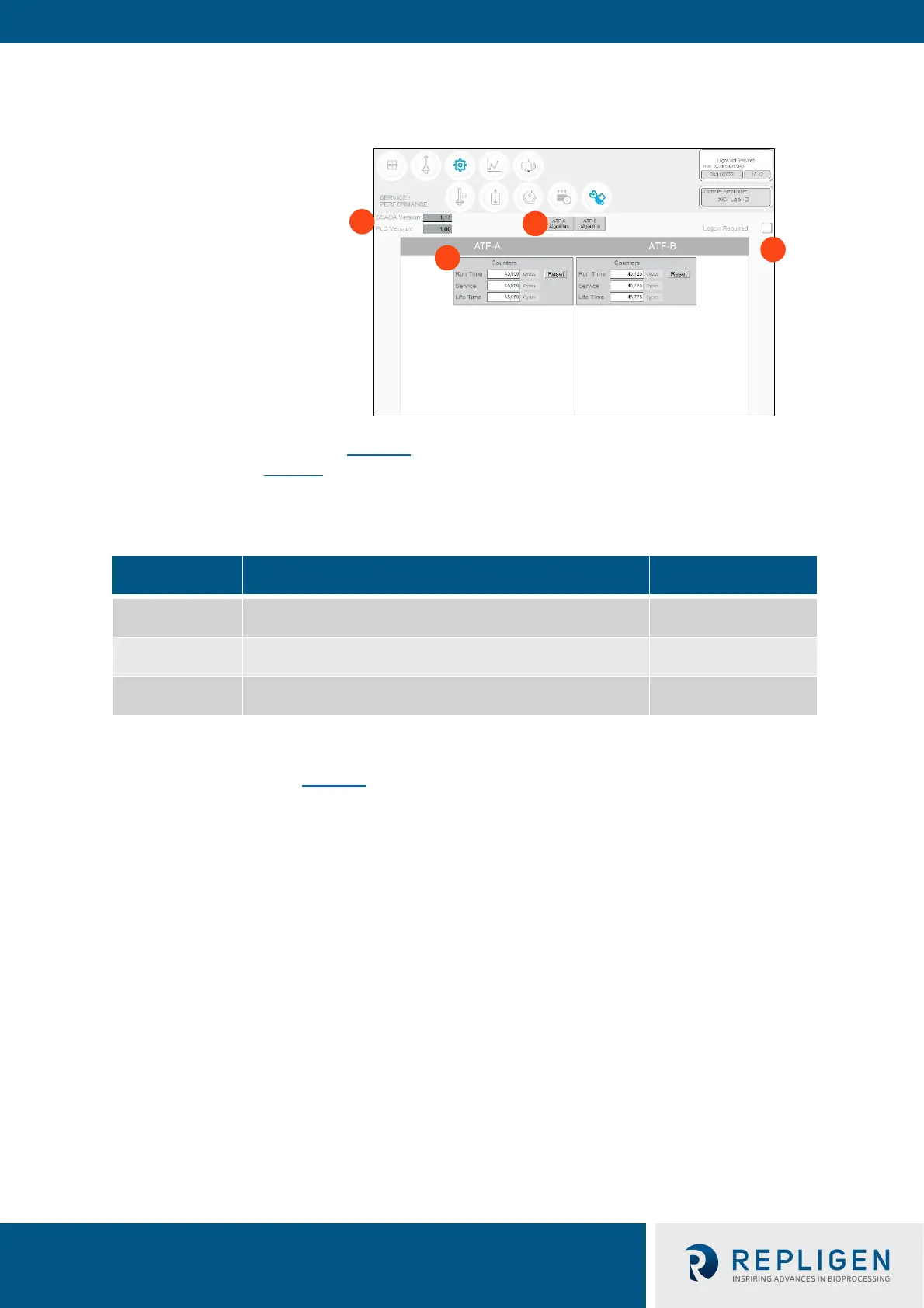
Figure 27. Service/performance example
1. SCADA and PLC version
2. Counters
3. XCell ATF® Device algorithm
4. Logon Required – on/off
The Service/performance screen (Figure 27
) d
isplays the software versions, XCell ATF® Device
algorithms, counters (Table 13) and security status. It is useful for both users and Repligen
engineers.
T
able 13. ATF service parameters
Counter name Description Can be reset?
Run time
Number of cycles a diaphragm or device has completed since
the last reset. Can be reset for every run.
Yes, by Operator
Service
Number of cycles completed since the last preventative
maintenance or service or calibration.
Yes, only by Repligen
FSE
Lifetime
Number of cycles performed by the controller during its
lifetime
No
7.8.13 Logon required - security on/off
If the Logon Required box (Figure 27) is left unchecked, no password is required, and each user has
equal and full access (equivalent to a Supervisor level) to the XCell™ Lab Software. If the Logon
Required box is checked off, users need to log on, enter credentials to access the XCell™ Lab
Software; however, no Windows login is needed. In some R&D environments, leaving the logon box
unchecked may simplify daily task execution, yet in other situations it may be critical to have
security enabled. For additional security, timed auto-logout can be enabled in the General
Configuration settings.



 To Next Page