repligen.com XC-LAB-UG-V4
7.11 Alarms screen
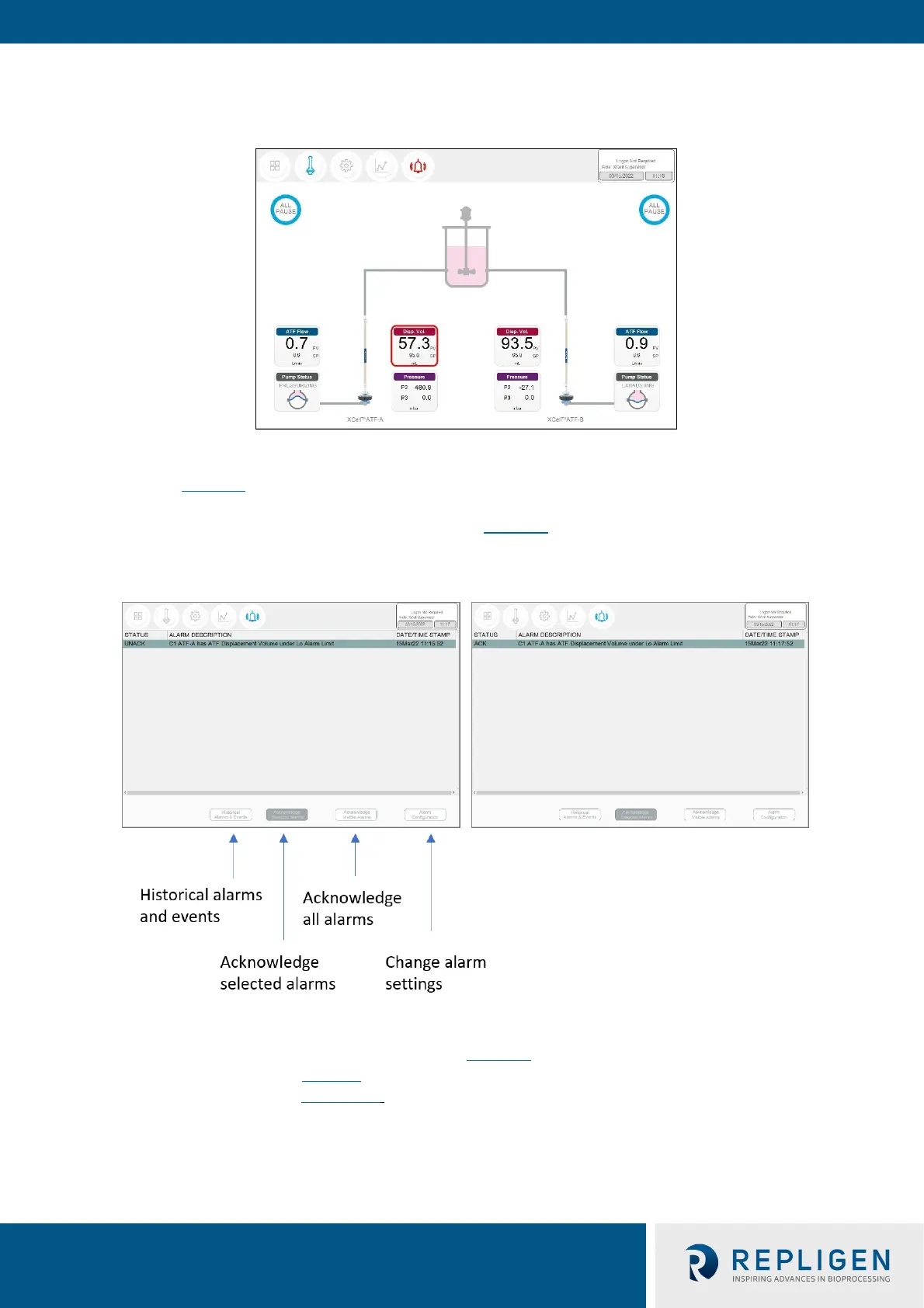
Figure 31. Alarm condition example
If an alarm has occurred, even if briefly and then returned to normal, the Alarm menu button will
flash red (Figure 31
). The alarm may be reviewed by the user at their convenience when this icon is
displayed. If an alarm is active, a red box will surround the displayed variable. As an example, an
alarm for Displacement Volume on ATF-A is shown in
Figure 31.
Figure 32. Alarm status
Pressing the Alarm menu opens the Alarm screen (Figure 32
). Alarms are displayed until
acknowledged by the user. Table 14 explains the alarm status messages you may encounter. A full
list of alarms is provided in Appendix C.



 To Next Page