repligen.com XC-LAB-UG-V4
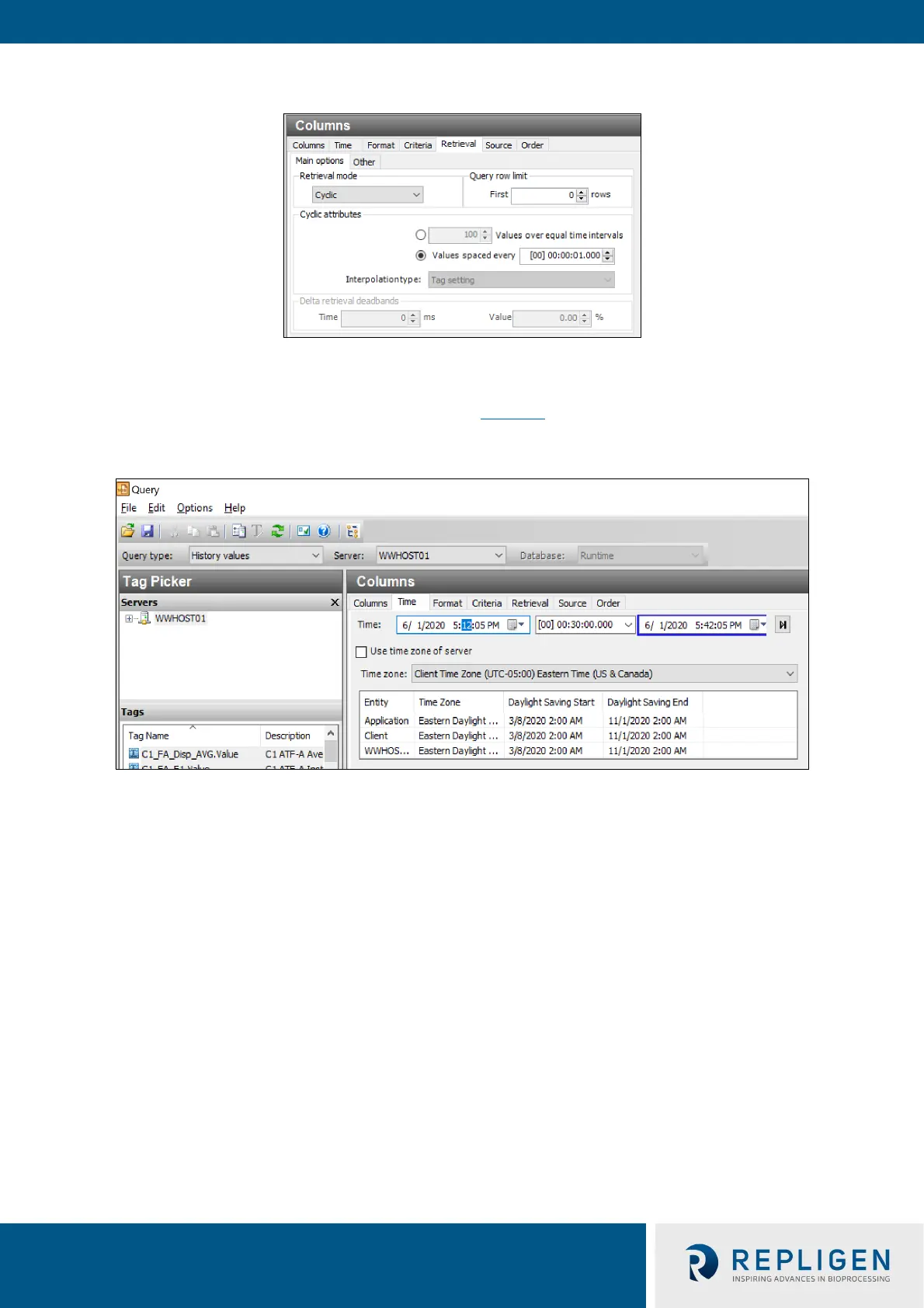
Figure 40. Columns pane - subset of the Query window
4. Go to Tag Picker section, select the tags (i.e. the data points) to populate the Results Pane.
5. Go to the Columns Pane, select the Time tab, and choose the start time and duration using a
drop-down menu or by manually entering it (Figure 41
).
Figure 41. Query set-up
• Loading each new tag takes time. To speed up the process, set-up a quick query by selecting
a short time interval (say 5 minutes), followed by selection of multiple tags, and then
increasing the time interval to the desired duration.
• Press the Save button, select a filename and specify the storage location for your data.
• Copy data from the Surface Pro hard drive to a USB drive in .csv format which can be
imported into Microsoft® Excel® for further processing.



 To Next Page