Chapter 6
Ventilator Communications
REF 1029568 Rev A BiPAP® Focus™ Ventilator Service Manual © Respironics, Inc. 6-17
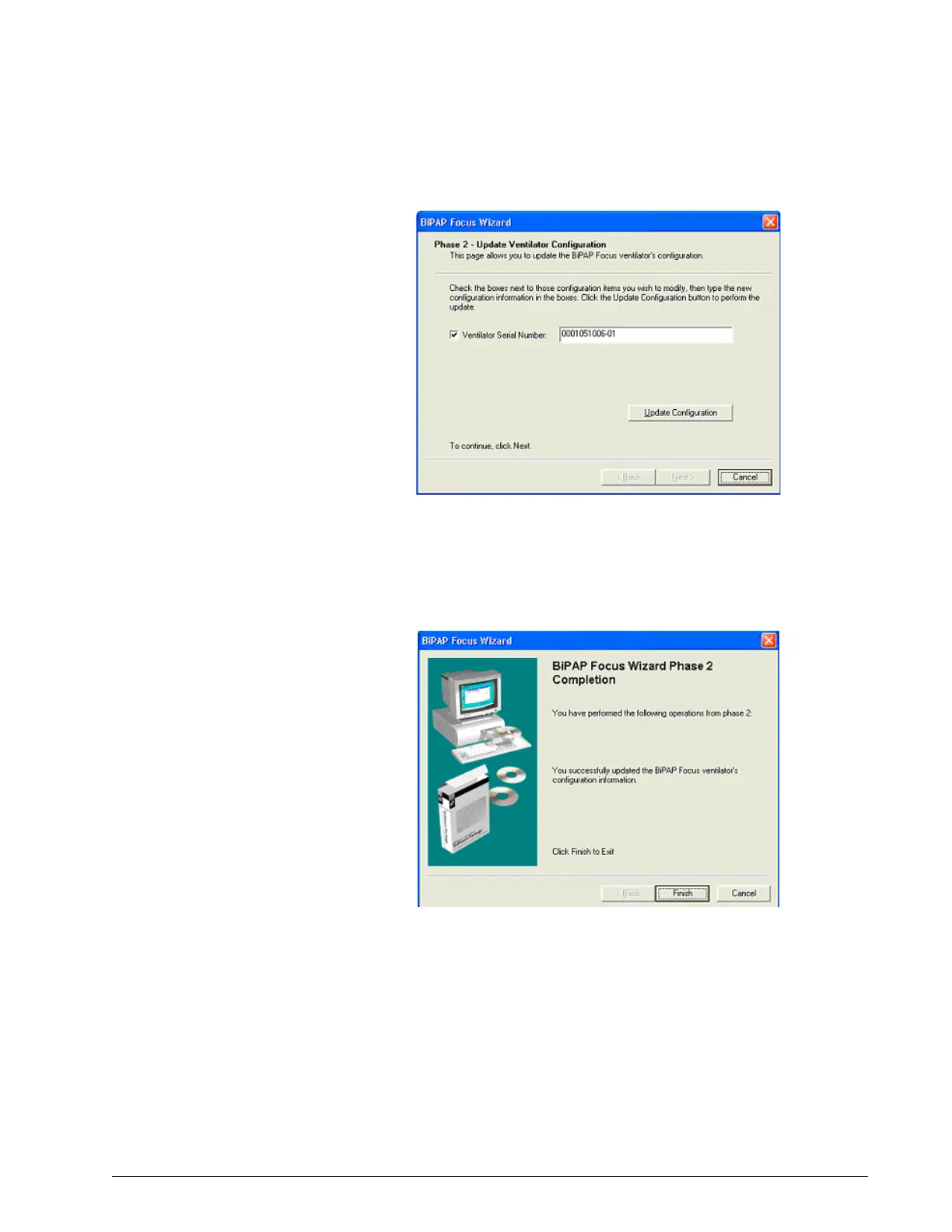
Figure 6-25: Update Ventilator Configuration Screen
9. The screen then displays a Configuration Update Successful message.
Click Next.
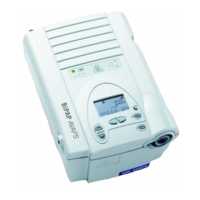
10. The Wizard Completion screen appears. Click Finish.
Figure 6-26: Phase 2 Complete
11. Once the download is complete the ventilator will reset.
12. Disconnect the communication cables.
13. The ventilator must now be recalibrated. Proceed to Chapter 7:
Performance Verification.



 To Next Page