Chapter 6
6-16 BiPAP® Focus™ Ventilator Service Manual © Respironics, Inc. REF 1029568 Rev A
Ventilator Communications
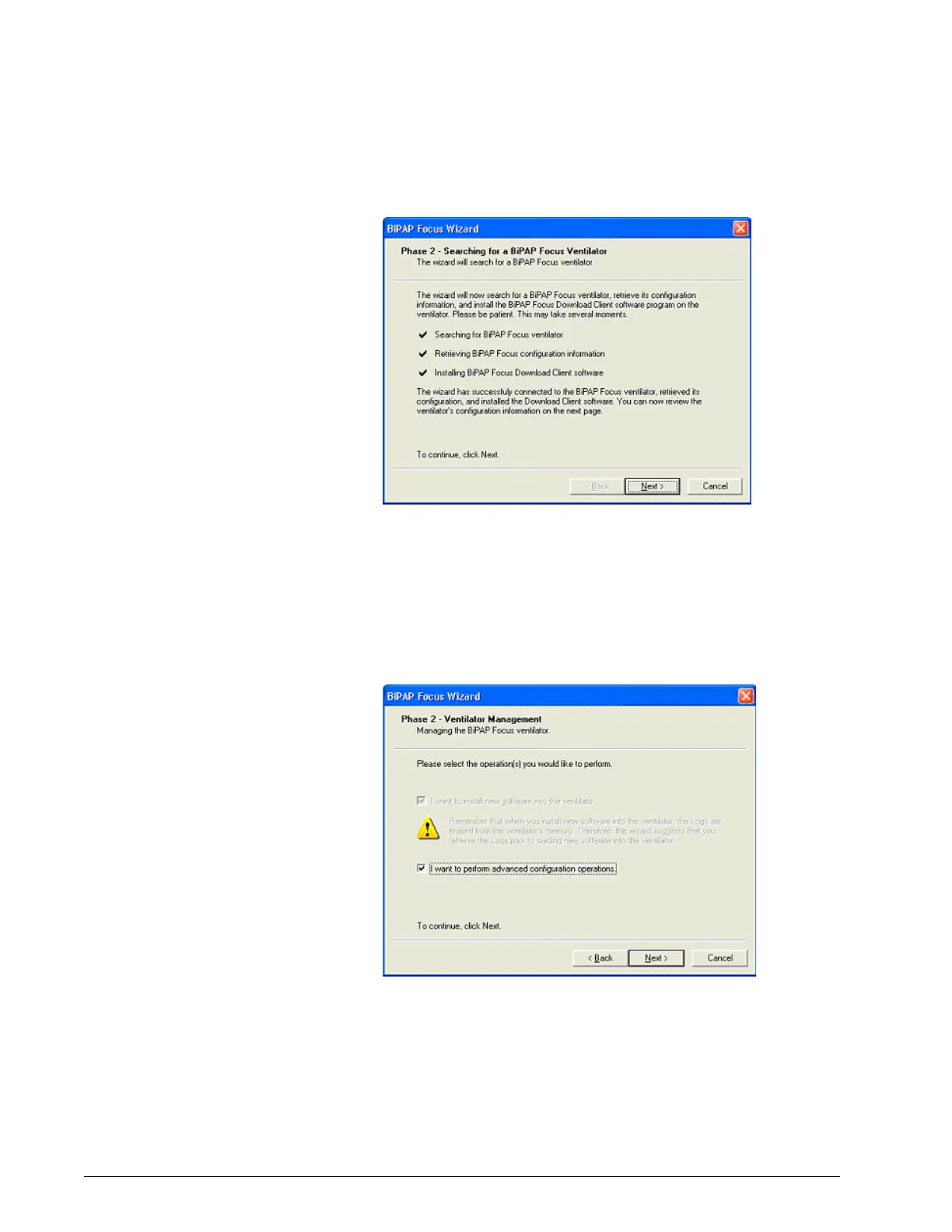
Figure 6-23: Communications Software Connection
5. Click Next, the Ventilator Management dialog box appears
(Figure 6-24), which allows loading new software into the ventilator
configuration or selecting Advanced configuration operations.
6. Fill the “I want to perform advanced configuration operations.” check
box then click Next, or click Cancel to exit.
Figure 6-24: Ventilator Management Screen
7. The BiPAP Focus Update Ventilator Configuration screen appears. Fill
the Ventilator Serial Number check box then enter the serial number
in the text box.
8. Click Next.







 To Next Page