195
Setup Menu
7
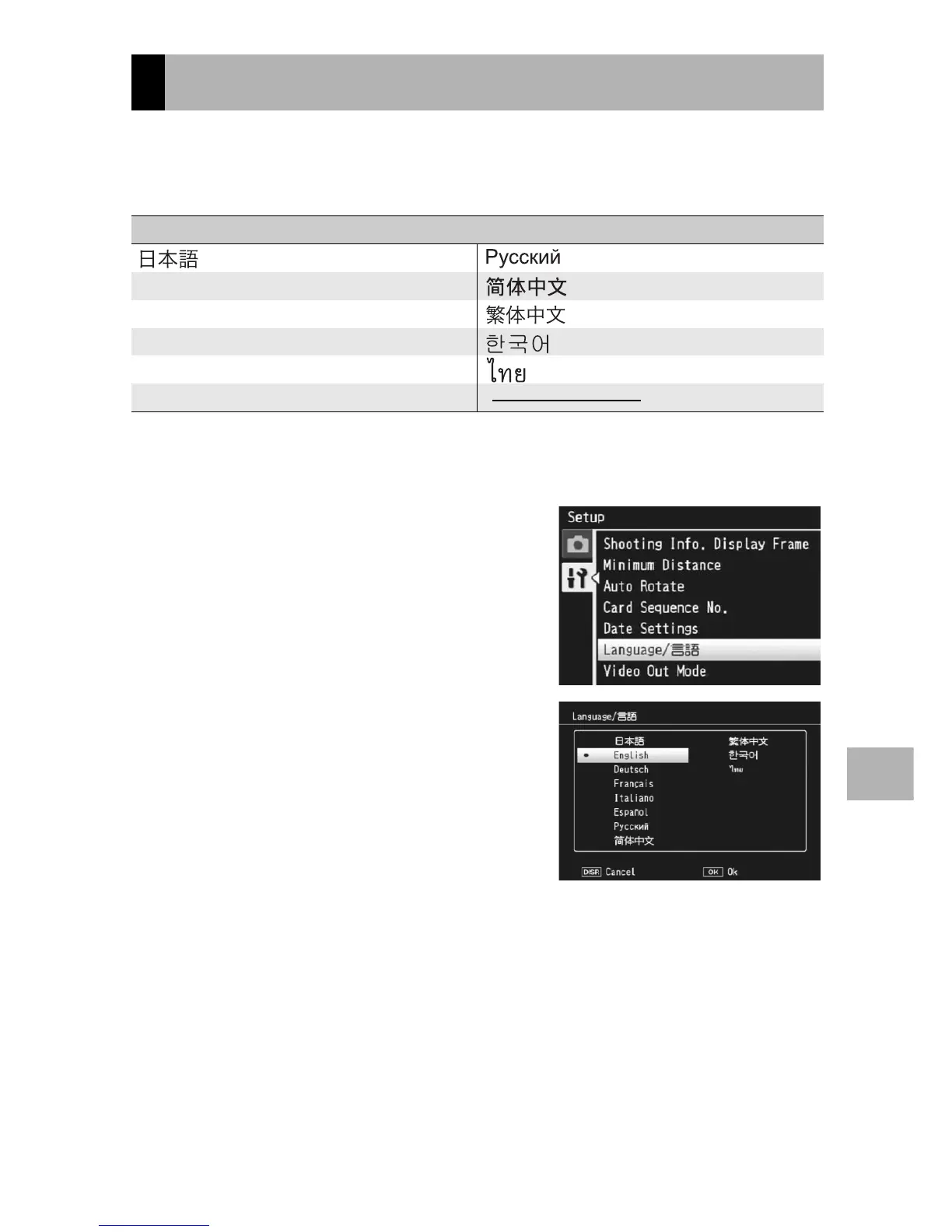
You can change the language displayed on the screen.
The default setting varies depending on where you purchased the
camera.
1
Display the setup menu.
• For the operating procedure, see P.166.
2
Press the ADJ./OK button " to
select [Language/N] and
press the button $.
• The language selection screen
appears.
3
Press the button !"#$ to
select the desired setting.
4
Press the ADJ./OK button.
• Once you have set the language, the
display returns to the setup menu.
5
Press the MENU button or the
ADJ./OK button.
Language Settings
Available Settings
(Japanese) (Russian)
English (Simplified Chinese)
Deutsch (German) (Traditional Chinese)
Français (French) (Korean)
Italiano (Italian) (Thai)
Español (Spanish)



 To Next Page