GUIDE TO COMPONENTS AND THEIR FUNCTIONS 1 March, 2000
1-6
1.3 GUIDE TO COMPONENTS AND THEIR FUNCTIONS
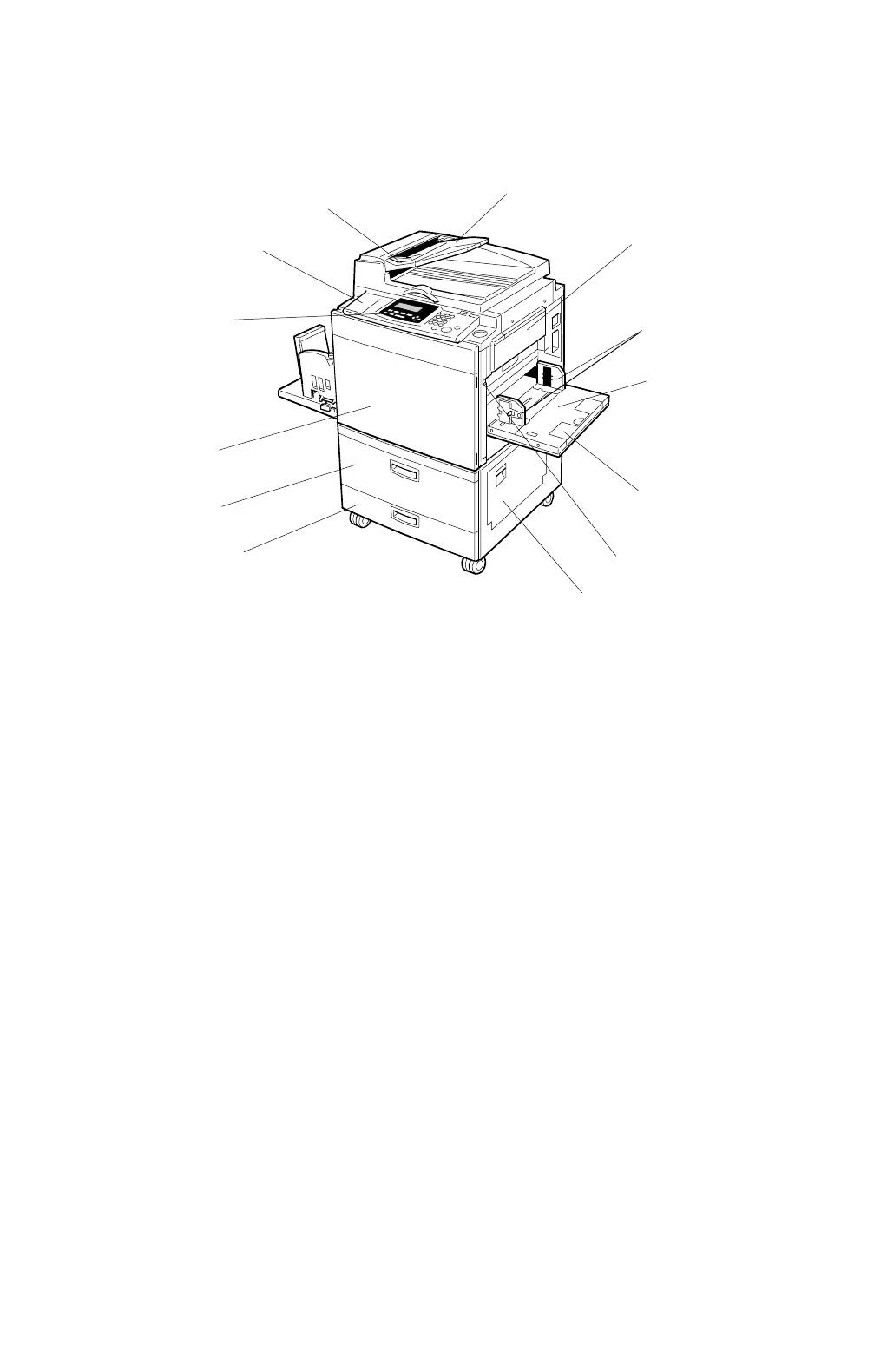
1.3.1 MACHINE EXTERIOR
1. Platen Cover or Document
Feeder (Option)
Lower the platen cover over a single original
placed on the exposure glass for copying.
If you have the optional document feeder, insert
a stack of originals here. They will be fed
automatically.
(The illustration shows the document feeder.)
2. Guide
Prevents originals being fed skewed.
3. Flip up Cover
Flip up to access the keys underneath.
4. Operation Panel
See
→
“1-5 Operation Panel.”
5. Front Door
Open to access the inside of the machine.
6. Tray 1
Set paper here.
7. Tray 2
Set paper here.
8. Right Cover
Open to remove jammed paper.
9. Paper Tray Down Key
Press to lower the paper tray.
10. Extender
Pull out this extender when setting paper larger
than A4 , 8
1/2
” x 11”
11. Paper Feed Table
Set paper here.
12. Paper Feed Side Plates
Prevent paper being fed skewed.
13. Master Tray
Open this unit when installing the master.
C232V500.WMF
1
3
2
4
5
6
7
8
9
10
11
12
13



 To Next Page