PAPER TRAY 1 March, 2000
6-4
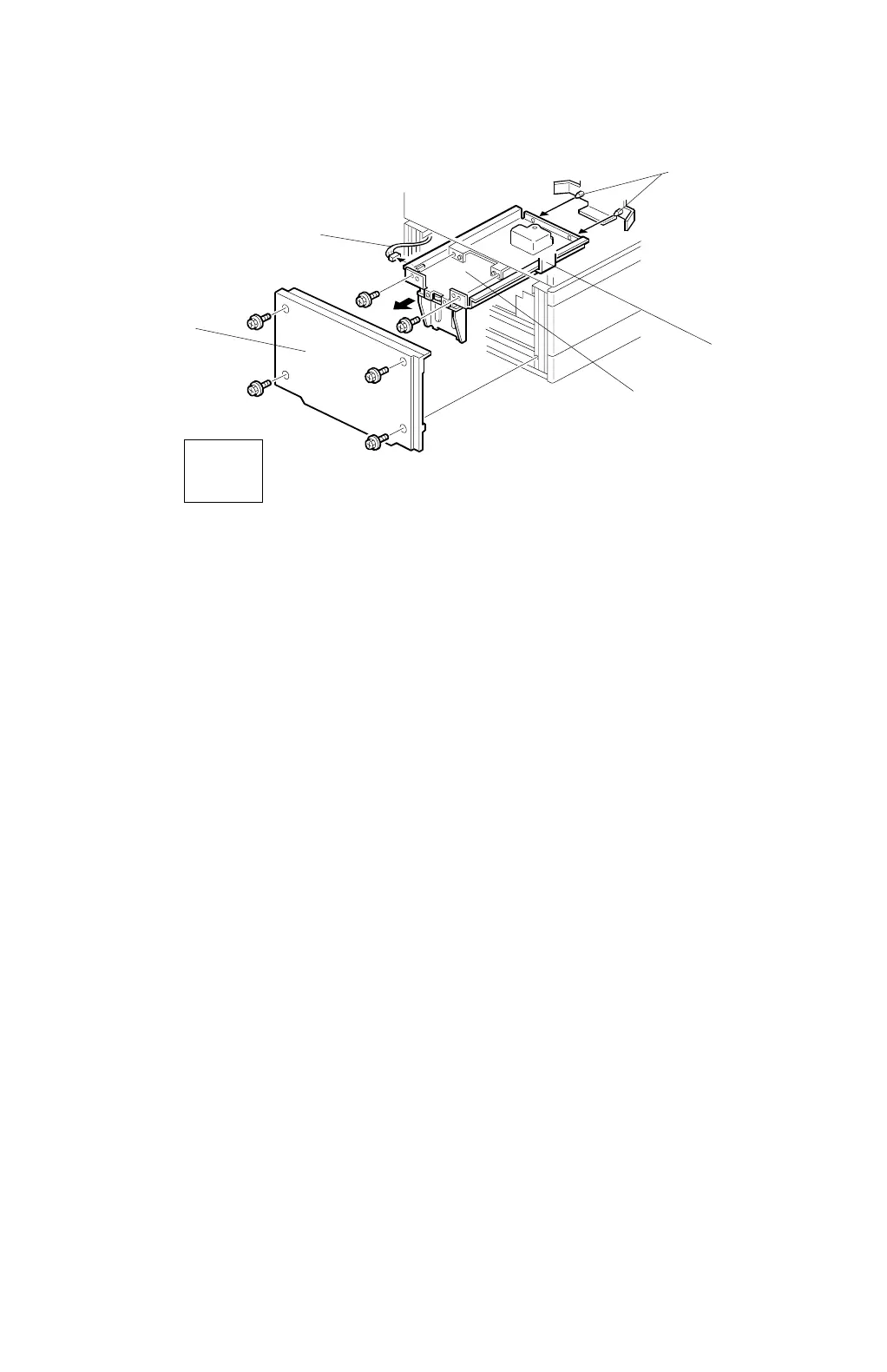
6.1.4 TANDEM BACK PLATE DRIVE UNIT REMOVAL
1. Remove the lower left cover [A] (4 screws).
2. Disconect the connector [B].
3. Pull out the back plate drive unit [C].
NOTE:
When installing the back plate drive unit, hook the bracket [D] onto the
back plate drive unit, then slide it in. Finally, firmly push it onto the 2 pins
[E].
C232R006.WMF
[A]
[B]
[C]
[D]
[E]
Left
View



 To Next Page