1 March, 2000 SERVICE PROGRAM MODE
4-65
Service
Tables
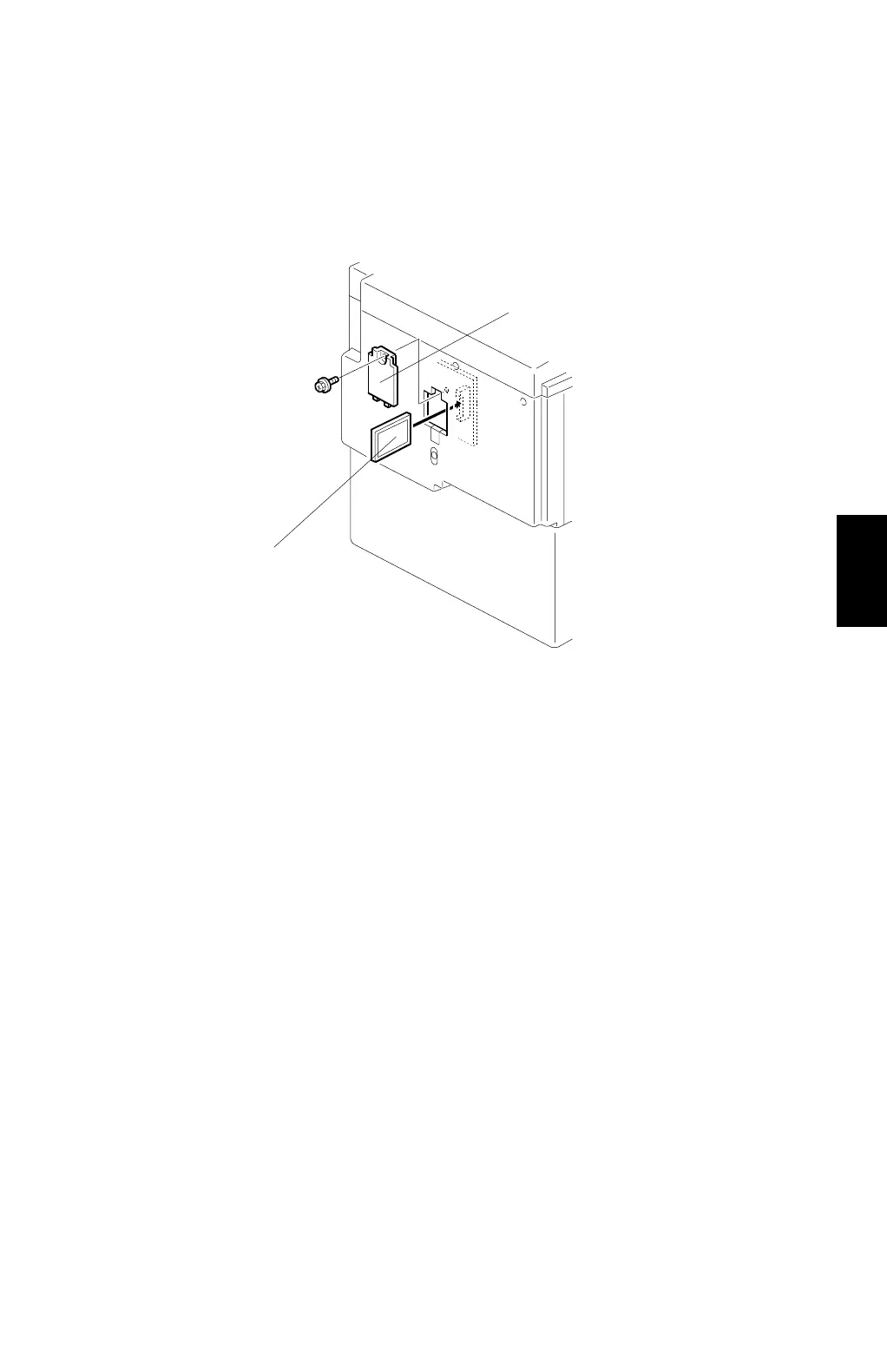
4.4.4 LOAD PROGRAM (SP8-20)
The firmware in the flash ROM on the MPU can be upgraded using a flash memory
card, as follows.
1. Before downloading new software, check the current version with SP1-42.
2. Turn off the main switch and disconnect the power plug.
3. Remove the cover [A].
4. Plug the flash memory card [B] into the connector on the MPU.
5. Connect the power plug and turn on the main switch.
6. Access SP8-20-1 and press the
OK
key. Press the
Enter (#)
key to start
downloading (the LCD displays '
Processing
').
7. After completing the download (the LCD displays '
Completed
'), leave the SP
mode.
8. Turn off the main switch, then remove the flash memory card.
9. Turn on the main switch, then enter the SP mode again and check the updated
ROM version with SP1-42.
C232R024.WMF
[A]
[B]



 To Next Page