1 March, 2000 OPERATION PANEL
1-9
Overall
Information
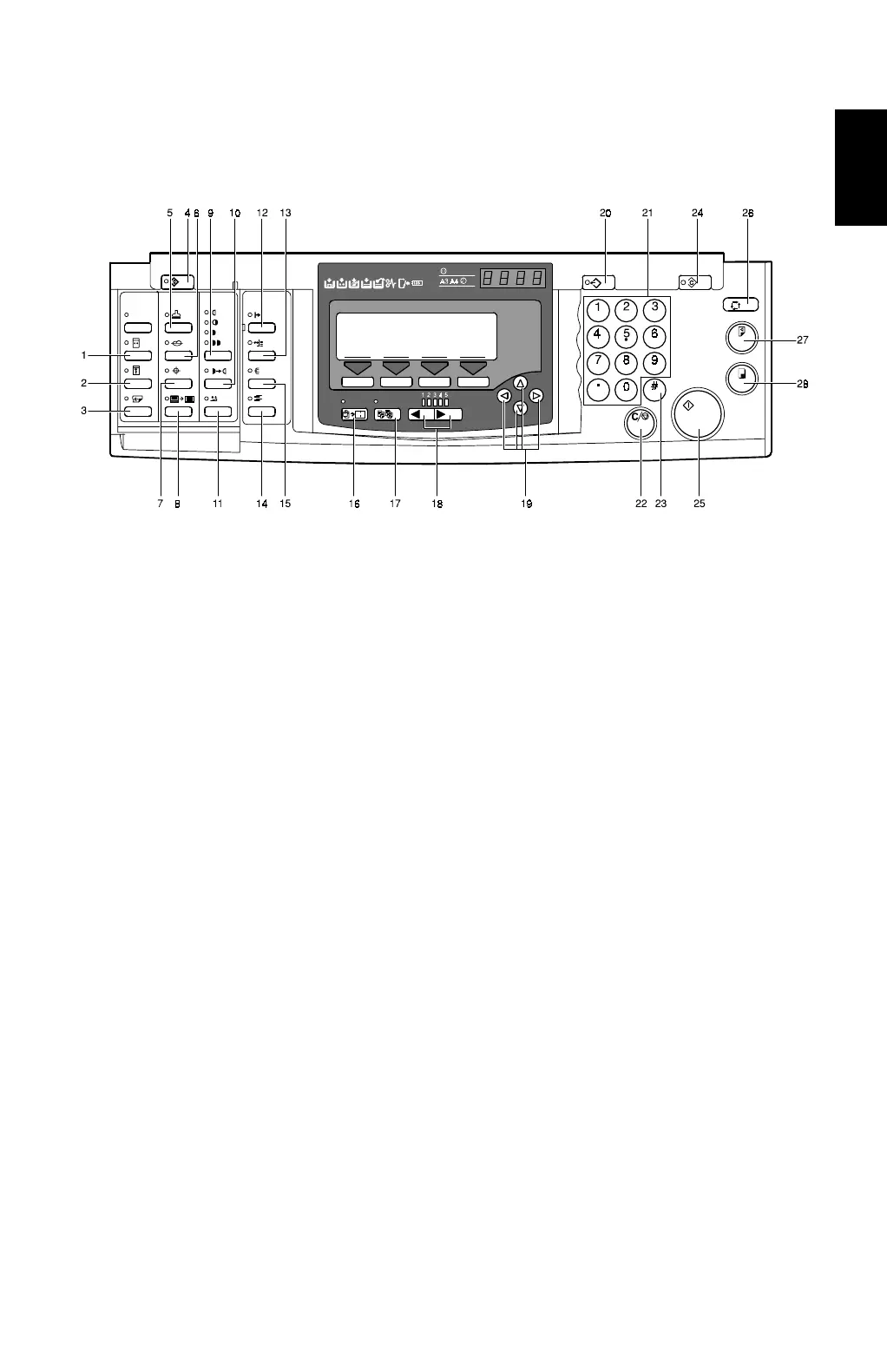
1.5 OPERATION PANEL
1.5.1 KEYS
1. Quality Start key
2. Security key
3. Skip Feed key
Press to select skip feed printing.
4. User Tools key
Press to change the default
settings to meet your
requirements.
5. Stamp key
Press to select the optional
Stamp function.
6. Make-up key
Press to select the optional Make-
up function.
7. Overlay
key
Press to select the optional Image
Overlay mode.
8. Edge Erase key
Press to select Edge Erase mode.
9. Image Density key
Press to make prints darker or
lighter.
10. Tint key
Press to reproduce tinted images.
11. Economy Mode key
Press to save ink.
12. On Line key
13. Auto Delivery Adjust key
Press to adjust the position of the
paper delivery end plate and paper
delivery side plates.
14. Job Separator key
15. Sorter key
Press to select the optional Sort,
Class Sort or Staple function.
16. Combine key
Press to combine originals onto 1
print.
17. Class key
Press to select All Class, Auto
Class, Manual Class, or Class
mode.
18. Speed keys
Press to adjust the printing speed.
19. Scroll keys
Press to shift the image forward,
backward, right, or left.
Also use to highlight items you
wish to select on the panel display.
C232V506.wmf



 To Next Page