PAPER TRAY 1 March, 2000
6-8
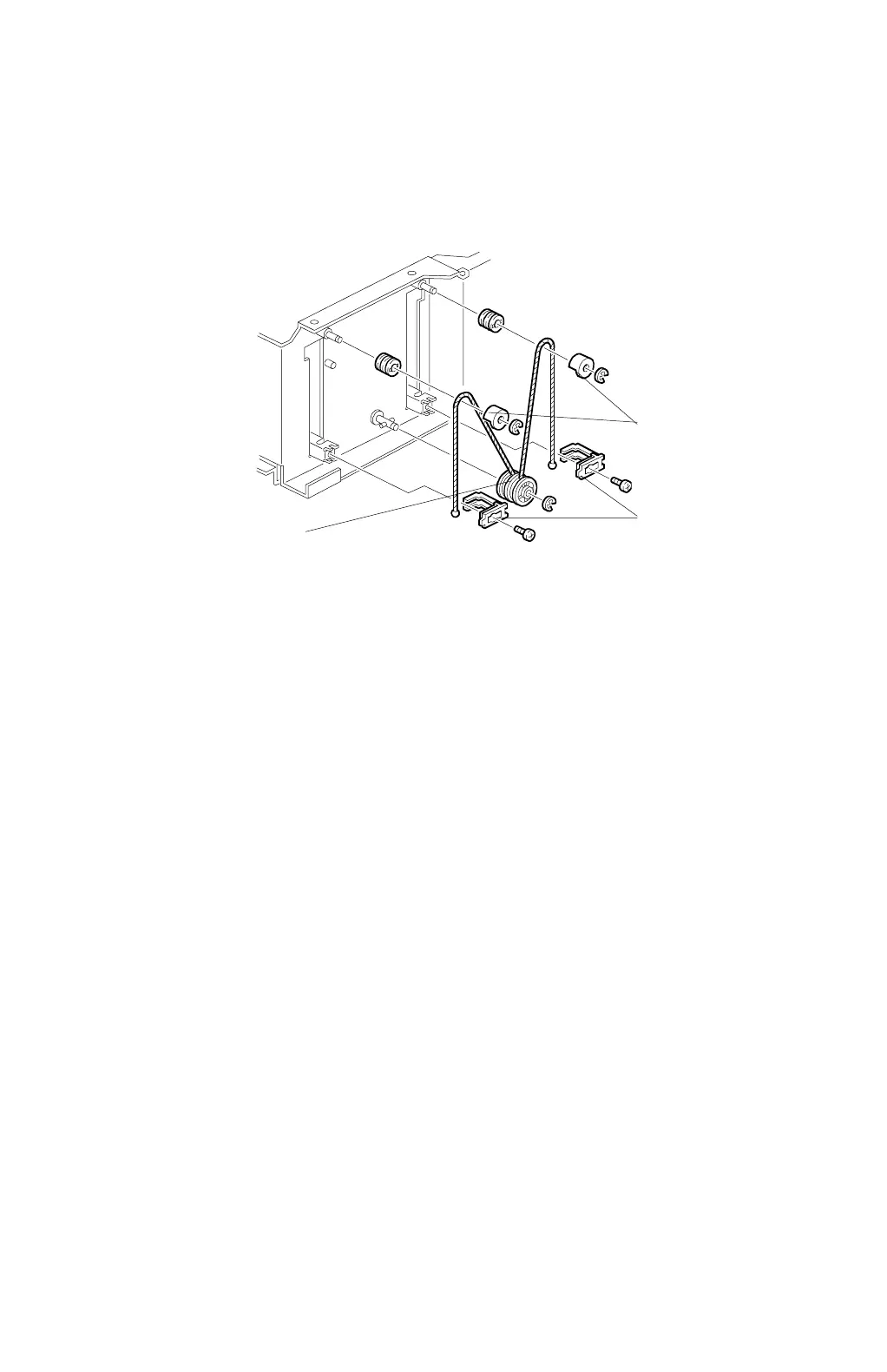
6.1.7 BOTTOM PLATE LIFT WIRE REPLACEMENT
NOTE:
Before replacing the rear bottom plate lift wire, remove the front bottom
plate lift wire. It is necessary to remove the shaft for replacing the rear
bottom plate lift wire.
1. Remove the right tandem tray. (Refer to Paper Tray Removal, section 6.1.1)
2. Remove the tandem tray cover.
3. Remove the wire stoppers [A] (2 screws).
4. Remove the wire covers [B] (1 E-ring each).
5. Replace the front bottom plate lift wire [C] (1 E-ring).
C232R011.WMF
[A]
[B]
[C]



 To Next Page