1 March, 2000 PAPER TRAY
6-7
Replacement
Adjustment
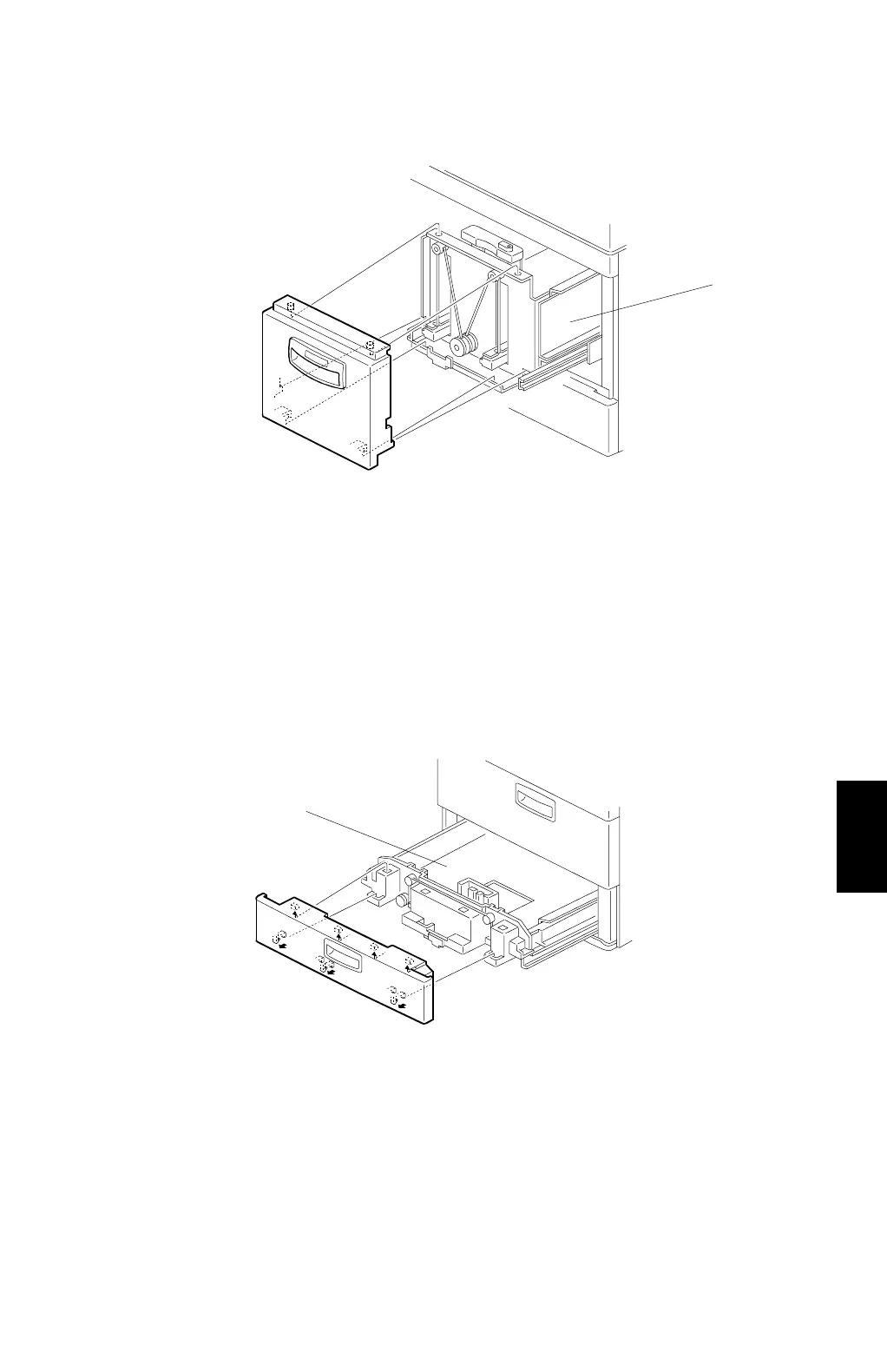
Right tandem tray cover
1. Draw out the right tandem tray [A].
2. Remove the right tandem tray cover, as shown.
NOTE:
When re-installing the right tandem tray cover, set the hooks in the holes in
the frame.
Tray 2 cover
1. Draw out tray 2 [A].
2. Remove the tray 2 cover, as shown.
NOTE:
When re-installing the tray 2 cover, set the hooks in the holes in the frame.
C232R009.WMF
C232R010.WMF
[A]
[A]



 To Next Page