Placing Originals
18
1
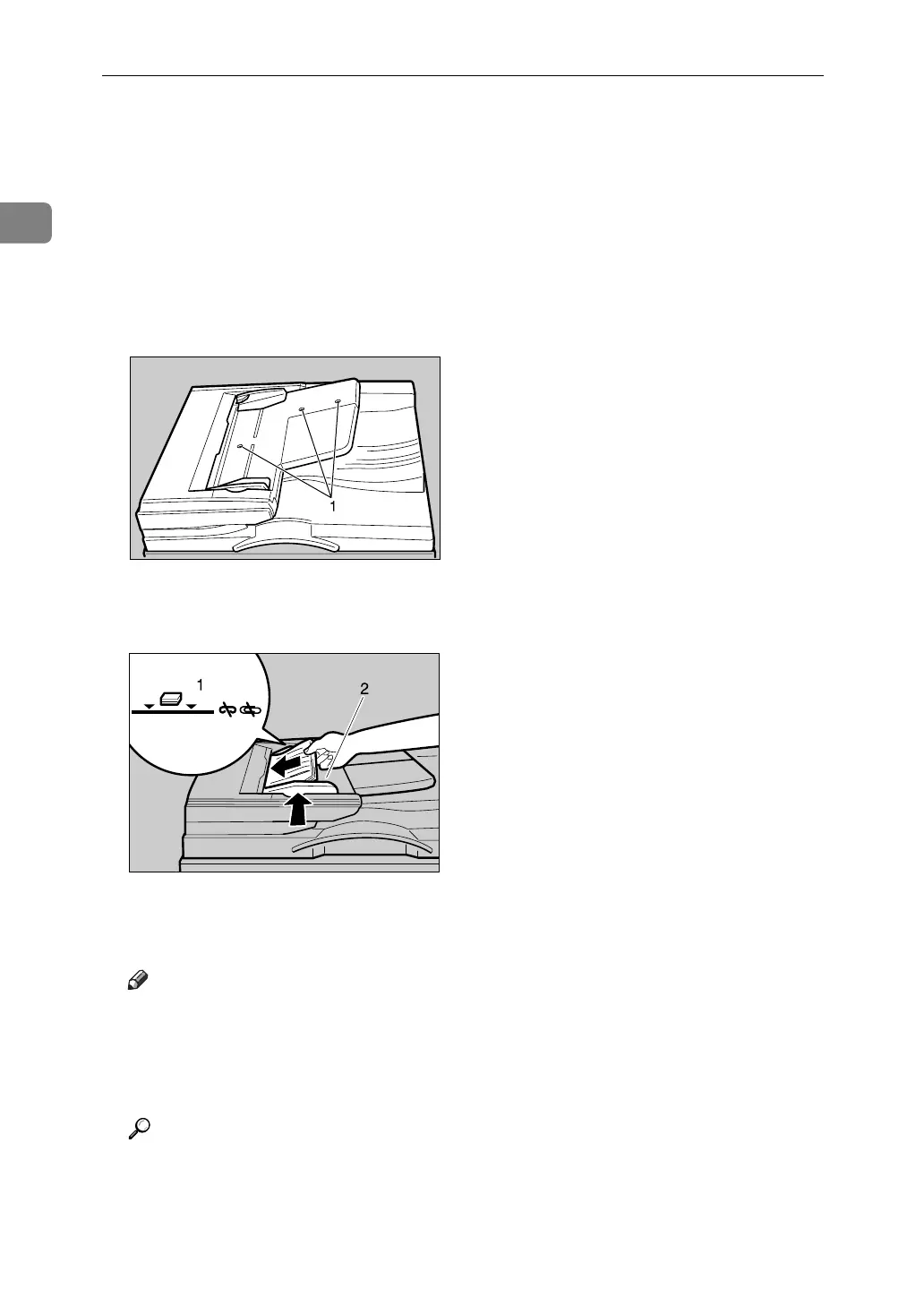
A Adjust the document guide to the original size.
B Set the aligned originals face up into the ADF.
Do not stack originals beyond the limit mark.
The last page should be on the bottom.
Be sure not to block the sensor or load the original untidily. Doing so may
cause the machine to detect the size of the scanned image incorrectly or dis-
play a paper misfeed message. Also, be sure not to place originals or other ob-
jects on the top cover. Doing so may cause a malfunction.
1 Sensors
1 Limit mark
2 Document guide
Note
❒ Straighten curls in the originals before placing them on the ADF.
❒ To prevent multiple sheets from being fed at once, fan the original before
placing it on the ADF.
❒ Set the original squarely.
Reference
p.19 “Batch Mode”
p.20 “SADF Mode”
p.21 “Mixed Size Mode”
p.22 “Placing Custom Size Originals”
ZEWH210E
ZLFH050E












 To Next Page