Copying
70
2
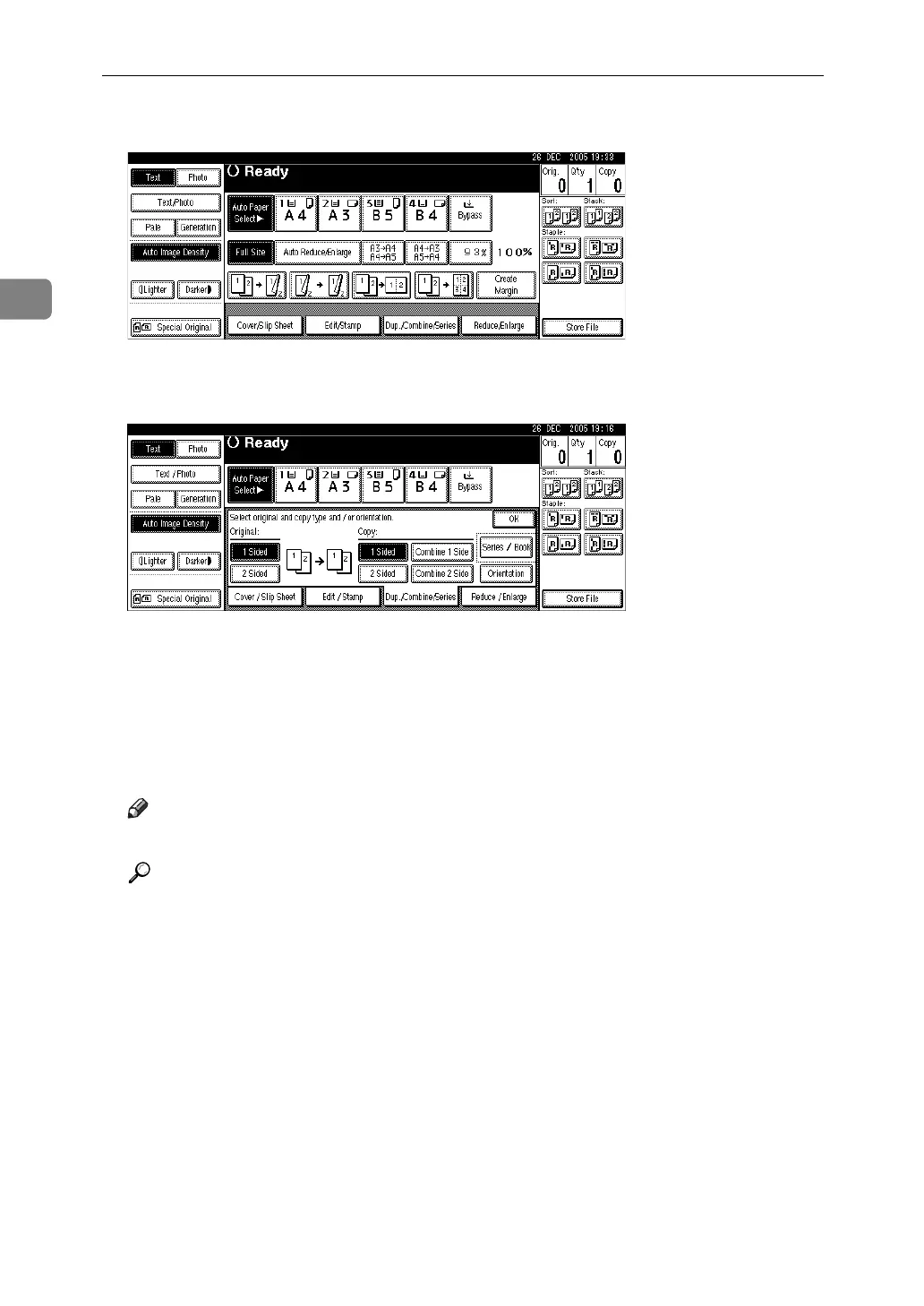
A Press [Dup./Combine/Series].
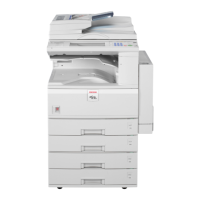
B Select [1 Sided] or [2 Sided] for Original, and then press [Combine 2 Side] for
Copy.
C Select the number of originals to combine, and then press [OK].
D Select the paper size.
E Press [OK].
F Place the originals, and then press the {Start} key.
Note
❒ You cannot use the bypass tray with this function.
Reference
“Edit”, General Settings Guide



 To Next Page