Troubleshoot a problem 103
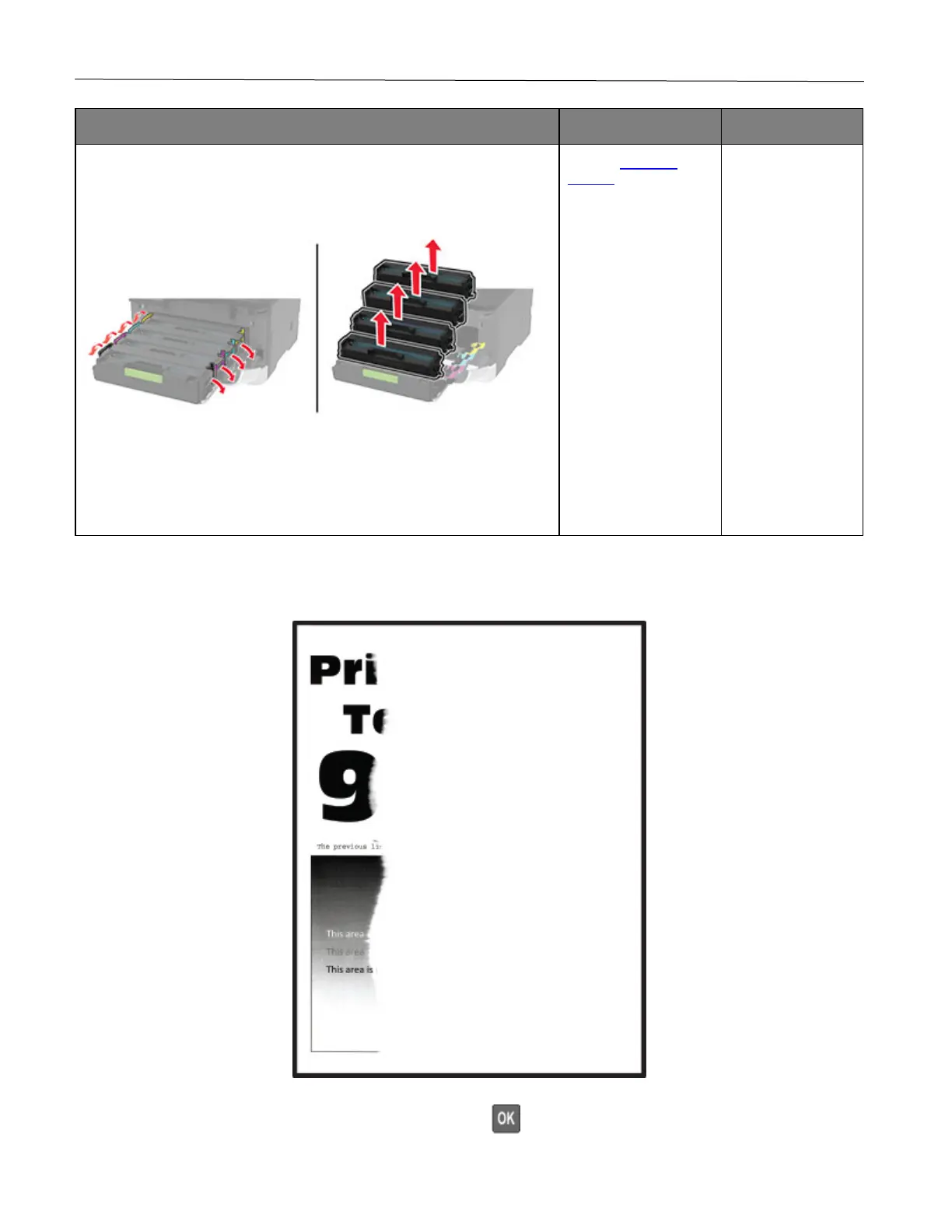
1 Open the front door, and then firmly push it down.
2 Pull out the print cartridge tray.
3 Remove, and then insert the print cartridges.
4 Insert the print cartridge tray, and then close the door.
5 Print the document.
Is the printer printing solid color or black images?
support.
solved.
Text or images cut off
Note: Before solving the problem, print the Print Quality Test Pages. From the control panel, navigate to Settings
> Troubleshooting > Print Quality Test Pages. Press to navigate through the settings.










 To Next Page