2.Replacement and Adjustment
69
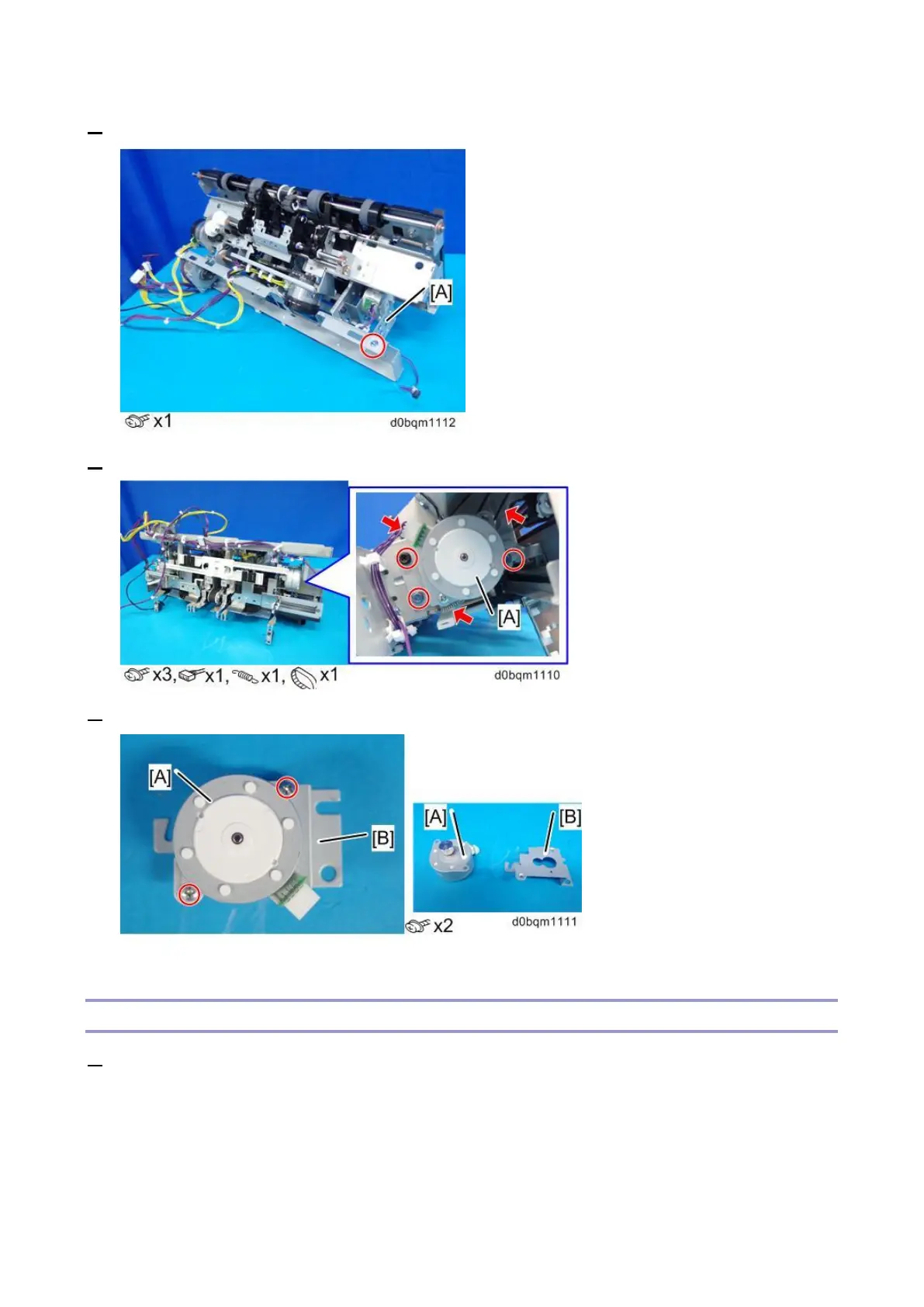
2. Remove the bracket [A].
3. Remove the Leading Edge Guide Motor (STM6) [A] with bracket.
4. Remove the Leading Edge Guide Motor (STM6) [A] from the bracket [B].
Paper Stacking Holder Motor (DCM8)
1. Remove the corner stapling unit (Corner Stapling Unit).



 To Next Page