2.Replacement and Adjustment
76
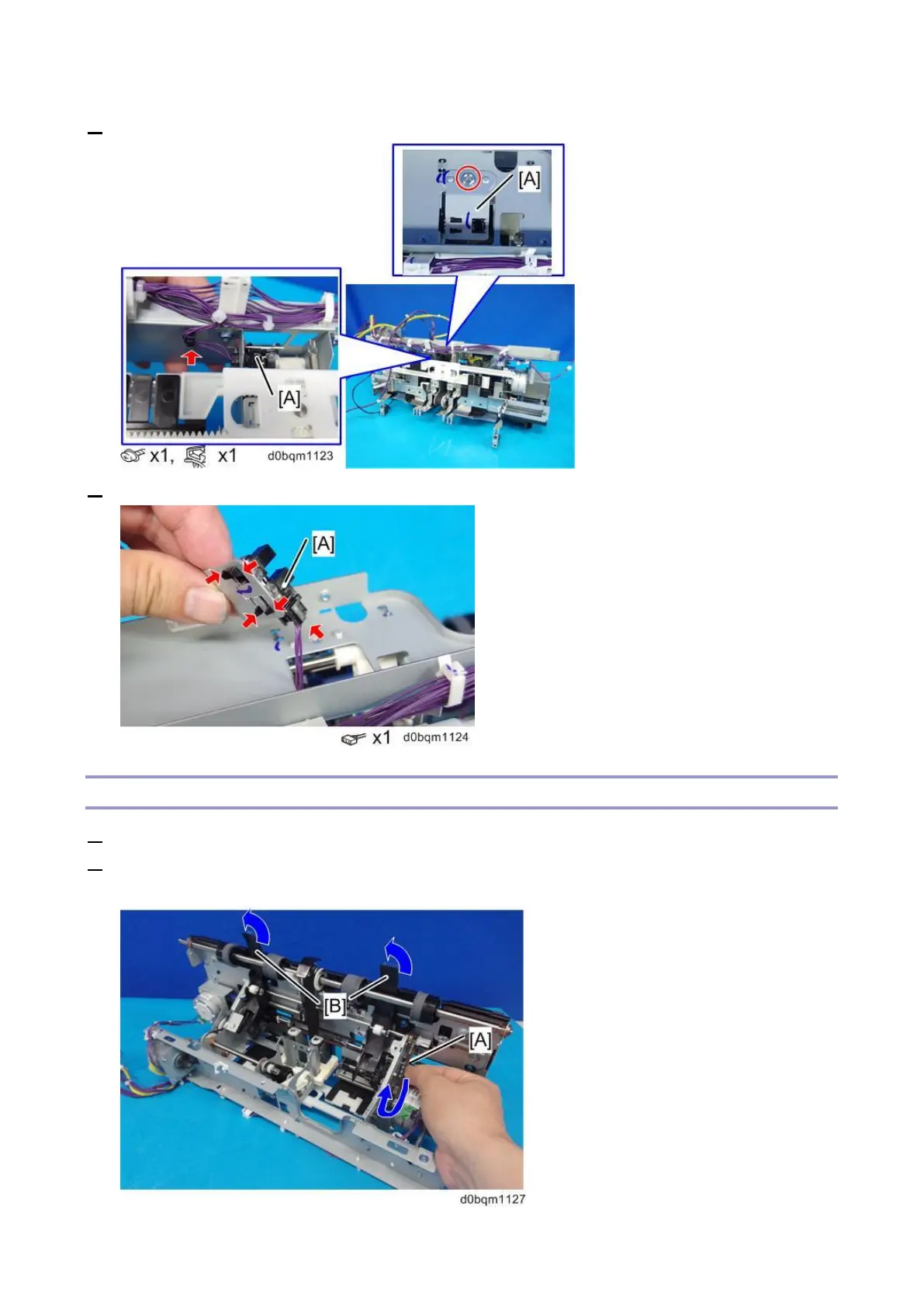
2. Remove the bracket with the Feed-out Belt HP Sensor (S12) [A].
3. Remove the Feed-out Belt HP Sensor (S12) [A] from the bracket.
Leading Edge Guide HP Sensor (S33)
1. Remove the trailing edge alignment unit (Trailing Edge Alignment Unit).
2. On the part with the corner stapling unit, rotate the belt [A] of the leading-edge guide motor until the
leading-edge guide [B] is revealed.



 To Next Page