2.Replacement and Adjustment
92
Stapler Unit
Stapler Unit
1. Remove the rear upper cover. (Rear Upper Cover, Rear Lower Cover)
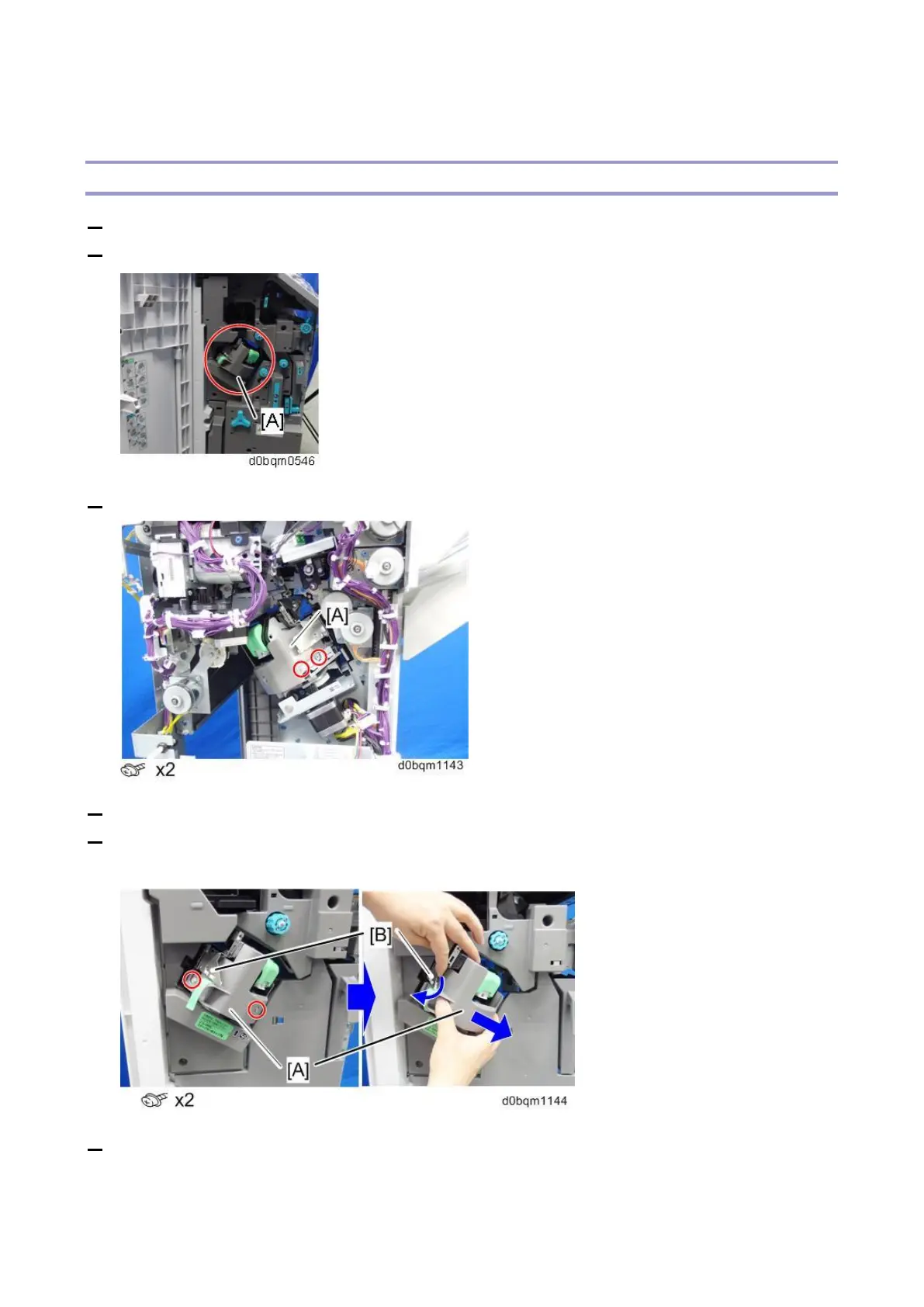
2. Open the front door and push the stapler [A] to the rear side of the finisher.
3. At the rear side, remove the screw circled in the photo below from the stapler [A].
4. Push the stapler to the front side of the finisher.
5. Remove the inner upper cover [A].
Be sure to open the paper guide [B] and release its catches on the cover.
6. Remove the fixing bracket [A] of the stapler unit.
• Opening the trailing edge of the bracket [B], pull it out to the front while releasing the catch of
the boss.



 To Next Page