2.Replacement and Adjustment
52
Front Cover
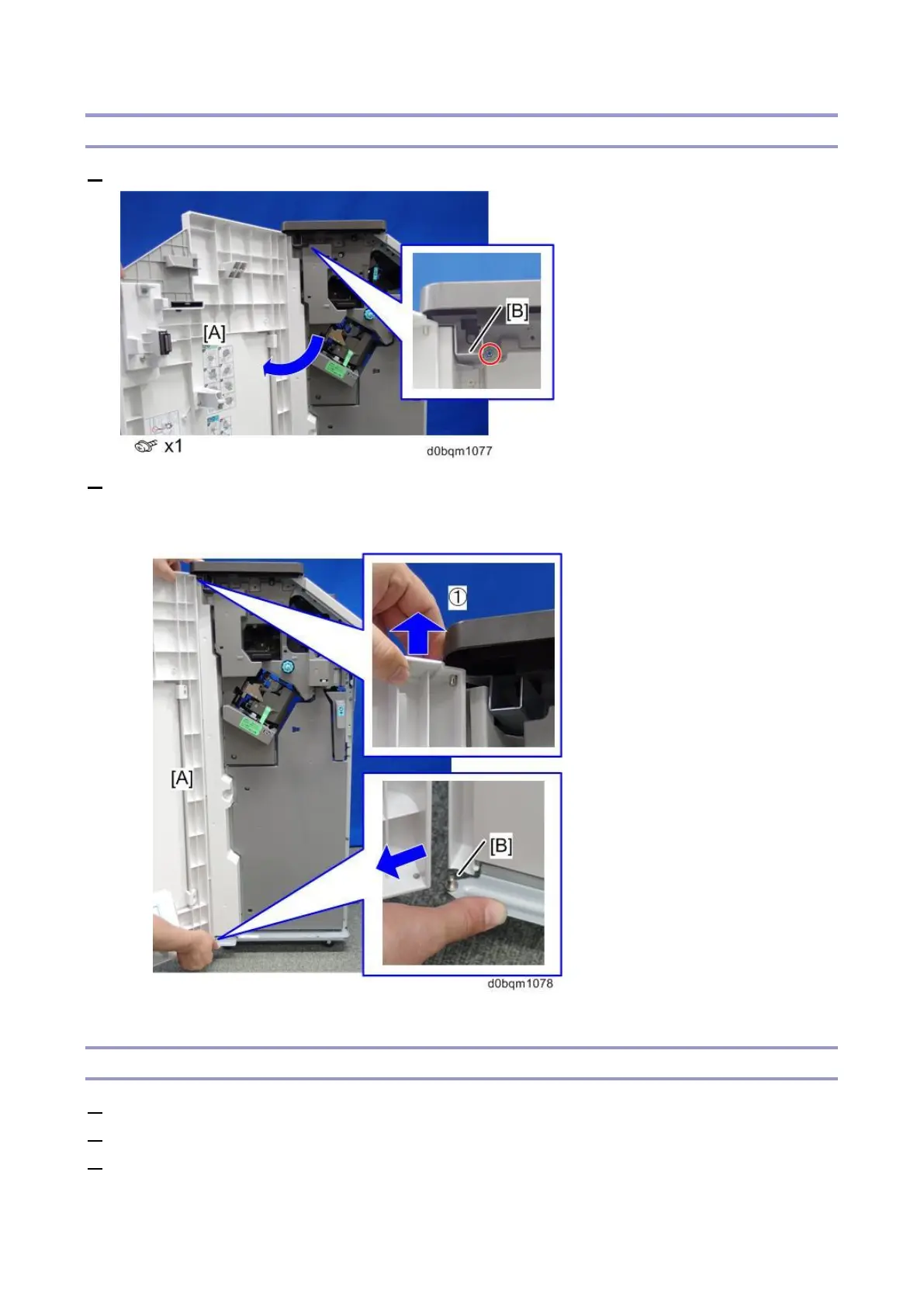
1. Open the front door [A], and then remove the screw fixing the bracket [B].
2. Remove the Front door [A].
1. Holding the hinge at the upper part of the cover, raise the edge of the upper cover.
2. Pull out the cover from the pin [B] at the bottom.
Front Left Side Cover
1. Remove the front cover. (Front Cover)
2. Remove the paper guide cover (front). (Paper Guide Cover)
3. Remove the front left side cover [A].



 To Next Page