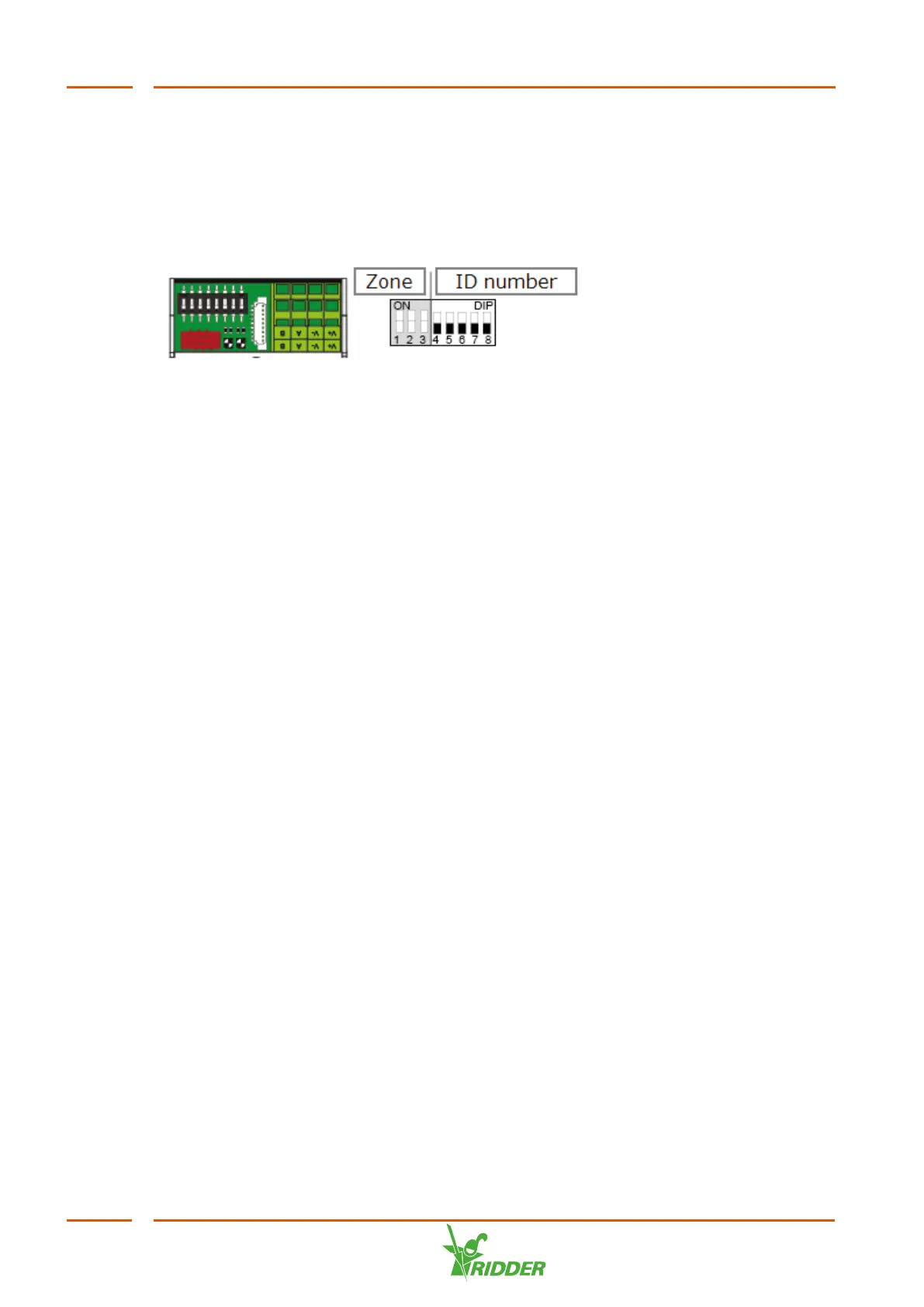
DIP switch
Up to 32 Smart Switches can be connected to the HortiMaX-Go!. The first step is to
assign addresses to the Smart Switches. Each Smart Switch requires a unique
address. This address is set using the DIP switch. By moving the small toggle
switches (or 'DIPs') up or down, you can set a binary number that will be used as the
Smart Switch address.
Figure 4-2: DIP switch
DIP switches 4, 5, 6, 7 and 8 determine the unique address or ID number of the Smart
Switch (called 'DIP switch position’ in the software). Each ID number may only occur
once for a particular HortiMaX-Go!.
Using the address list provided, you can set a unique address or DIP switch position
for each Smart Switch. Place the product sticker of the Smart Switch in an empty spot
on the address list. Then adjust the DIPs up or down so it matches the chosen address
on the adress list.
FertiMiX
34


 To Next Page