You have set a period.
If you delete periods, then the corresponding settings are retained. If you add
these periods again, check whether the preset values are still applicable.
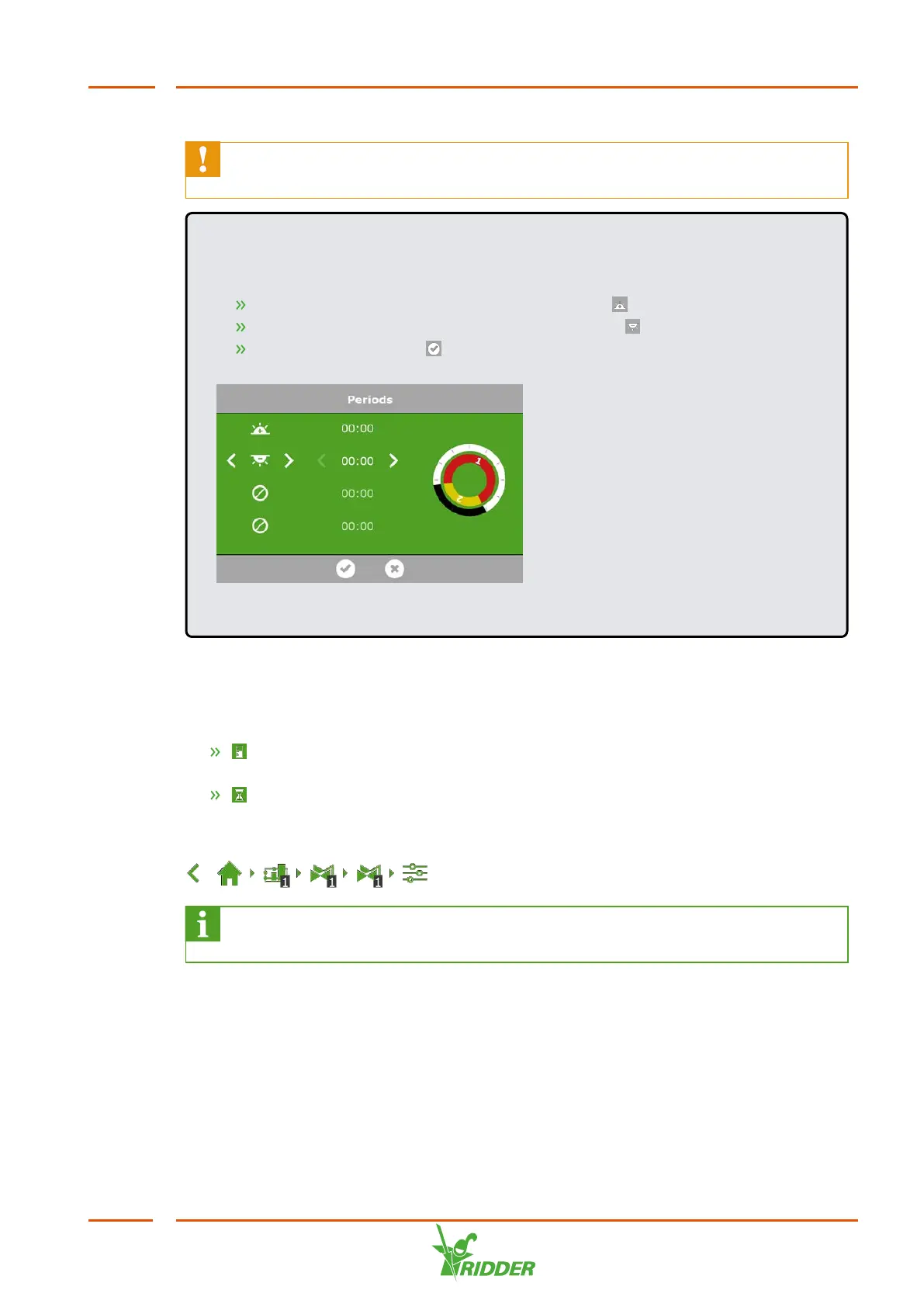
EXAMPLE
Setting day and night periods
For period 1, select a start time after sunrise ‘ '.
For period 2, select a start time before sunrise ‘ '.
Tap the Confirm icon ‘ '.
Figure 6-7: Setting day and night periods
6.3.5 Duration and volume
To start using the irrigation program, you need to set at least one of these values for
a valve group for each period:
Volume: the desired volume of irrigation (in litres). To use this setting, a flow
meter (a flow sensor or water meter) is required on the main pipe.
Duration: the amount of time that the valves will be open (in seconds).
You can set the volume and the duration on the settings screen for automatic
irrigation. To set the dosing ratios, navigate this path:
.
If both volume and duration are set, then irrigation will stop as soon as the
first target value (setpoint) is reached.
FertiMiX
49


 To Next Page