PUMP PRECAUTIONS
To prevent damage to the FertiMiX pump, the FertiMiX will stop and generate
the following alarm message:
Pump overheating.
As an option, the FertiMiX pump can be fitted with a temperature sensor. This
sensor produces an alarm when the water around the pump gets too hot.
Consult the manual of the FertiMiX pump to check the pump's direction
of rotation and bleed air from the pump.
5.5.2 Water supply and pressure
You need to adjust the water supply and set the water pressure to the venturis.
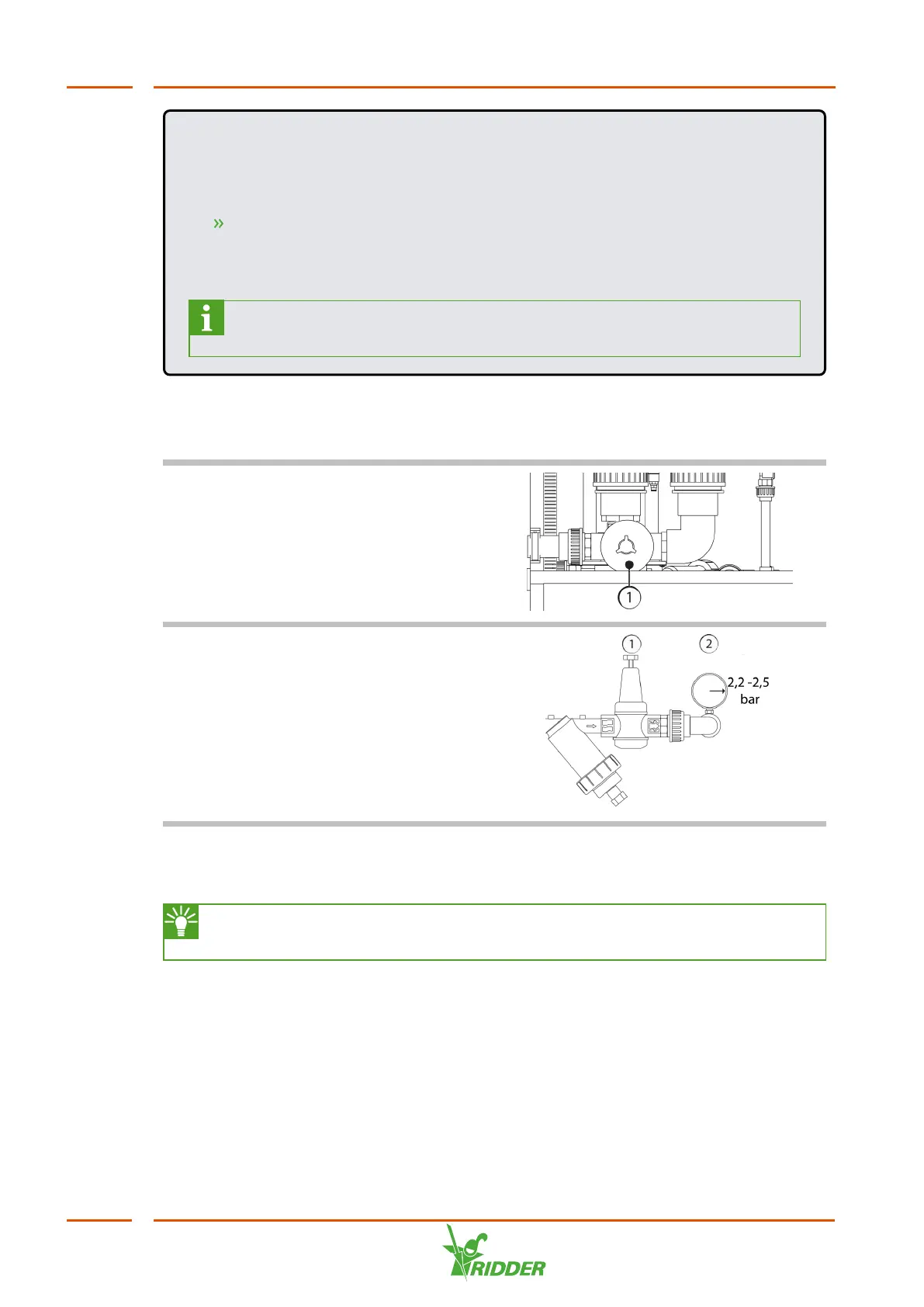
Adjust the water supply
Turn the knob on the float valve (1) to
adjust to the water supply.
Set the correct water pressure to
the venturi
Turn the adjustment screw (1) until the
pressure gauge (2) after the filter
displays 2.2 bars. This is the pressure on
the venturis.
5.6 Using the dosing channels for the first time
Ridder Growing Solutions advises you to test the FertiMiX first with water,
before using fertilizers and/or acid.
To prepare the dosing channels for use, complete the following steps:
1. Place the suction hoses into a bucket of fresh water and submerge them
completely.
2. Test the dosing channels by irrigating briefly using the fertigation recipe.
3. Check the water pressure on the venturis (see "Water supply and pressure"
above ).
4. Check for leaks. Rectify any leaks found.
5. Place the suction hoses in the correct fertilizer tank/acid tank.
FertiMiX
42


 To Next Page