The irrigation program now activates the selected valves using the recipe of the valve
group from which you opened the screen and that applies for the current period. The
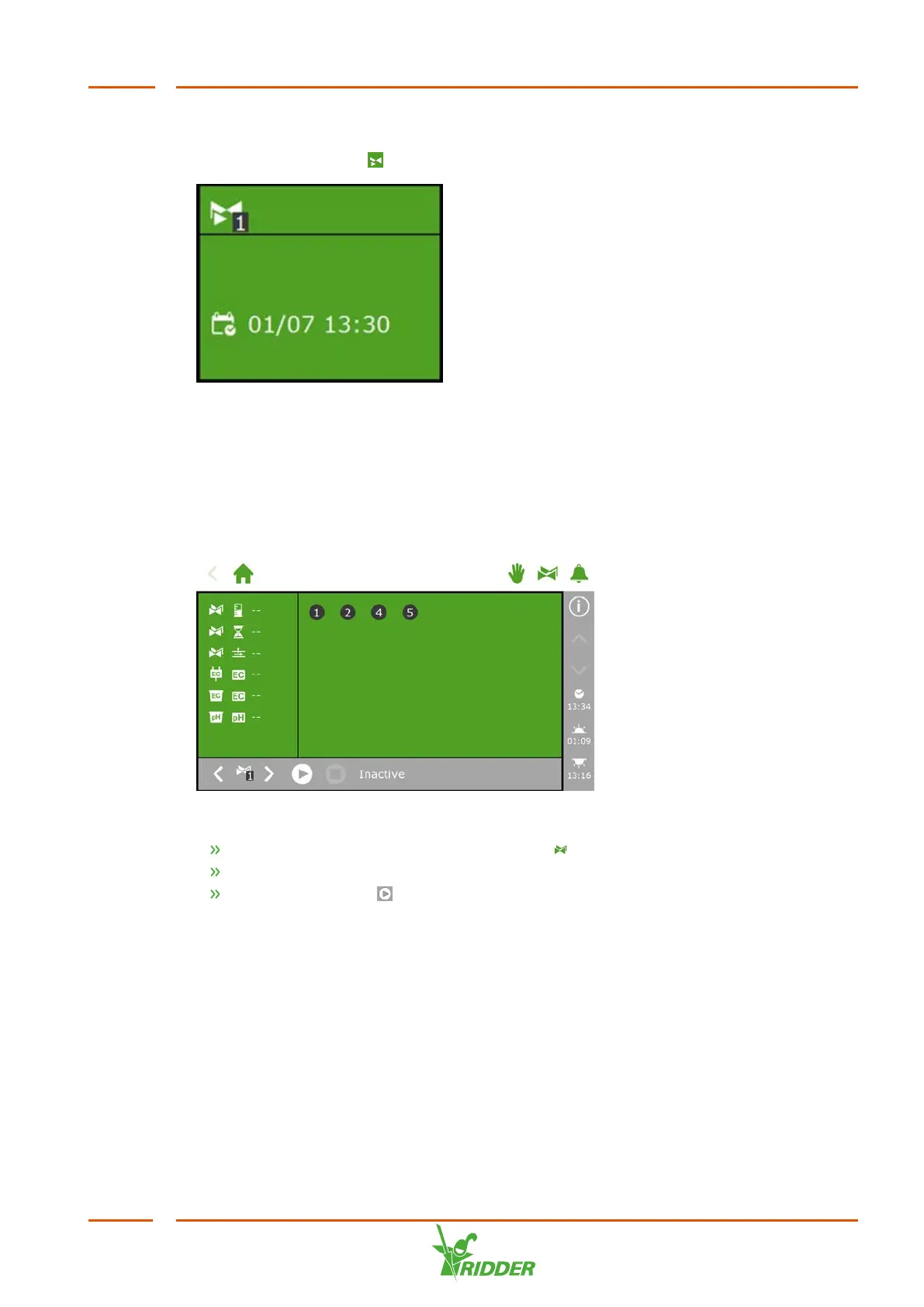
manual valve start tile ' ‘displays when the last manual start was performed.
Figure 6-12: Manual valve start tile
Manual valve group start
When you activate a valve group manually (i.e. execute a manual start), the irrigation
program activates the valves assigned to that group and applies the preprogrammed
recipe (of the active period). You can activate a valve group manually on the Manual
valve group control screen.
Figure 6-13: The Manual valve group control screen
Tap the Manual Valve Group Control icon ‘ ' on the top bar.
Select a valve group (bottom left).
Tap the Start icon ‘ '.
You have activated a valve group.
The Manual valve group control screen displays the details of the valve group,
such as the volume, the duration and which valves are active.
FertiMiX
53


 To Next Page