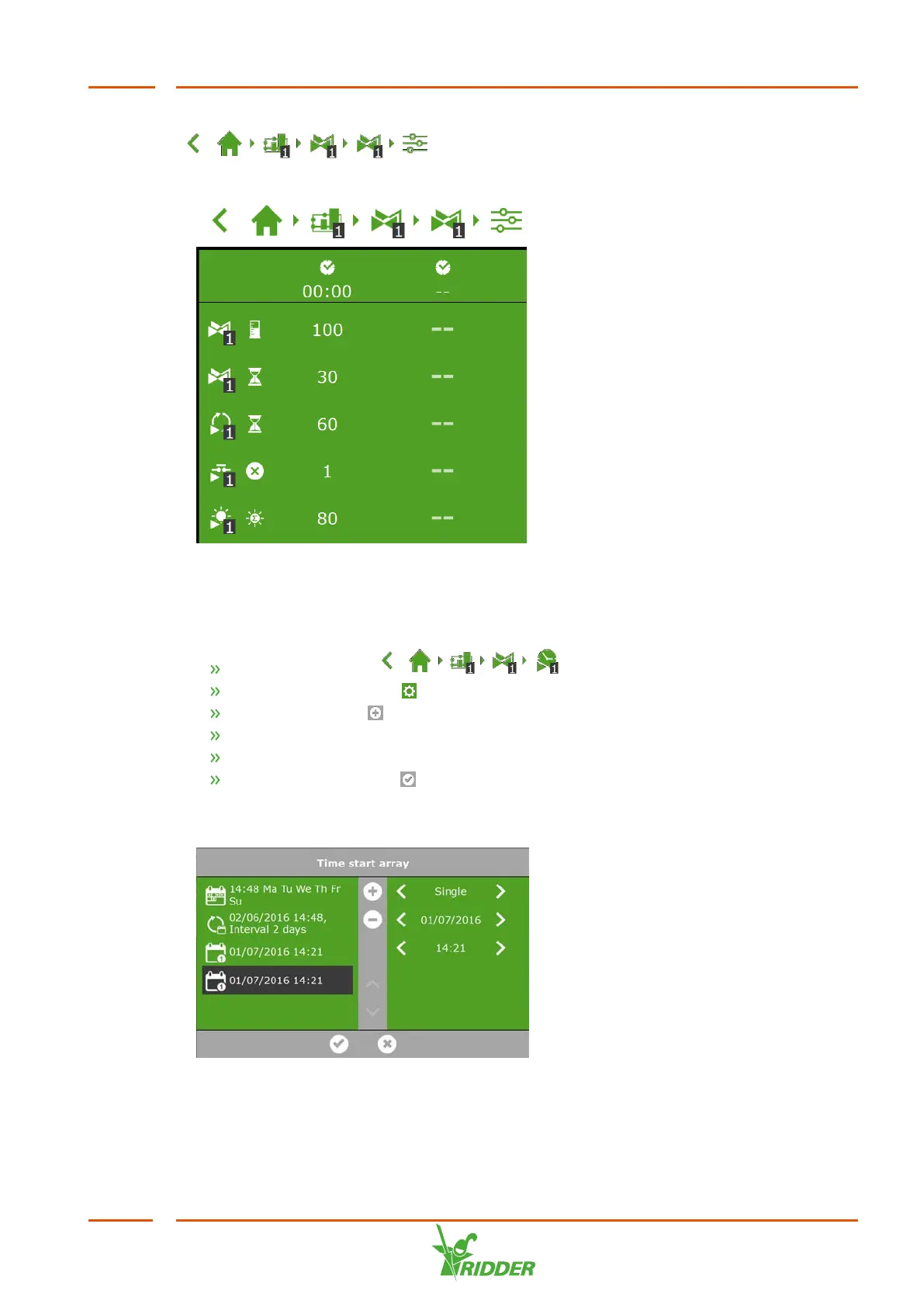
To set a cyclic start, contact start of radiation start, navigate this path:
. Here you can set the start conditions for each
period.
Figure 6-15: Irrigation start conditions
You can set the time starts on the Time start array screen. Complete the following
steps to add a time start:
Navigate the path: .
Tap the Settings icon ‘ '. The Time start array screen appears.
Tap the Add icon ‘ '.
Select the type of time start that you want to add.
Enter the associated data.
Tap the Confirm icon ‘ '.
You have set a time start.
Figure 6-16: Time starts
FertiMiX
55


 To Next Page