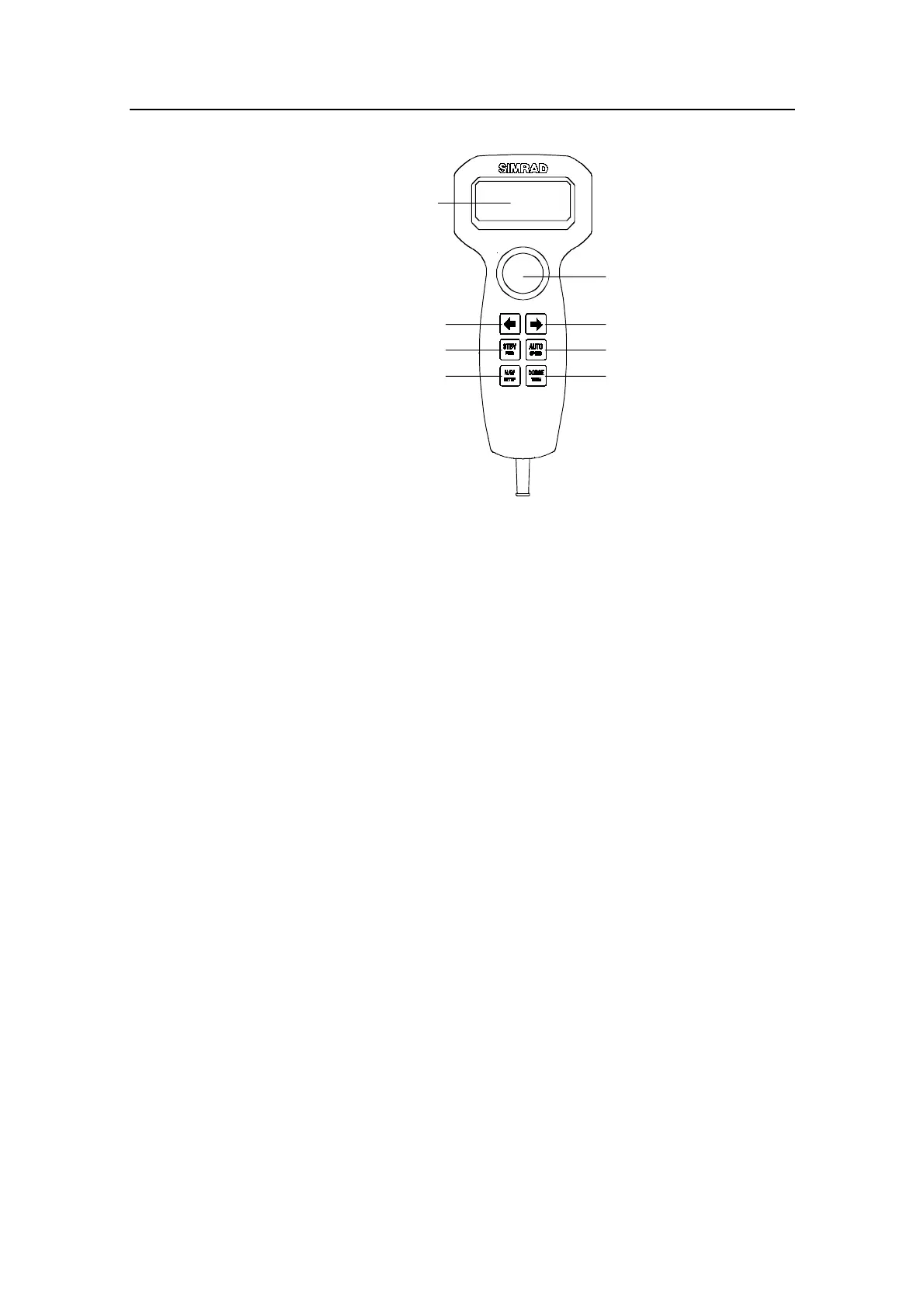
Robertson AP21 and AP22 Autopilots
16 20220596E
Multifunction LCD
Rotary course knob
PORT key STARBOARD key
DODGE / U-TURN / TACKNAV or WIND / setup
AUTO / manual speed select
STANDBY / POWER On/Off
Figure 2-2 AP21 Front Panel
The control unit can operate as a stand alone unit in an
autopilot system or combined in a multistation system. In a
multistation system the command can easily be transferred from
one unit to another. Units not in control will display "Inactive".
The autopilot system is capable of the following primary
steering modes: STBY (manual steering), AUTO, NAV or WIND,
each mode having a dedicated push button.
Each of the mode push buttons is clearly identified with the
primary function in large text, and a secondary function listed
in smaller text. Each button provides you with access to a
primary display and a secondary.
A group of user adjustable settings and selections are provided
in the USER SETUP MENU (page 33). Adjustment of display
visibility, selection of heading sensors, navigation sources are
among the menu items.
Alarms are presented in plain text to alert you in the event of
system or external data failure conditions. Alarms include both
audible and visual presentations. The alarm listing is on page
113.
2.2 ON/OFF - Standby mode
A single press on the STBY button switches the system ON and
the following status displays are shown:



 To Next Page