Installation
20220596E 65
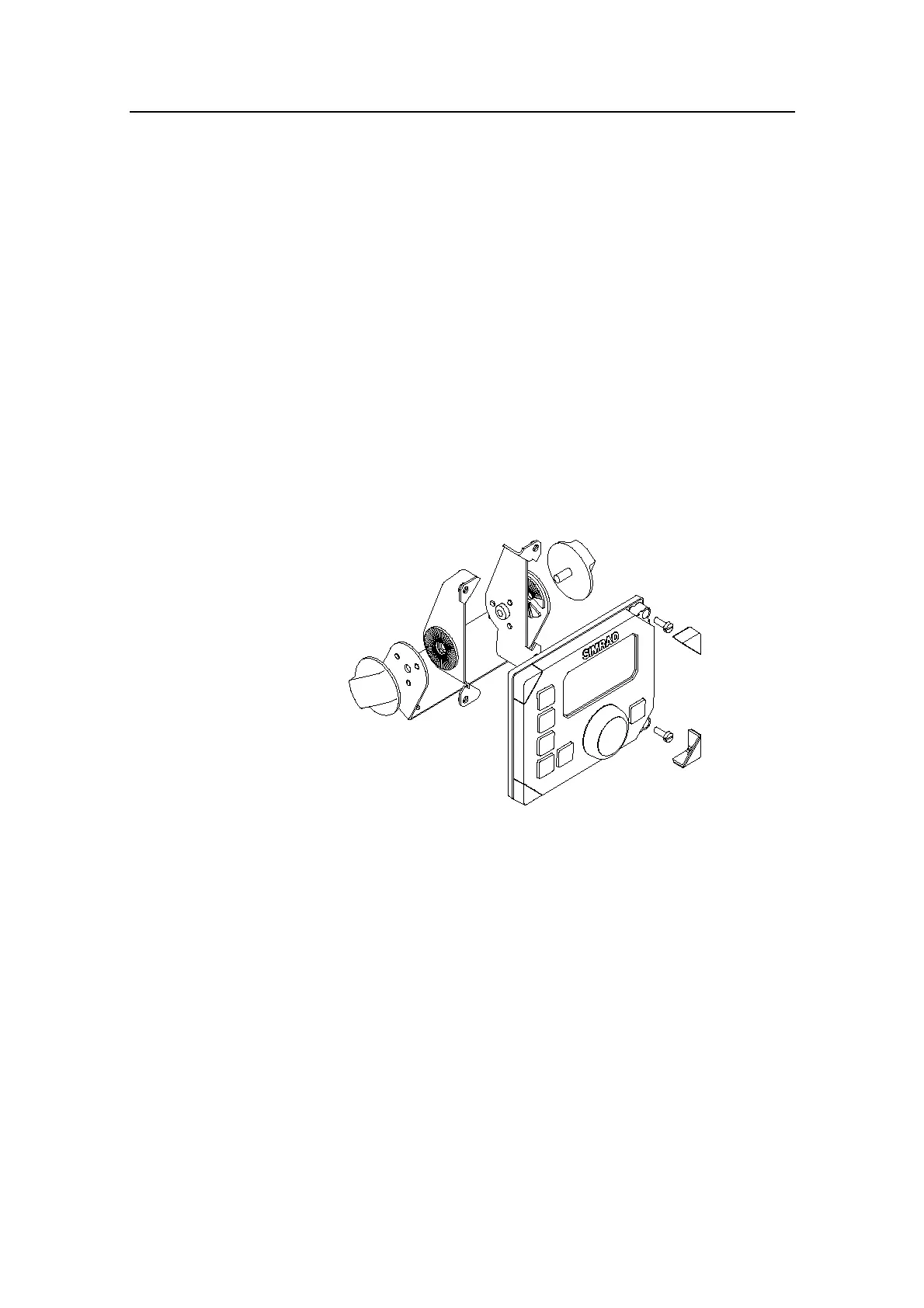
Optional bracket mounting of AP22
• Locate the cradle on the mounting site and mark the 4 holes
for the fixing screws on the mounting surface.
• Drill the 4 mounting holes and screw the cradle to the
mounting surface.
• Use the supplied screws to fasten the control unit to the left
and right brackets.
• Apply the front panel corners.
• Use the two locking knobs to assemble the cradle with the
left and right brackets and adjust the control head to best
viewing angle.
• Connect the Robnet cable(s) to the control unit connector(s)
(See note on page 66).
Figure 4-8 AP22 Bracket mounting (N3-208570)
4.12 ROBNET network cables
As Robnet units have two Robnet connectors they can be used
as "jack points" for further expansion of the system. There are
no dedicated "in" or "out" connectors. You may connect the
cables to any available Robnet connector on the specific unit.
The Robnet cables are available in 7 and 15 m length and
provided with 6 pin male connector at one or both ends. The 15
m cable to the junction unit has connector only at the control
unit end.
Optional extension cable (10 m) is available and has a male and
a female connector.



 To Next Page