3.7.3.Configurable Inputs
Two of the buttons found on the push button enclosure can be configured to trigger Pause and Restart commands.
The direct input (DI)terminalsto which the Pause and Restart wires need to be connected are at the user’s choice.
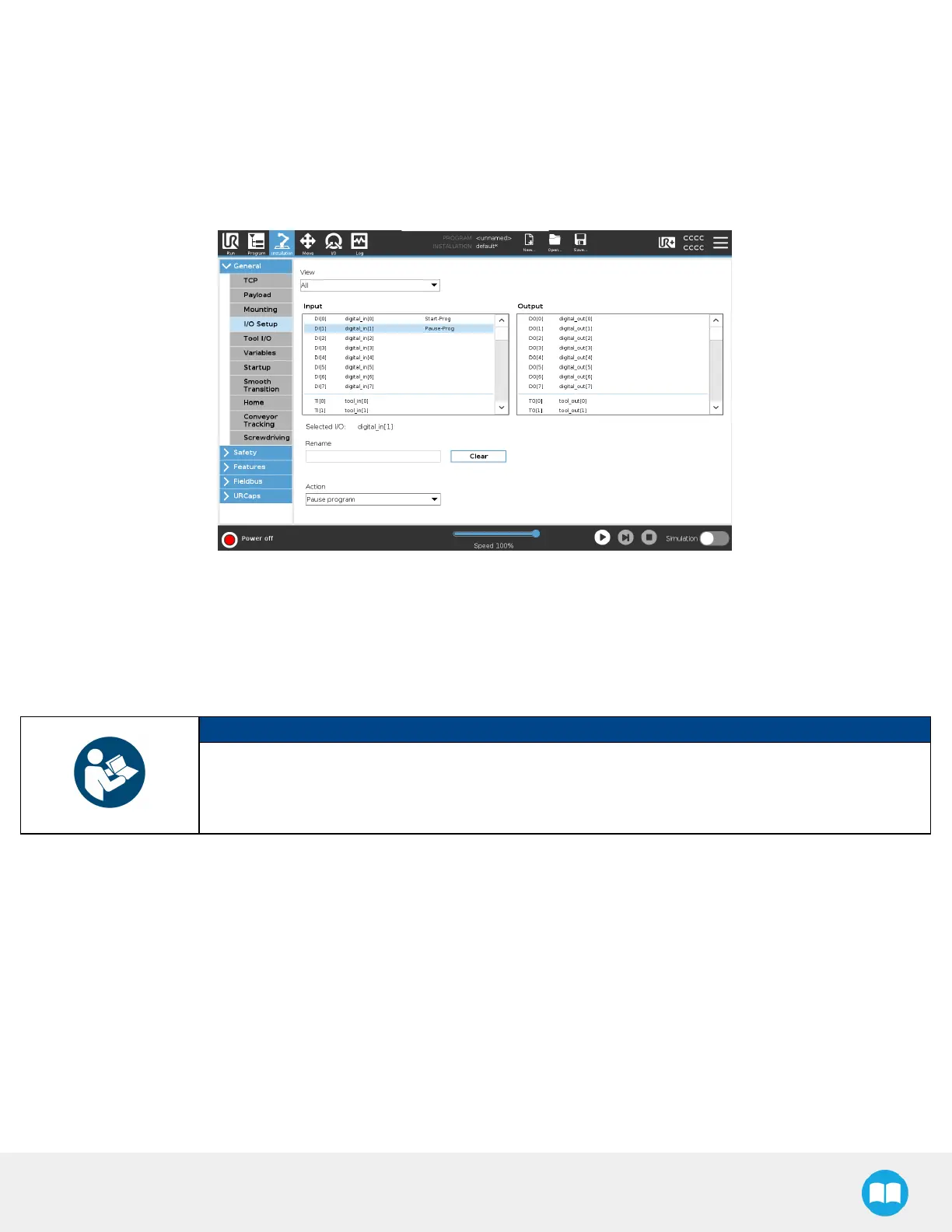
1. Tap Installation > General > I/O Setup.
2. Set the Input Signal digital_in[0] to Start-Prog and digital_in[1] to Pause-Prog.
3.7.4.SafetyPlanes
Safety planes, programmable via UR'sPolyScope, can be added to the front and sides of pallet zones as safeguarding measuresin
case of system failure, mainly to prevent the robot from overrunning the edges of the pallet while carrying boxes. Please refer to
the instruction manual of the URrobot used for more details in regard to adding and setting up safety planes.
NOTICE
The trajectoriescomputed in the Palletizer node allow boxesto overrun the edge of the pallet. This
should be accounted for when adding and setting up safety planes. Please refer to the Physical
Clearance and Reachable Area of the Robot section for more information. The valuescan vary
depending on your configuration.
62



 To Next Page