Installation Guide GM Series
This
System
can be
Configured
to
work
in
ALL
Audio
Platforms
Using
the
wrong
Configuration
will
cause
various
audio
performance
problems
See
the
Trouble
Shooting
at
the
end
of
this
Install
Guide
for
symptoms
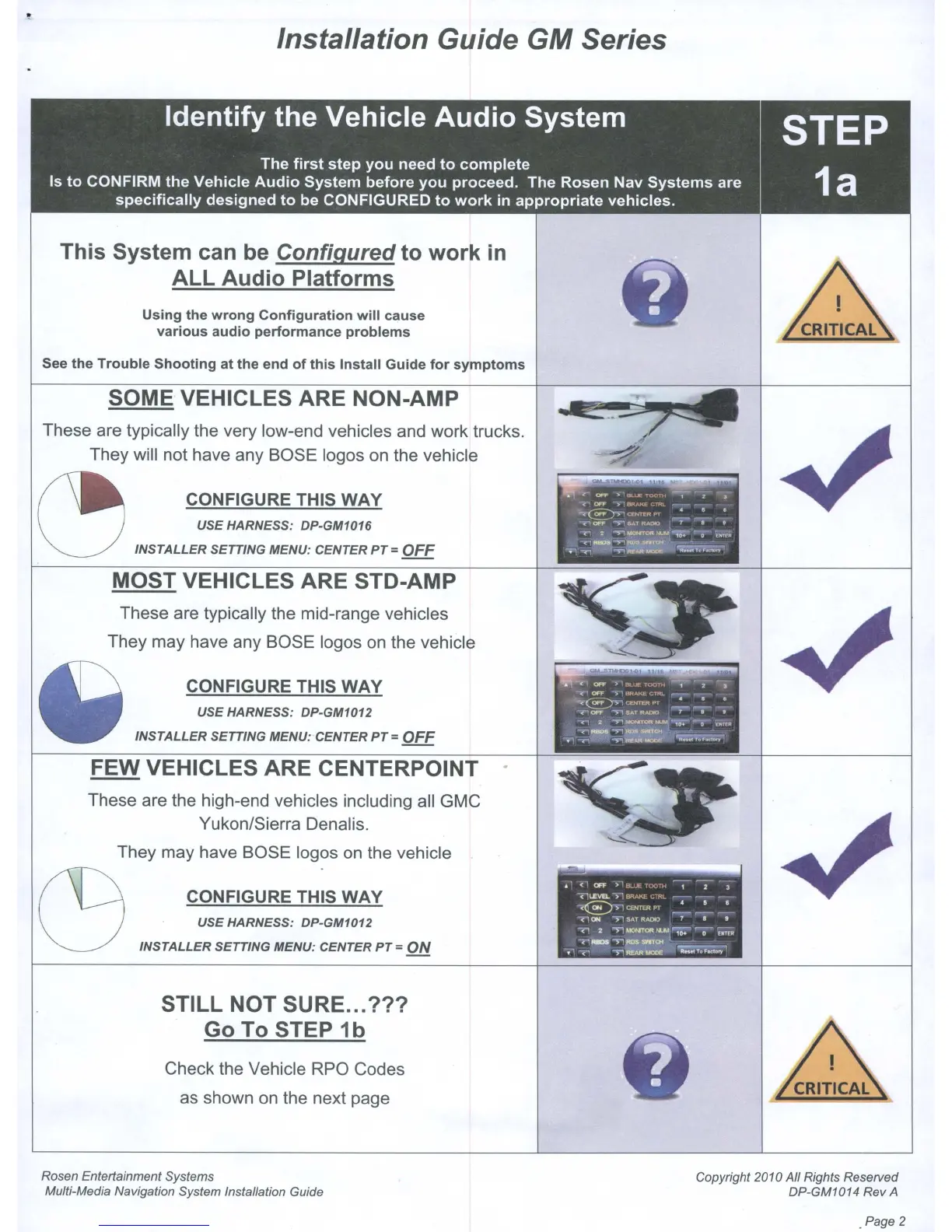
SOME VEHICLES ARE NON-AMP
These are typically the very low-end vehicles and work trucks.
They will not have any BOSE logos on the vehicle
~
CONFIGURE THIS
WAY
USE HARNESS: DP-GM1016
INSTALLER SETTING MENU: CENTER
PT
= OFF
MOST VEHICLES
ARE
STD-AMP
These are typically the mid-range vehicles
They may have any BOSE logos on the vehicle
CONFIGURE THIS
WAY
USE HARNESS: DP-GM1012
INSTALLER SETTING MENU: CENTER
PT
=
OFF
FEW VEHICLES ARE CENTERPOINT
These are the high-end vehicles including all GMC
Yukon/Sierra Denalis.
They may have BOSE logos on the vehicle
C9
CONFIGURE THIS
WAY
USE HARNESS: DP-GM1012
INSTALLER SETTING MENU: CENTER
PT
=
ON
STILL NOT SURE...
???
Go
To STEP
1b
Check the Vehicle RPO Codes
as shown on the next page
. .
..
0I'f"
,
kLL
HX
n~
1
Z--"'-
~<'''
0I'l"
,'81"."''''1
\..~
~i-
-
II
•
~~awvo",
'~
--~
C"1CFf:
~
••
TfUDO
7 • •
n 2
••
~r~
-0
UiTr.
~~
...
~~~
-
.. 1 <1
OFf
)lB...LA:TX'~'H
-,
--;-
3-
<lLEVEL
->1BRA.K£ l..
RL
-
-~
<€)>l
CCNTEA
PT
_4
_'
~
<1ON
" SAT ItADIO 7 • ,
<1
2
""'>1~Oft.,....';'O:'""-o
00;;
71"-
>1i"'l.SNTOt~.
-
""7'
'''''~*~
Rosen Entertainment Systems
Multi-Media Navigation System Installation Guide
Copyright 2010 All Rights Reserved
DP-GM1014 Rev A
. Page 2



 To Next Page