•
Installation
Guide
GM
Series
Service and 0
tiona
I Parts
List
Part
Number
DP-GM1011
DP-GM1014
DP-1021-H11
DP-1007
DP-1003
DP-1008
DP-1010··
DP-1011
DP-1047
DP-1067
DP-1013-1
NOTE:
Description
Quick Reference Guide
Installation Guide
Card,
SO
wi maps
Harness. USB
Adaptor
Manual, Navigation
Hamess,
AUX
Out·
Harness, Sensors/Camera
Harness, Dolby
5.l/Amp"
GPS Antenna Windshield Mount
Camera, License Plate Chrome
Harness, iPod Interface
Part
Number
DP-GM1012
DP-GM1016
DP-1004
DP-1001
DP-1062
DP-1009
DP-1023
DP-1022
DP-1066
DP-1068
Description
Harness, Amplified
Harness, Non-Amplified
Remote Control
Manual, Owner's
Harness, Media
Kit·
Harness, AUX
IN'
Pin, Stylus
Antenna, GPS
Camera, License Plate Black
Camera, Universal Black
Items marked
~u
are not compatible with all systems, contact Rosen Technical Support for specific compatibility.
The DP-1062 kit contains DP-100B. DP-1009, DP-1011
..
Included with DP-1066, DP-1067, and DP-1068
Part
Number
GM17801150
Description
XM Upgrade Kit -
OEM
(Sourced from
GM
Dealerships)
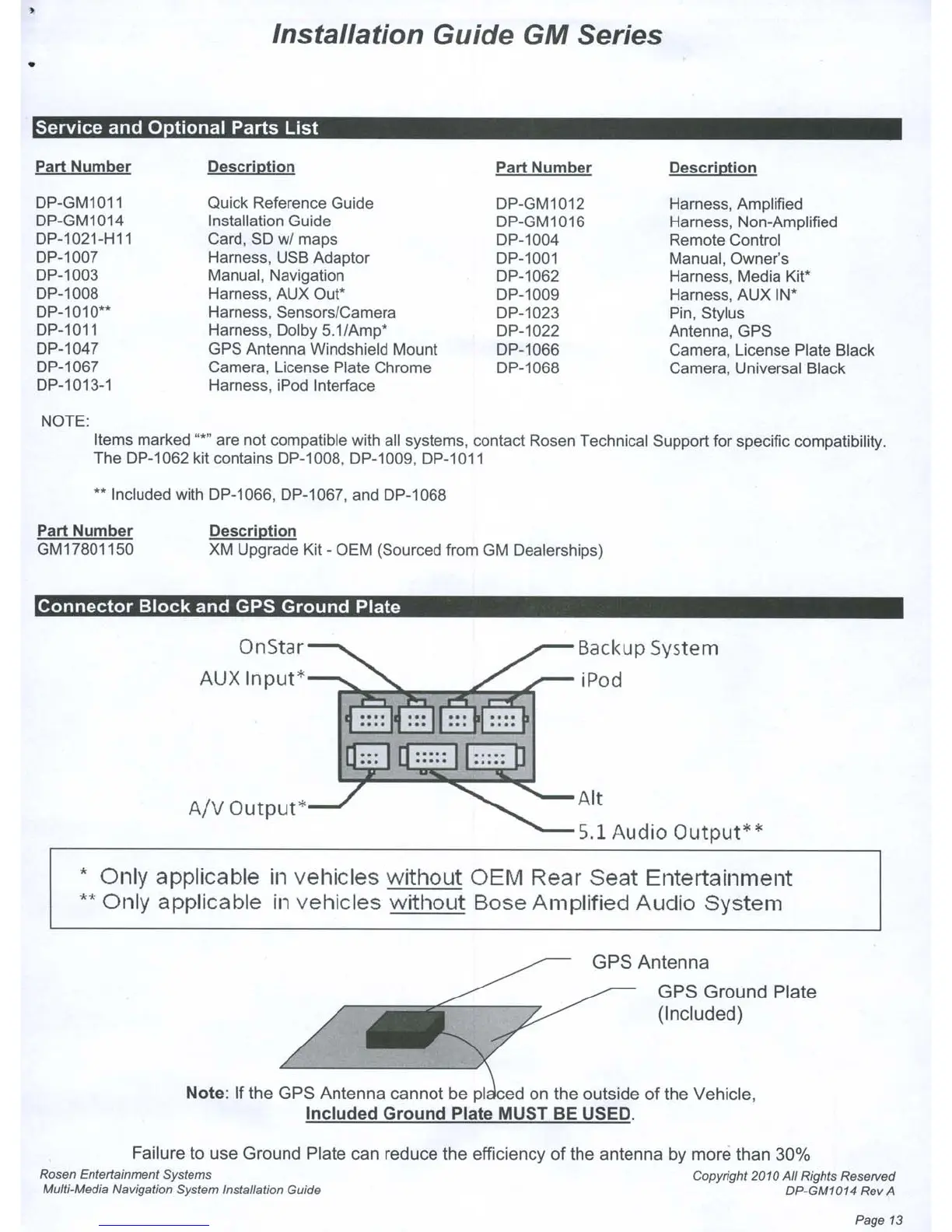
Connector
Block
and GPS
Ground
Plate
OnStar-
.......
AUX
Input'
~
.
~
.
...
.
..
/-
Backup
System
iPod
.
....
,_~~=...::~~~·~··s··~_
Alt
A/V
Output'
.......
- 5.1
Audio
Output"
• Only applicable
in
vehicles without OEM Rear Seat Entertainment
..
Only applicable
In
vehicles without Bose Amplified Audio System
GPS Antenna
GPS Ground Plate
(Included)
Note: If the GPS Antenna cannot
be
pI
d on the outside of the Vehicle,
Included Ground Plate
MUST
BE
USED.
Failure to use Ground Plate can reduce the efficiency of the antenna by more than 30%
Rosen
Entertalnmant Systems
CDpyright
2010 All Rights Reserved
Multi-Media Navigation
System
Installation Guide DP-GM1014 Rav A
Page
13



 To Next Page