'-:
Radio
Touch Button Descriptions
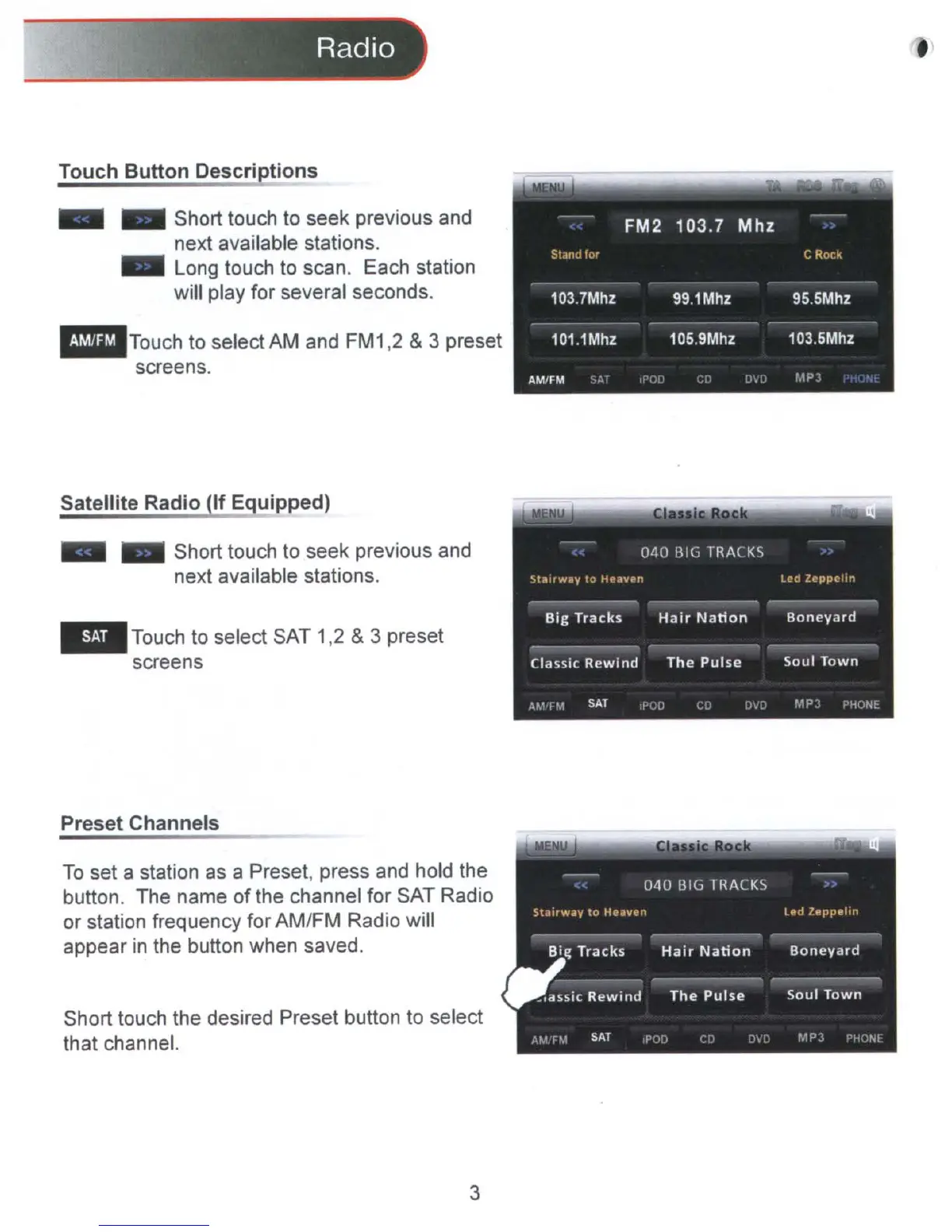
Short touch to seek previous and
next available stations.
Long touch
to
scan. Each station
will play for several seconds.
_TOUCh
to select AM and FM1,2 & 3 preset
screens.
Satellite Radio
If
Equipped)
Short touch to seek previous and
next available stations.
Touch to select SAT 1,2
&3 preset
screens
Preset Channels
To
set a station
as
a Preset, press and hold the
button. The name of the channel for SAT Radio
or station frequency for AM/FM Radio will
appear
in
the button when saved.
Short touch the desired Preset button to select
that channel.
3



 To Next Page