--
~-
iPod
Audio
','
When the optional iPod interface
is
connected to a compatible iPod player, the audio files stored
on
the iPod can be played through the system.
Note: Sleep mode should be enabled
on
the iPod to reduce battery drain
if
the iPod
is
left
connected with the vehicle off.
Touch
Button
Descriptions
•
Play
Lists
MENU
2
Anlsts
3
Albums
-
EQ
••
4
Genres
~
AI;
MU~IC
•
6
VIdeo
y
,
''':
,POD
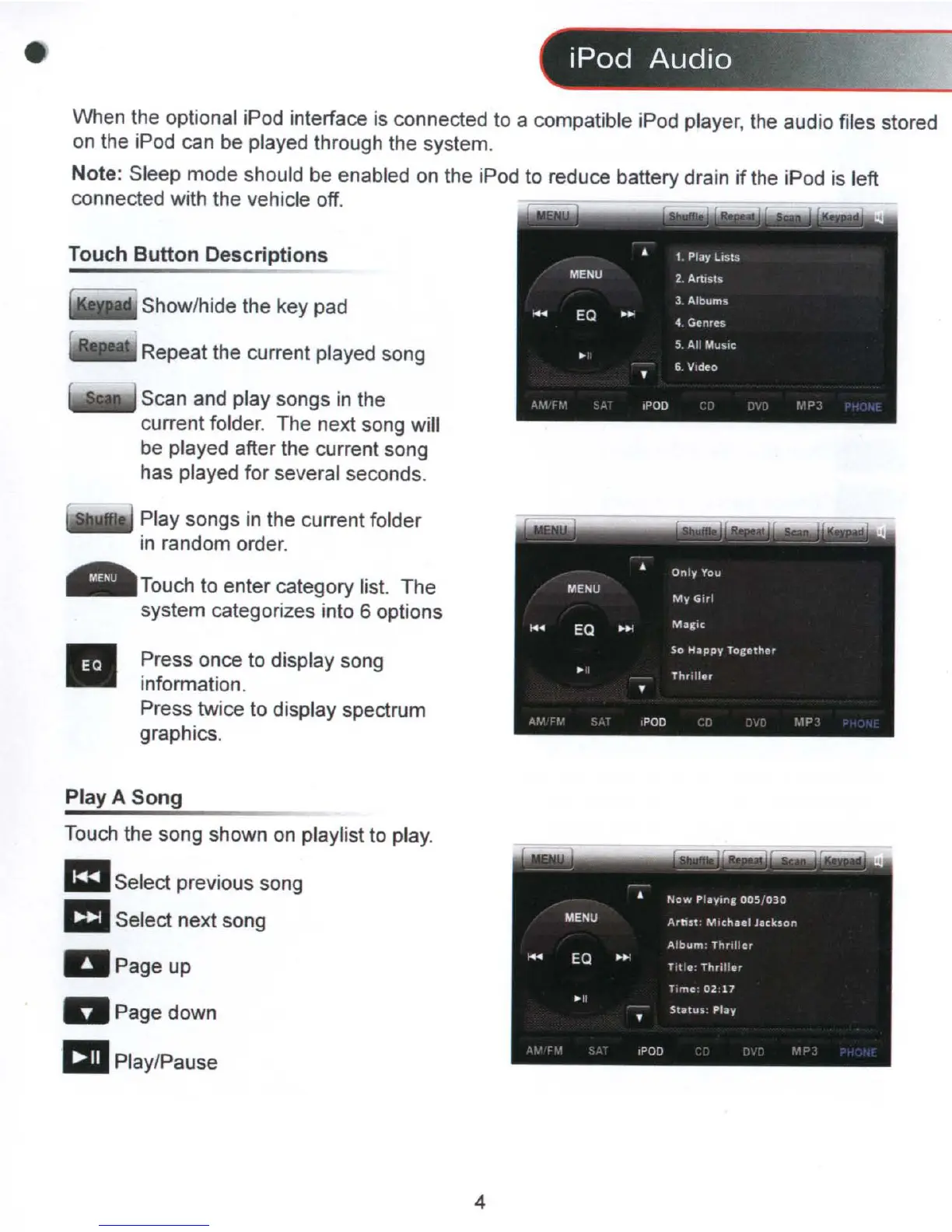
Show/hide the key pad
Repeat the current played song
Scan and play songs
in
the
current folder. The next song will
be played after the current song
has played for several seconds.
Touch to enter category list. The
system categorizes into 6 options
Play songs in the current folder
in
random order.
Press once to display song
information.
Press twice to display spectrum
graphics.
Play A
Song
Touch the song shown
on
playlist to play.
mSelect previous song
1:1I
Select next song
Page up
DPagedown
allPlay/Pause
4



 To Next Page