~Next
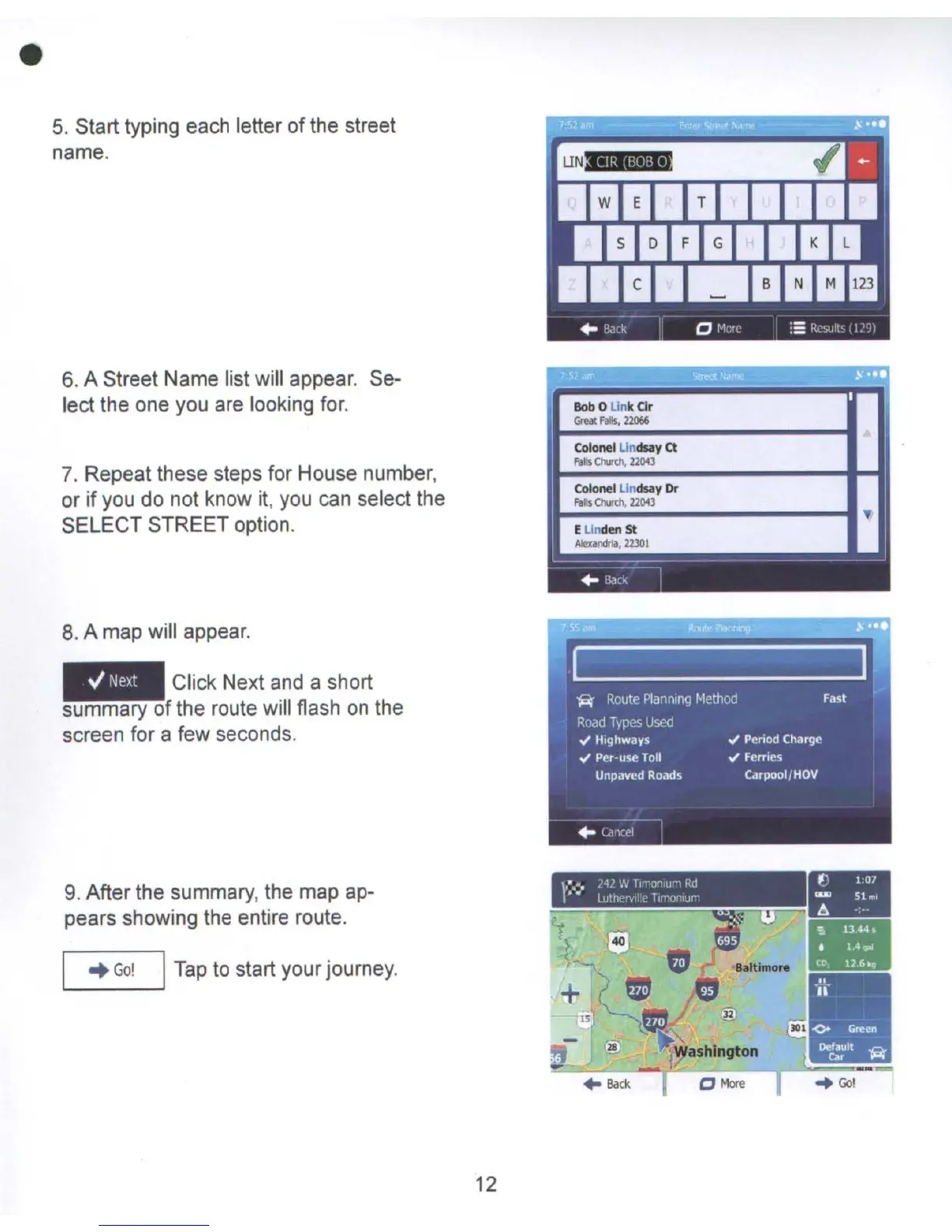
5.
Start typing each letter
of
the street
name.
6.
A Street Name list will appear. Se-
lect the one you are looking for.
7.
Repeat these steps for House number,
or
if
you do not know
it,
you can select the
SELECT STREET option.
8.
A map will appear.
Click Next and a short
summary of the route will flash
on
the
screen for a few seconds.
c_
Tee
'C!
Rob
0 UnkClr
Grea
FIls,
l2066
..
Colonel
LindSlly
ct
fils OUCh,
2200
ColonellindSlly
Or
Feb
Quth,
22043
I~
Elinden
St
_.r<lna,2l101
--
--I
~
fla"
9.
After the summary, the map ap-
pears showing the entire route.
..
Go!
I
Tap
to start your journey.
12
-
•
Back



 To Next Page