Enter
or
Find
Address
If
you are on the Map screen, press MENU.
In
the Navigation Menu. select Find Address.
Note: By default, the software proposes the country and state where you are currently
located.
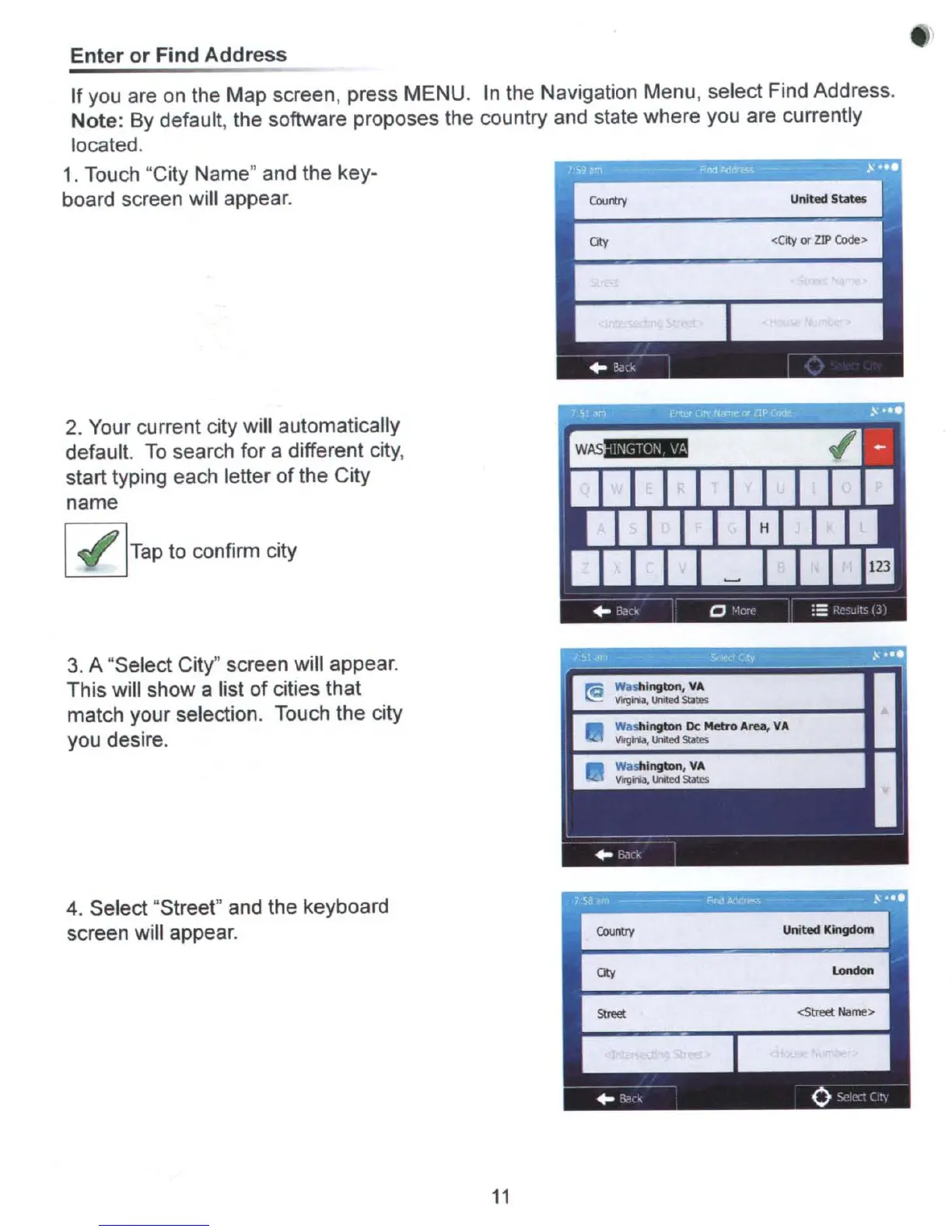
1.
Touch "City Name" and the key-
board screen will appear.
Courtty United
5_
<City
or
ZIP
Code>
2.
Your current city will automatically
default.
To
search for a different
city,
start typing each letter ofthe City
name
~Tap
to confirm city
3.
A "Select City" screen will appear.
This will show a list of cities that
match your selection. Touch the city
you desire.
4. Select "Street" and the keyboard
screen will appear.
11



 To Next Page