[!]
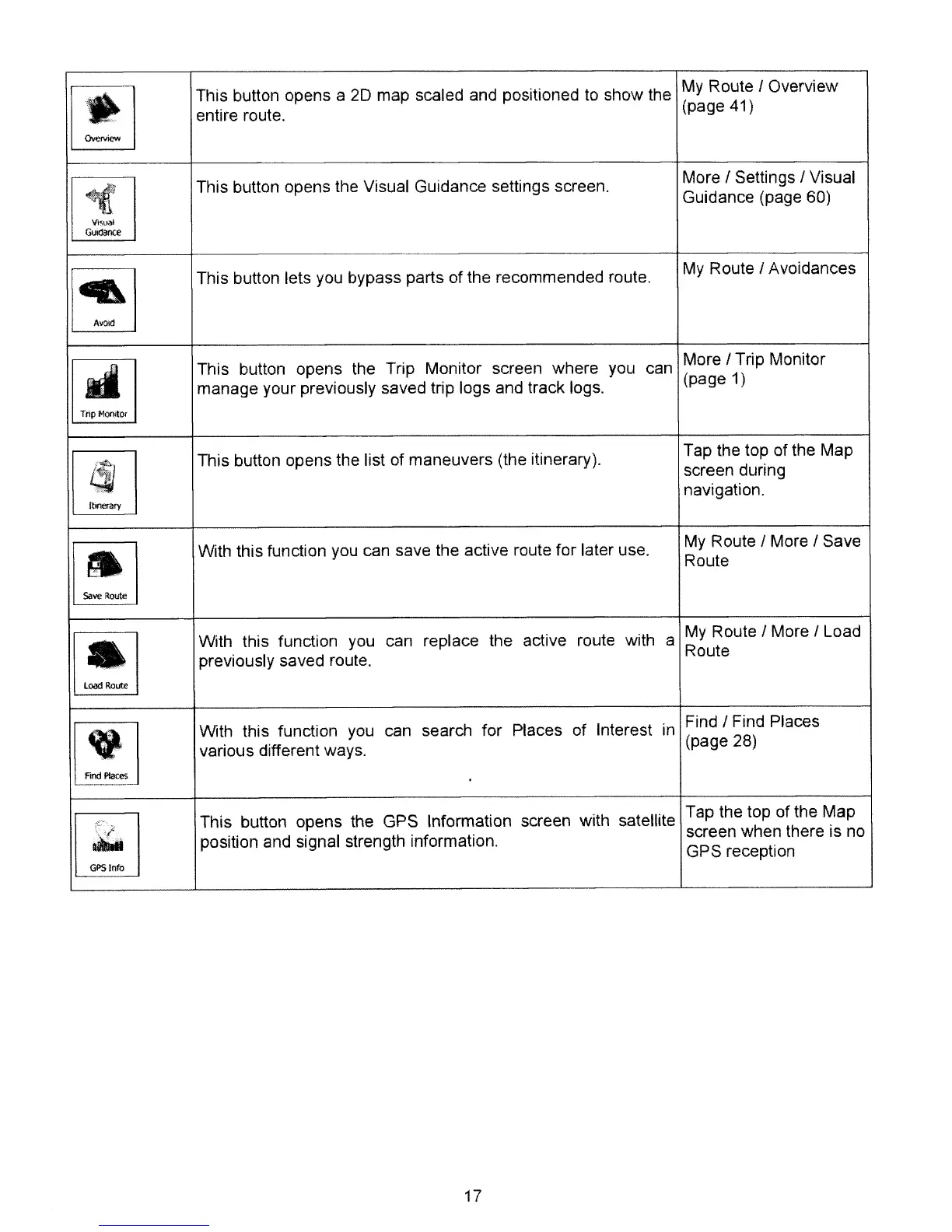
This button opens a
20
map scaled and positioned
to
show the
My
Route I Overview
entire route.
(page 41)
[lJ
This button opens the Visual Guidance settings screen.
More I Settings I Visual
Guidance (page 60)
~
This button lets you bypass parts of the recommended route.
My
Route I Avoidances
~
This button opens the Trip Monitor screen where you
can
More I Trip Monitor
manage your previously saved trip logs and track logs.
(page 1)
@J
This button opens the list of maneuvers (the itinerary).
Tap the top of the Map
screen during
navigation.
[!J
With this function you can save the active route for laler use.
My
Route I More I Save
Route
[!J
With this function you
can replace the active route with a
My
Route I More I Load
previously saved roule.
Route
[!]
With this function
you
can search for Places of tnterest
in
Find I Find Places
various different ways.
(page 28)
..........
~
This button opens the GPS Information screen with satellite
Tap the top of the Map
~
position and signal strength information.
screen when there is no
GPS reception
17



 To Next Page