Poultry House Control
6
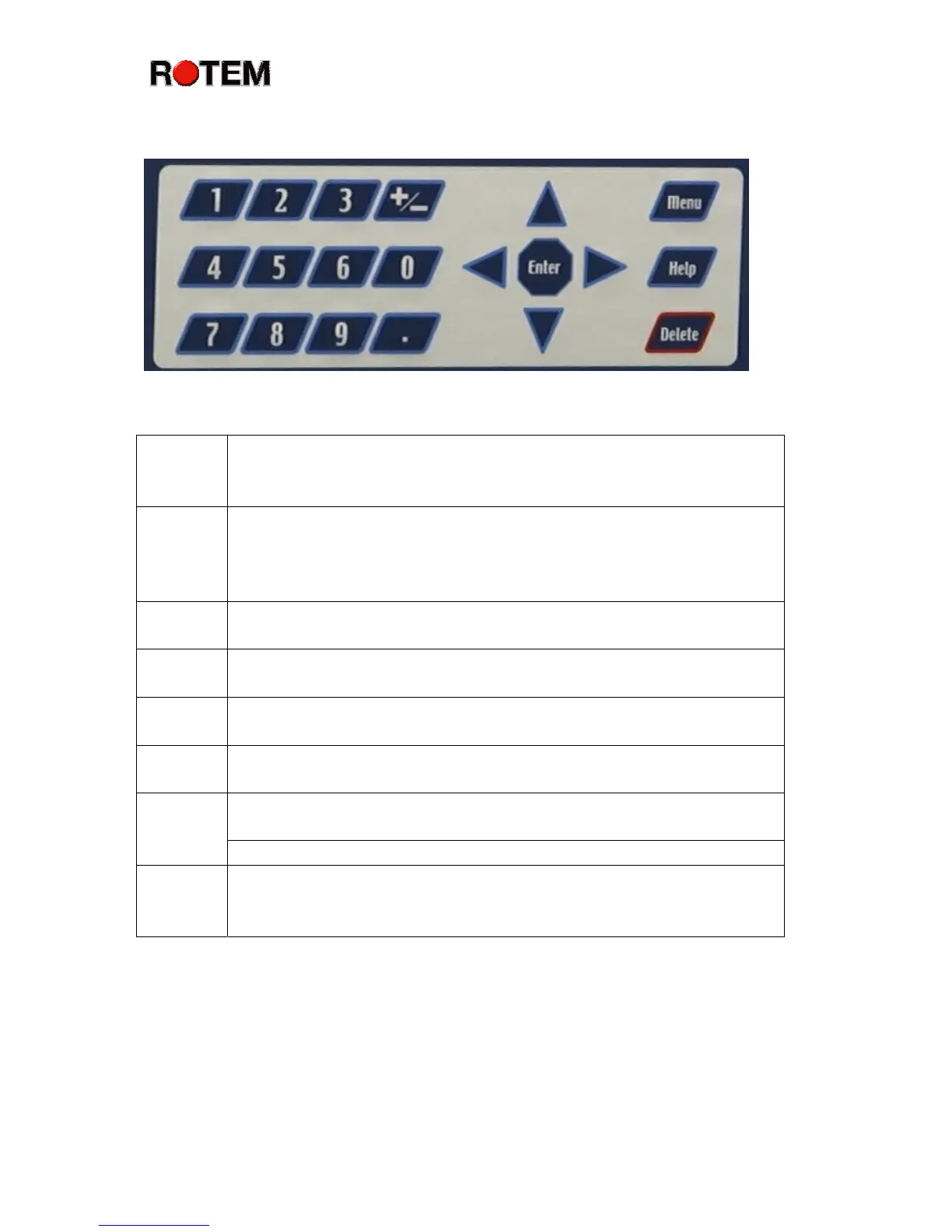
Keypad
Help The Help key brings context sensitive helpful information onto
the screen. To exit the ‘Help’ screens at any time, push the
‘Menu’ key.
Menu The Menu key displays the main menu from the standard screen,
and exits the menus whenever you are already in a menu. It is
like a push-push lamp switch that you push to turn on, and push
again to turn off.
Delete The Delete key erases typing mistakes. It also enables the ‘Cold
Start’ function if held at power on.
Arrow The Arrow keys move you around the menus, and help you make
selections. In some cases you can also use them to change values.
+/- Key The +/- key changes values between positive and negative, and
makes check-mark choices when checking or selecting options.
‘.’ Key The ‘.’ Key lets you enter decimal points for tenths of a degree in
the temperature settings.
The Numeric keys enter numbers and make choices in numbered
menus.
Numbers
Several numeric keys perform special Hot Key functions.
Enter The Enter key completes your entry or menu selection. The
Platinum Plus recognizes numeric values when setting
temperatures, times, etc. only after you push the enter key.



 To Next Page