Poultry House Control
8
Main Menu
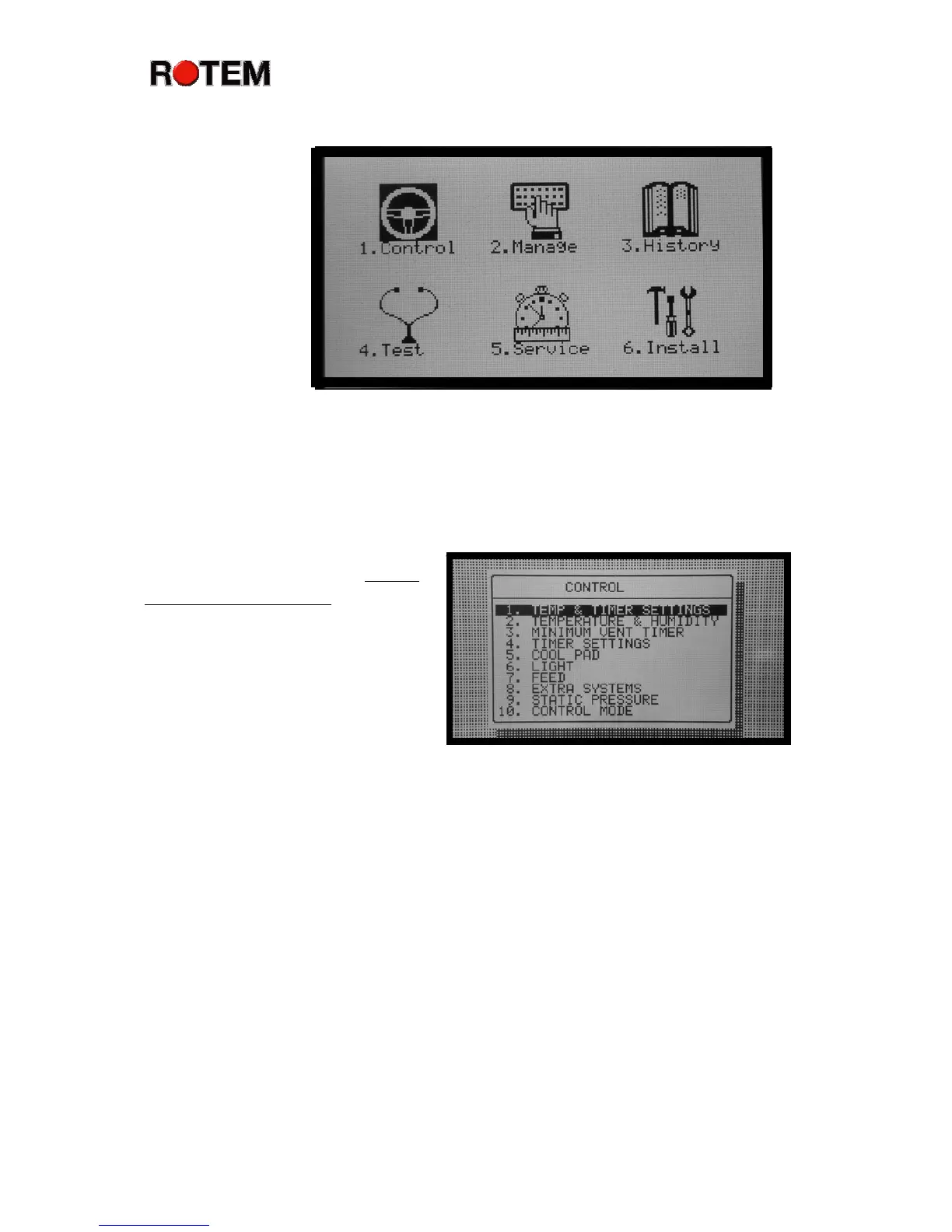
The main
menu screen
shows six choices.
The highlighting
on the Control
Menu icon
indicates that it is
selected. If you
press Enter at this
point, the Platinum
Plus takes you to
the Control Menu.
Choose a different menu by using the arrow keys. The Platinum Plus
highlights the icons accordingly. Alternatively, you can press the indicated
numeric key by each icon. For example, push the ‘3’ key to go directly to the
History Menu. Or, push Menu to go back to the normal main screen.
Control Menu
The highlighting on TEMP
& TIMER SETTINGS indicates
that this option is selected. If you
press Enter, the Platinum Plus
takes you to the Temperature and
Timer Setting Menu. Choose a
different option with the arrow
keys.
Alternatively, you can press
the indicated numeric key by each option. For example, push the ‘6’ key to go
directly to the Light Menu.
The Precision Mode Control Menu has additional choices. It has
additional capability in Temperature, Ventilation Levels, Humidity Treatment,
Foggers, Stir Fans and Static Pressure.
Management Menu
The management menu screen shows ten choices. This menu contains
items primarily related to proper management of your poultry house. You can
manage bird and feed inventories, and set basic items such as time, date and
growth day.



 To Next Page