Platinum Plus
63
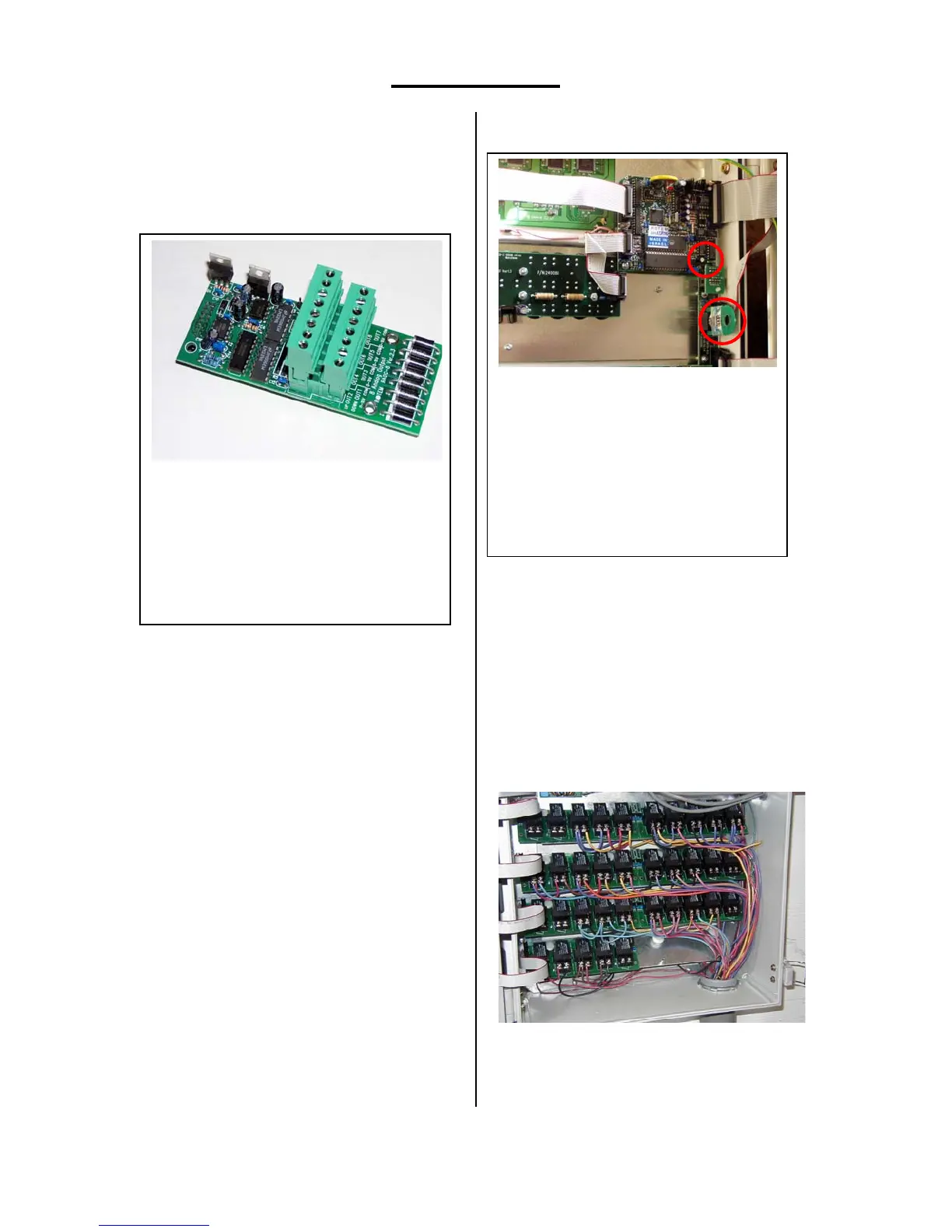
Analog Output (Optional Card)
The Analog Output card connects to an
optional light dimmer or variable speed fan.
Program light dimmer functions in
Control | Light in both Standard and Precision
modes.
You can program variable speed fans in
Precision mode only, in Install | Ventilation
Levels. The Variable Fan Speed setting appears
if you set the Help | Set parameter for cycle time
to any value other than 0, so that the Platinum
Plus automatically calculates the Off times for all
timer fans. You will see a column labeled SPD
instead of the usual OFF column.
Use channel 8 for variable speed,
channels 1 through 7 for light dimmers.
The Plug
The program plug is included in each
Platinum Plus. It provides a convenient place to
store programs and copy them from one
controller to another. The plug does not need to
remain in the controller during normal operation;
it can be stored in a separate location.
Save to and read from plug functions
are in the Service menu.
If you have several controllers, you can
store different programs on each plug to make it
easy to change programs. Also, you can obtain
the optional Gold Plug, which can store up to 8
separate programs. Both of the possible ways to
insert the plug are acceptable.
Contrast Adjustment
Contrast adjustment for the display is
located on the central processor card in the door
of the Platinum Plus. Open the door, remove the
burnished cover and look in the upper right
corner area for a small square printed circuit
card. On the lower edge near the right side is a
small adjustment screw (on the small blue
rectangular device in the photo). Adjust this for
optimum contrast.
Installation
Install the Platinum Plus in a separate
control room attached to the poultry building if
possible. You can also install it inside the poultry
building if necessary. Review the separate
Contrast adjustment screw on Platinum Plus
CPU card. Note the program plug inserted
in its socket.
CPU Card, RXA-CPU
Programming Plug, REE-8, PN 240007 is
circled below and right of the contrast
adjustment screw.
Gold Plug, REE-64, is optional.
Channel 1 uses the two lower left screws. The
left terminal is +0 to 10 Volts variable, the
right 0 V. Odd channels are on the bottom
connector, even channels on the top
connector. The Variable Speed Fan must be
on channel 8. Light Dimmers can be on any
of the first 7 channels.
Analog Output Card, RAOC-8



 To Next Page