SME VoIP Handset guide
Proprietary and Confidential Page | 11
4 Display
This section contains a description of the different icons seen in the idle and in the menu.
4.1 Icons and Text in the Display
All functions and settings available to the handset user are shown as icons and text in the display. The icons and
text in the display indicate functions and settings to which you have access.
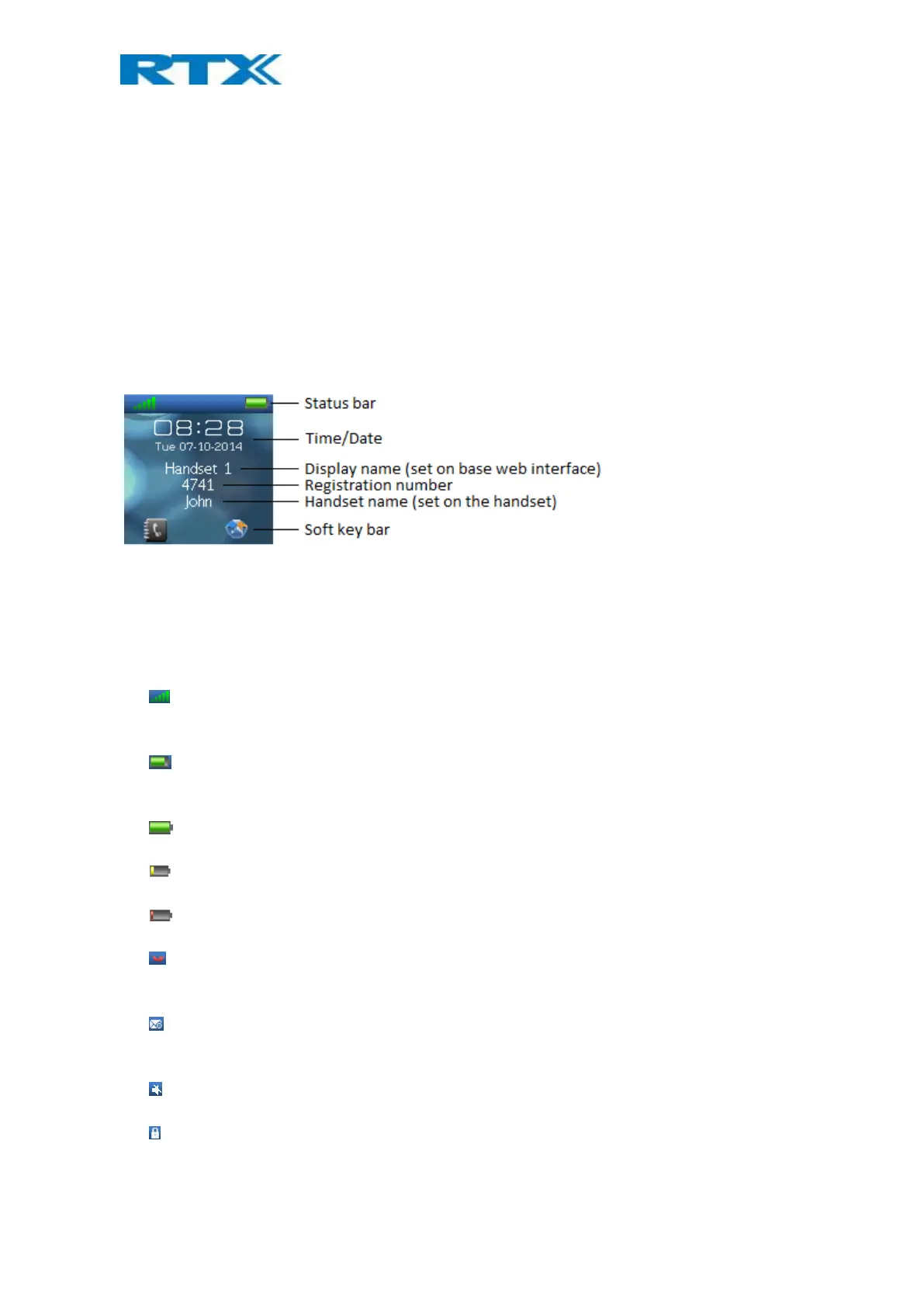
The picture below shows a typical idle screen that displays the time and date, display name (which is set on the
web interface of the base station), registration number, and handset name which is set locally on the handset.
This active area is also the area for a dialog window text if there has been a missed call, or if an action needs to
be confirmed.
In the softkey bar at the bottom of the idle screen it is possible to access from the left: Contacts and Central
Directory.
The status bar at the top of the idle screen is always visible in all screens. This displays icons which give the user
information about signal strength, missed call, new voicemail message, phone lock, key lock, sound off, time, and
battery status. These icons are shown and explained shortly in the following:
“Signal strength” icon is always visible in the upper left corner. The number of green staples are
displayed according to the strength of the signal.
“Battery” icon is always visible in the upper right corner, and shows how much battery that is left on the
handset.
“Full battery” icon is displayed when the handset is fully charged.
This battery icon is displayed when there is 20% to 32% battery left on the handset.
” Low battery” icon is displayed when there is 10% to 20% battery left on the handset.
“Missed call” icon is displayed in the status bar, and indicates that there has been a missed call which
can be seen in the call list.
“Voicemail message” icon is displayed in the status bar when there are voicemails that have not been
listened to. This icon remains until the voicemail has been listened to.
“Sound off”/”Silent” icon is displayed in the status bar when silent mode is enabled on the handset.
“Keylock” icon indicates that the keypad is locked, and the user needs to long-press the *-key to be able
to use the handset again.



 To Next Page