SME VoIP Handset guide
Proprietary and Confidential Page | 30
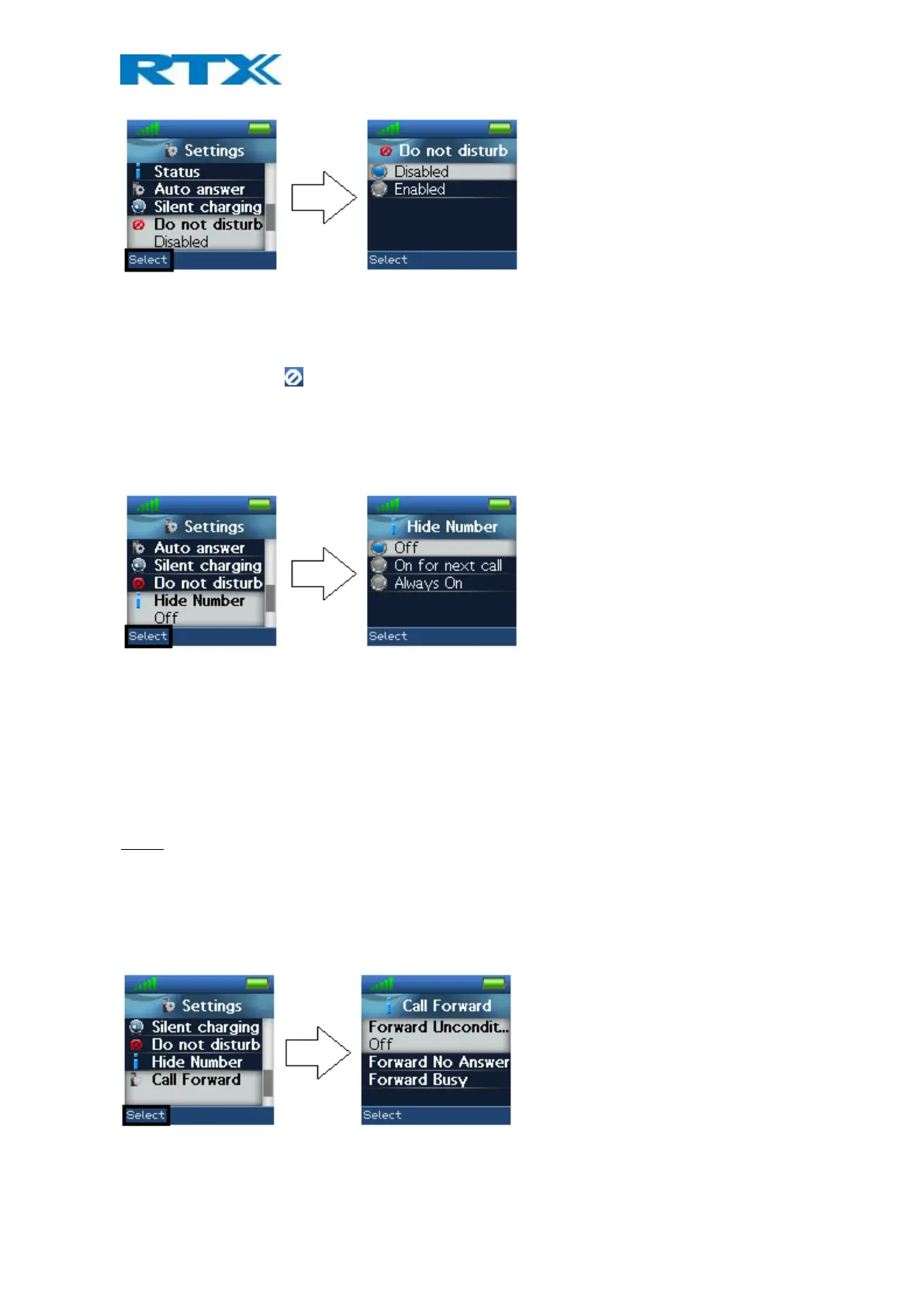
With this feature disabled, the handset reacts as normal on all incoming activity. If the function is enabled,
though, the handset will not react, and the calling counterpart will be directed to voice mail if this feature is
enabled.
The “Do not disturb” icon is displayed in the status bar when “Do not disturb” is enabled on the handset.
6.5.12 Hide Number
The “Hide Number” function enables that the user can make a call where the counterpart cannot see the caller
ID of the caller.
Off
When the “Hide Number” function is set to “Off” with the left softkey, the caller ID of the handset is displayed to
the counterpart of the call.
On for next call
If this function is enabled, the caller ID will be hidden for the counterpart only for the next outgoing call and
displayed again for all following calls.
Always on
With “Always on” enabled, the caller ID will be hidden for the counterpart for all outgoing calls.
NOTE: When “Hide Number” is enabled, the base sends SIP header “Privacy: id” to address
sip:anonymous@anonymous.invalid
The PBX must support anonymous calls, otherwise the call is rejected.
6.5.13 Call Forward
The “Call Forward” feature enables the user to forward all incoming calls in different cases as described below.
Forward Unconditionally
If this feature is enabled, all incoming calls to the handset will be forwarded to the number setup in “Forward To”
as seen below.



 To Next Page