SME VoIP Handset guide
Proprietary and Confidential Page | 21
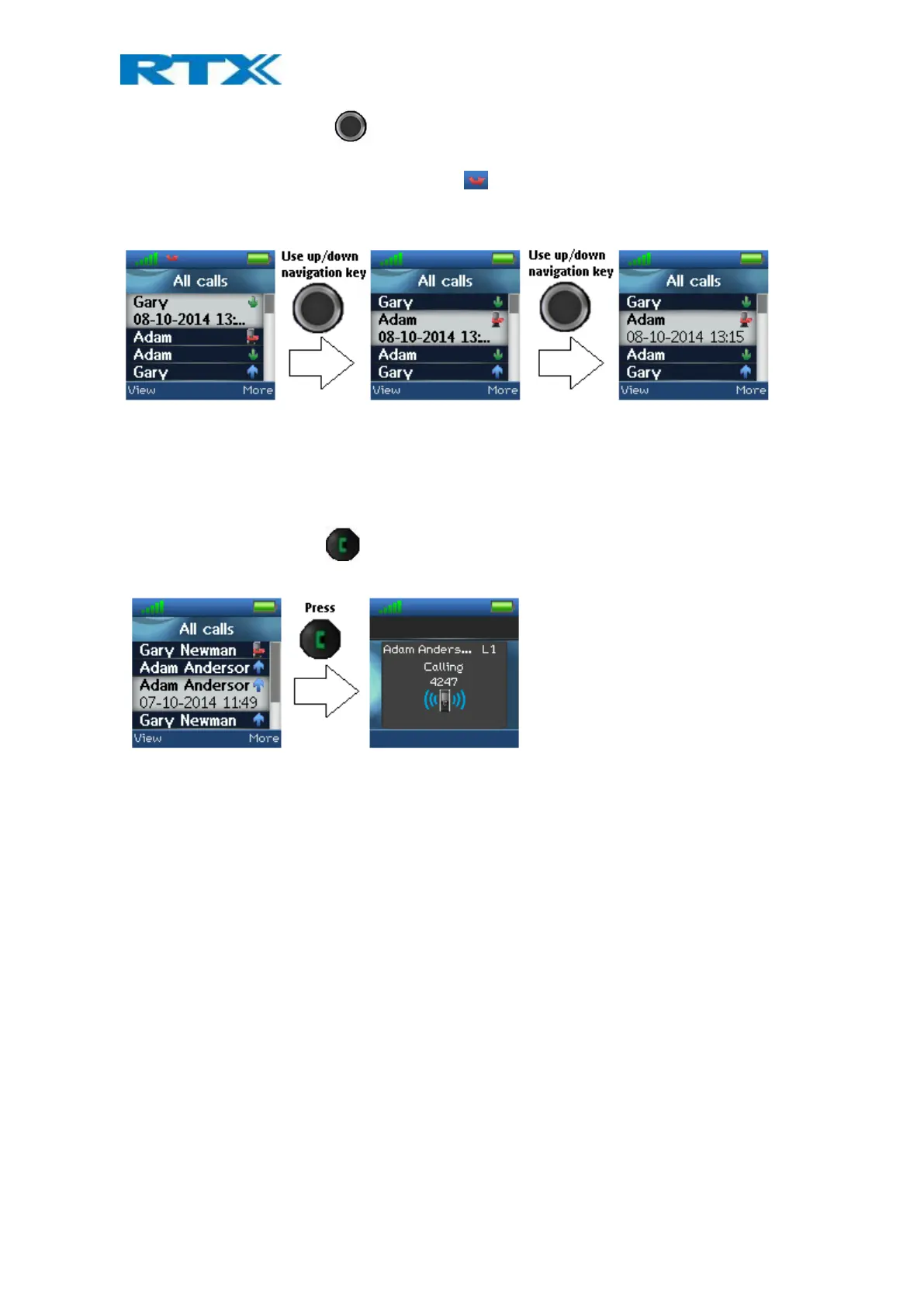
Use the up/down navigation keys to scroll through the list. The list contains all the different call types
(including both outgoing and incoming) that have been made to or from the handset.
When there is a missed call on the handset, a red icon is displayed in the status bar until the entry has been
viewed in the “All calls” list. As shown in the images below, the information displayed about the missed call in
the call list is in bold text until the entry has been scrolled over once.
When the entry has been displayed once, the text displaying call information is no longer bold and the red
missed call icon disappears from the status bar, indicating that the user has seen missed call.
6.3.1 Call
To initiate a call directly from the local call list, use the up and down navigation keys to highlight an entry and
press the green off-hook button . This will initiate a call to the highlighted entry as displayed in the images
below.



 To Next Page