SME VoIP Handset guide
Proprietary and Confidential Page | 34
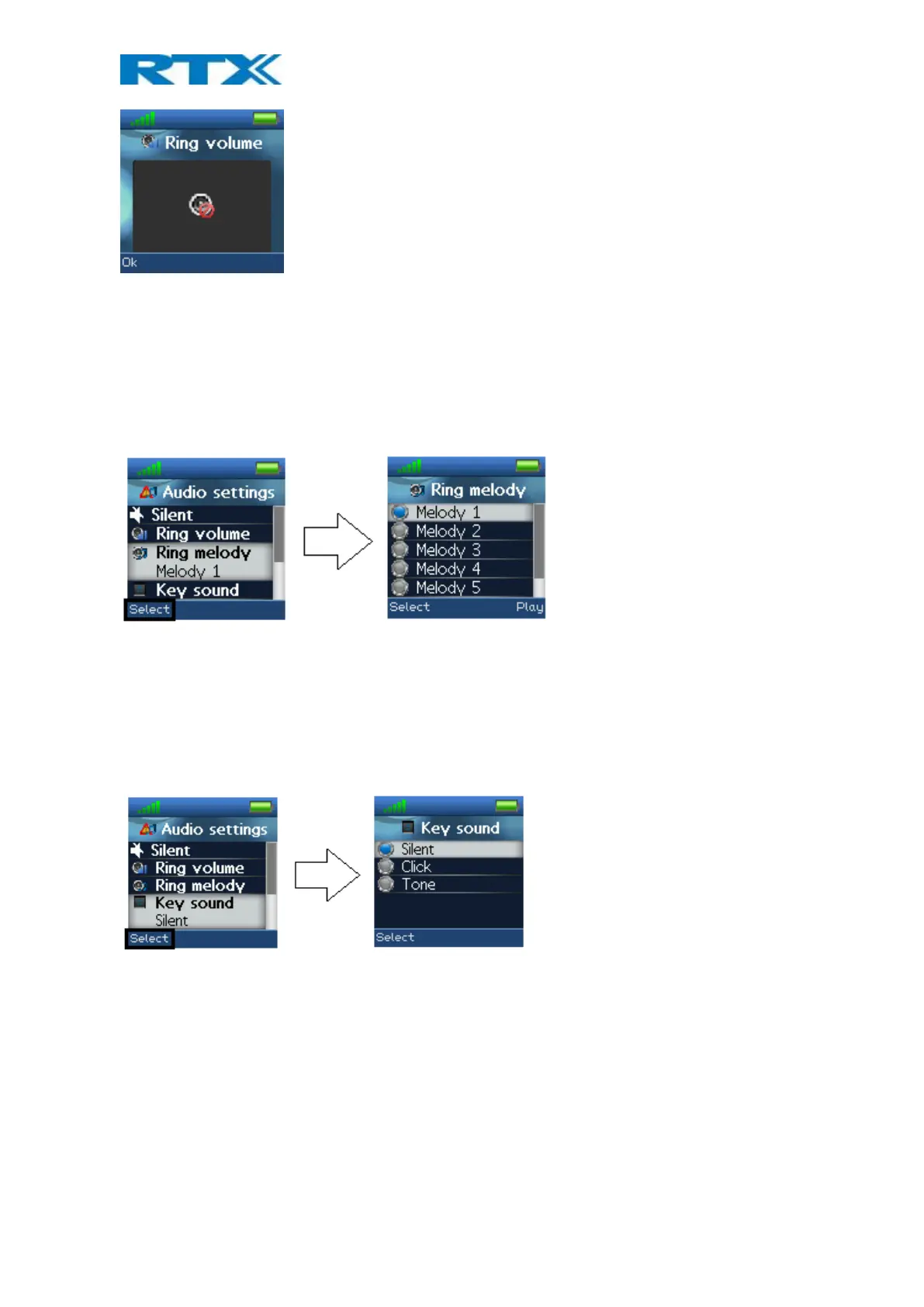
When the ring volume is set to mute, the “Sound off” icon is displayed in the status bar and no sound is heard
when receiving an incoming call.
Ring melody
Six different ring melodies can be chosen for the handset to play when receiving an incoming call. A list of
melodies is displayed when entering the menu. Each displayed melody on the list can be selected by pressing the
left softkey “Select”.
To hear the melody before selecting it, each melody in the list can be played by selecting the right softkey “Play”.
The softkey “Play” changes to “Stop” during playback and the playback can then be stopped by pressing this
button.
6.6.3 Key Sound
The “Key Sound” settings controls if a key sound is heard as the keys are pressed on the handset or if no sound is
made. The following three options can be selected for the key sounds:
Silent
If this feature is chosen, there will not be heard any sounds when pressing the keys on handset.
Click
With this function enabled a click sound is heard when a key is pressed.
Tone
When this option is enabled a tone will be heard when a key is pressed.
NOTE: No key sound will be generated when pressing the keys during “key lock state” even though one of the
options “Click” or “Tone” is enabled.



 To Next Page