SME VoIP Handset guide
Proprietary and Confidential Page | 31
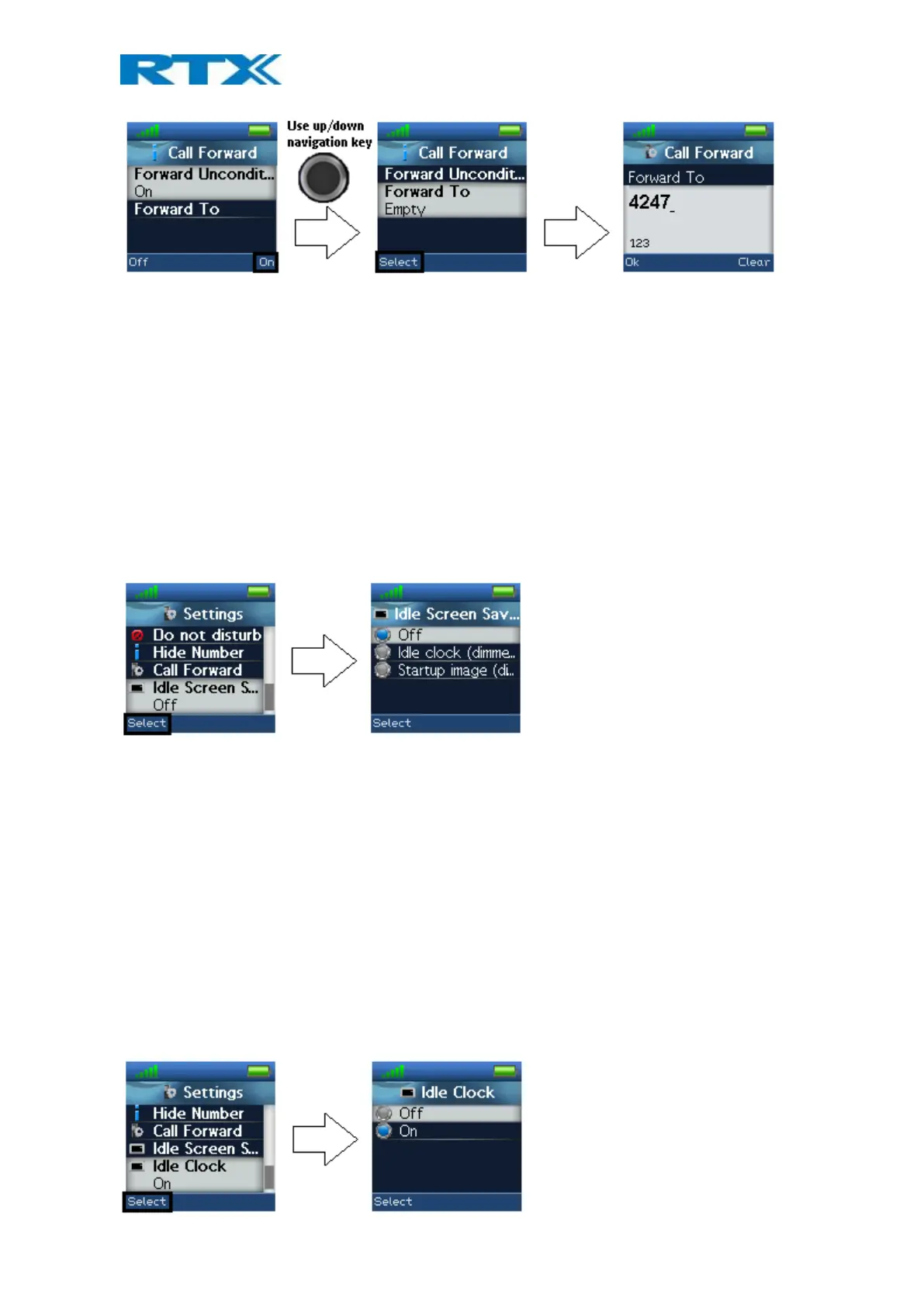
In this case the handset will not receive any incoming calls – all calls will automatically be forwarded to the
number setup in “Forward To”.
Forward No Answer
By enabling “Forward No Answer”, an incoming call to the handset is forwarded if the call is not answered within
a given time interval, for example 30 seconds. This feature is setup in the same way as “Forward
Unconditionally” as displayed above.
Forward Busy
When “Forward Busy” is enabled, the handset forwards all incoming calls if the handset is busy, or if the user
presses “Reject” on the call. This feature is also setup in the same way as “Forward Unconditionally” above.
6.5.14 Idle Screen Saver
When the idle screen saver is enabled, the handset screen will dim, but never turn off when the handset is
placed in the charger.
The following three options can be selected for “Idle Screen Saver”:
Off
The screen will turn off completely after the power save timeout, even with the handset placed in the charger.
Idle clock (dimmed)
The handset will return to the idle screen and the screen will be dimmed after the power save timeout when the
handset is placed in the charger.
Startup image (dimmed)
The screen will be dimmed and display the startup image after the power save timeout when the handset is
placed in the charger.
6.5.14 Idle Clock
The “Idle Clock” function controls if the clock is showed in the idle display or not.



 To Next Page