SME VoIP Handset guide
Proprietary and Confidential Page | 12
“Do not disturb” icon is displayed in the status bar when this feature is enabled; in this case the handset
does not react on any incoming calls.
“HD” icon is displayed during a call if the quality of the call is “High Definition” and hereby using the 722
codec (also called a wideband call).
4.2 Menu icons
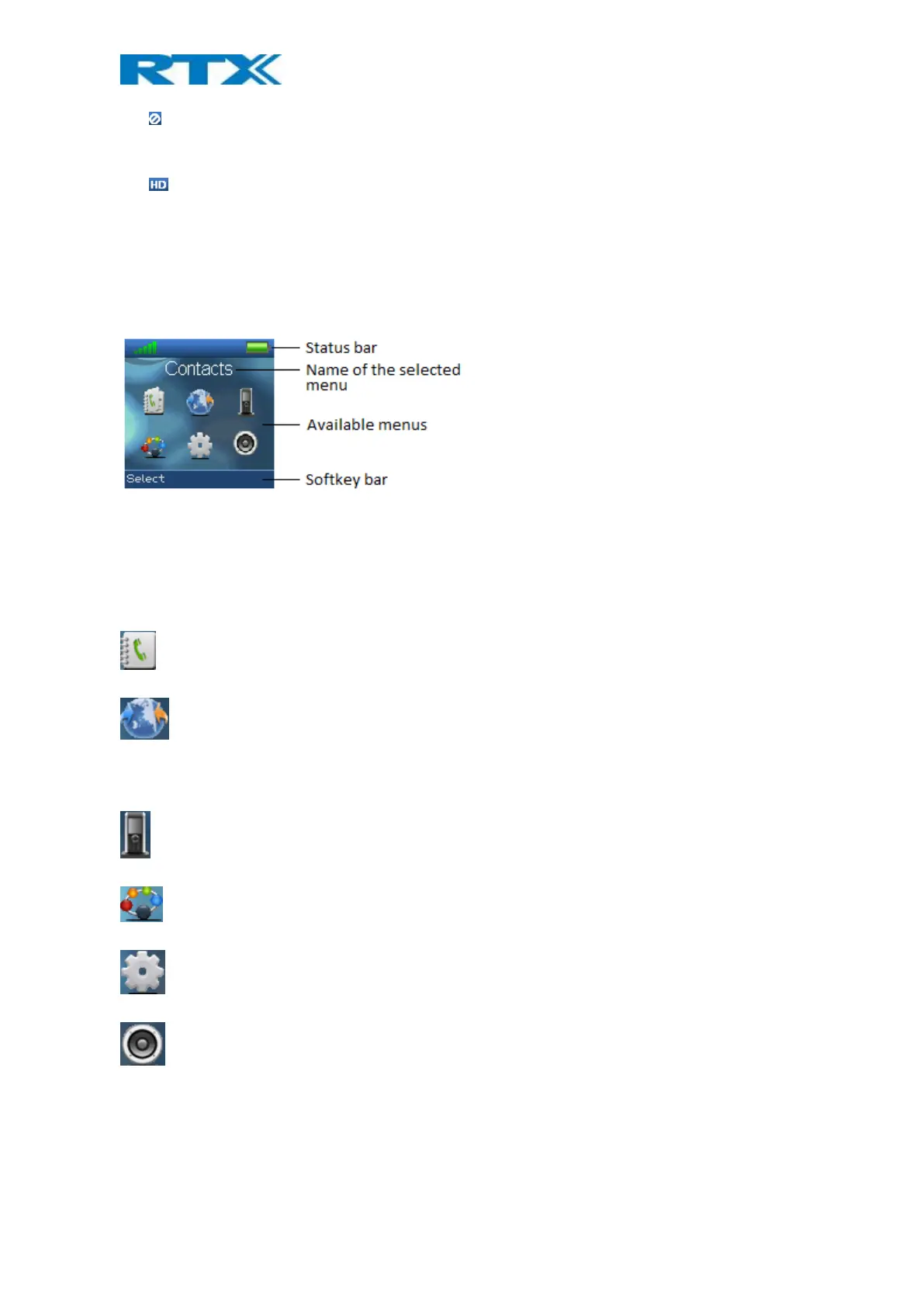
All the menus available on the handset are displayed when the menu key is pressed from idle. The available
menus are seen in the screen below.
The status bar at the top of the display is always displayed independent of which menu is selected, and the
softkey bar shows the possible options to select in every menu. In the active area of the screen the name of the
selected menu is displayed at top, and the available menus to select are displayed. During navigation across the
different menus the highlighted icon is moving to indicate where the navigation key is. The menu icons are
showed and shortly explained in the following:
The “Contacts” menu contains all names/numbers in the local phonebook.
The “Central directory” menu contains all names/numbers in the central directory of the system. This is
set up in the web interface of the base station system (see the additional base station manual document for
further information on this via [2])
The “Calls” menu contains call lists and call times.
The “Connectivity” menu contains options to register/deregister the handset and network options.
The “Settings” menu contains personal handset settings such as time/date, language, handset name, etc.
The “Audio settings” menu contains personal handset settings for the audio profile such as ring volume,
ring melody, etc.



 To Next Page