SME VoIP Handset guide
Proprietary and Confidential Page | 36
7 Calls Operations
In this section the different types of calls and call handling will be described.
7.1 Incoming call
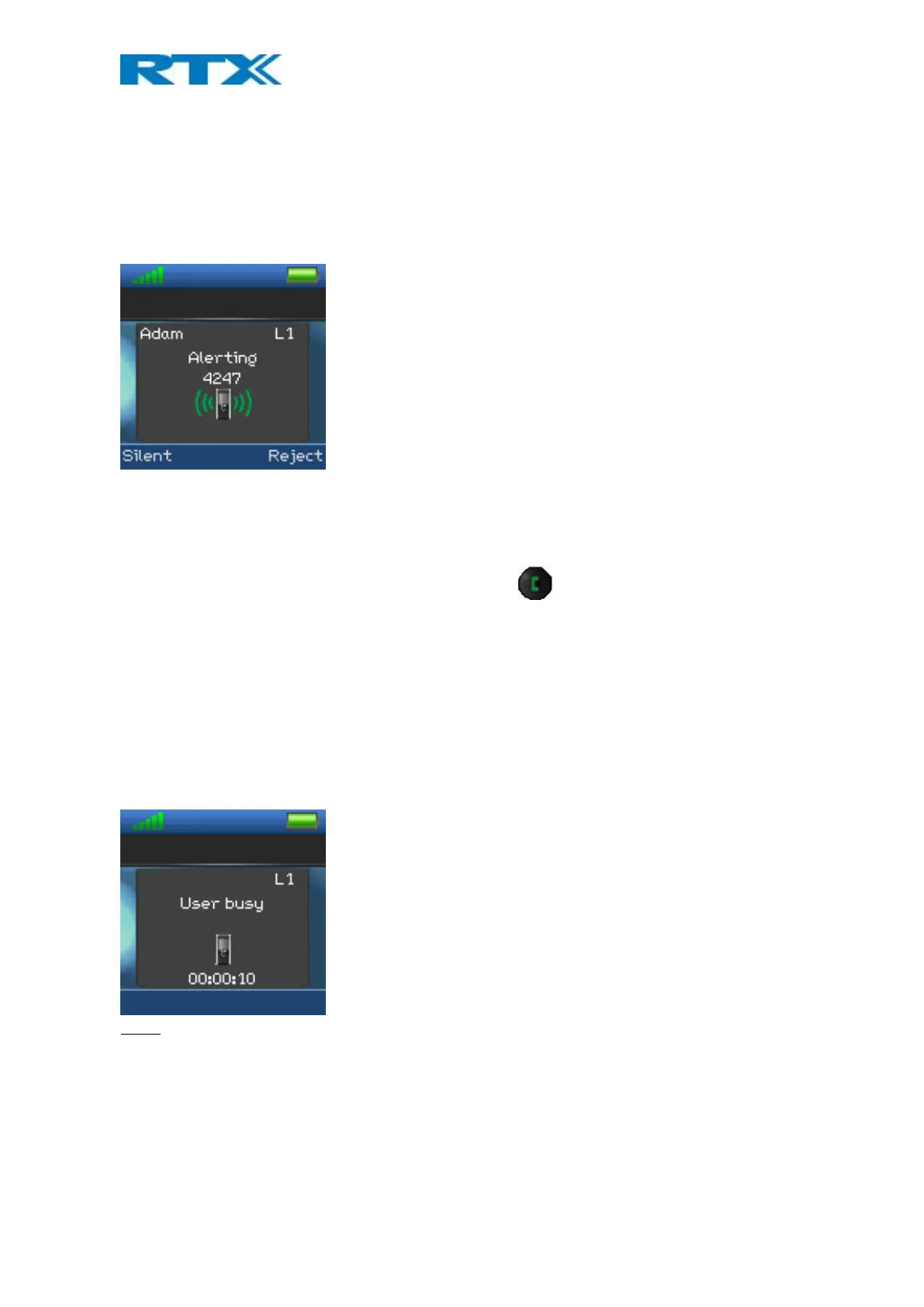
As the handset receives an incoming call an alerting screen will be displayed as displayed below. A ring signal will
accompany this according to the respective settings on the handset.
The calling party’s handset number will be shown in the display, and an additional name is displayed if the calling
party’s handset number is stored in the local phonebook.
7.1.1 Answering an Incoming Call
To answer an incoming call, press the green “Off-hook” button , or press the “Off-hook” button two times
to change to speaker mode.
NOTE: When “Auto answer” is set to “Automatic” an incoming call is answered automatically after one ring
signal. If “Auto answer” is set to “Any key” an incoming call can be answered by pressing any key on the keypad,
and not just the green “Off-hook” button.
7.1.2 Reject an Incoming Call
It is possible to reject an incoming call by pressing the right softkey “Reject” when receiving an incoming call. This
way the calling party will receive a busy tone, and “User busy” displayed on the screen as shown in the picture
below.
NOTE: An incoming call can also be rejected by pressing the red “On-hook” key.
7.1.3 Silencing an Incoming Call
When the handset is alerting it is possible to press the left softkey “Silent”. The handset will continue to alert,
but without any audible ringing.



 To Next Page