SME VoIP Handset guide
Proprietary and Confidential Page | 42
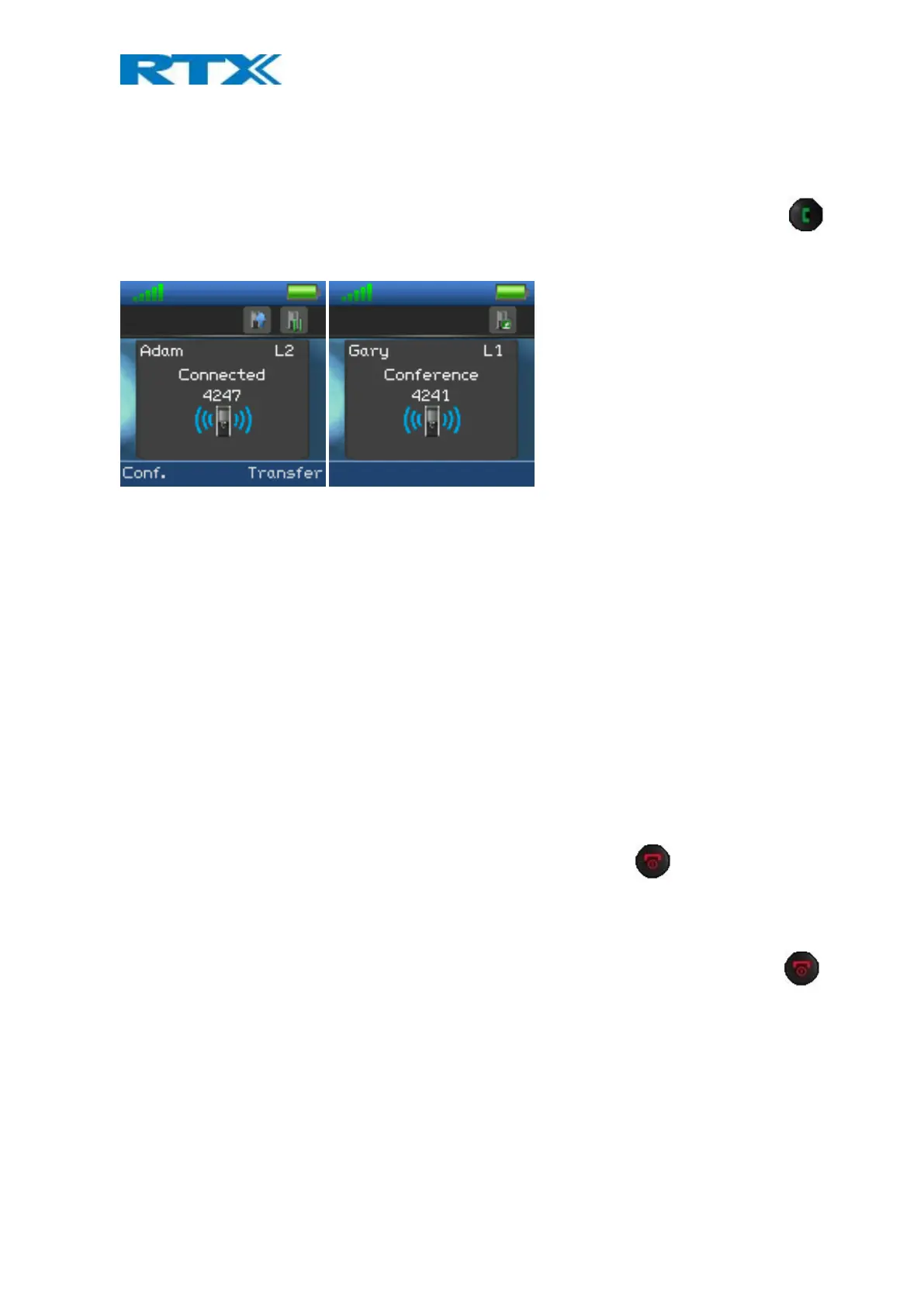
1. Initiate a call with a counterpart so that the handset displays “Connected” as shown above.
2. Press the left softkey “Hold” to put the ongoing call on hold.
3. The second party is put on hold and will hear a tone on hold.
4. Enter the number of the party to invite to the conference and press the green “Off-hook” button
to call this participant.
5. When the called party answers the call, the second party is still on hold and the conversation is only
between the third party and the first party, i.e. initiator of the conference.
6. To start conversation between the three parties – i.e. a conference – press the left softkey “Conf.”
7. The “Conference” screen as seen above will then be displayed and the three participants will be in a
conference call. Thereby the conversation is between all three parties.
NOTE 1: It is possible to invite more participants to the conference by repeating the steps 2-6 for one of the
participants in the conference that has not yet invited a party to the conference. Once a participant has invited a
new party to the conference it is not possible for this participant to invite new parties to the conference.
NOTE 2: The maximal number of participants to participate in a conference call is set according to the number of
bases in a system. In a system with two bases it should be possible to have 10 participants in a conference call.
7.7.2 Terminating a Conference Call
When a conference call is terminated it is dependent of which participant that terminates it, if the whole
conference is terminated, or if the conference is ongoing between the two participants left in the conference.
Option 1
1. The user who has started the conference presses the red “On-hook” key to terminate the
conference call.
2. The whole conference is terminated, and none of the participants continues to be in call.
Option 2
1. One of the participants that have been invited to the conference presses the red “On-hook” key
to terminate the conference call.
2. The call is only terminated for the participant that terminated the call
3. There is still an ongoing call between the initiator of conference, and the participant that have not
ended the call.
NOTE: Different configurations on the PBX that the base system uses may result in different terminations of a
conference call. For instance, the configuration of some PBX’s could cause that the whole conference call is not
terminated if the initiator of the conference presses the red “On-hook” key to terminate.



 To Next Page