SME VoIP Handset guide
Proprietary and Confidential Page | 25
6.5.1 Time & Date
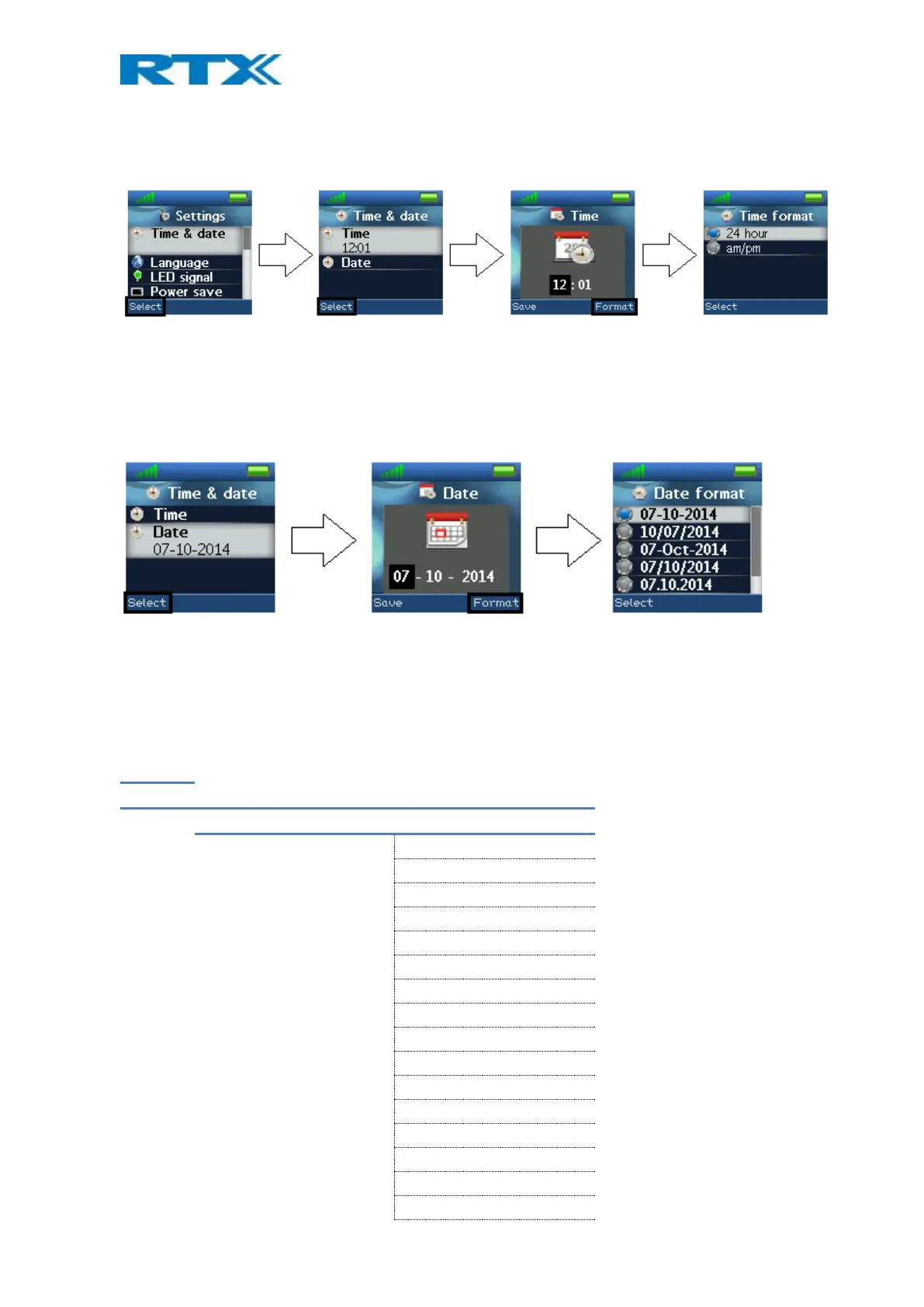
To set the time and date in the handset select the “Time & date” menu. Below it is shown how the time and date
format can be changed.
To change the time use the keypad, or the navigation keys to set the time to be what you want, and press save;
as seen in the third image. The time format can also be changed by pressing the right softkey “Format”. In “Time
format” the preferred time format (24 or 12 hours) can be selected.
In the same way the date can be changed as seen in the images below:
In “Date format” the preferred date format (e.g. dd-mm-yyyy) can be selected by using the up/down navigation
keys.
6.5.2 Language
In this menu it is possible to select between different languages for the handset. The menu tree below shows the
different languages available on the handset.



 To Next Page