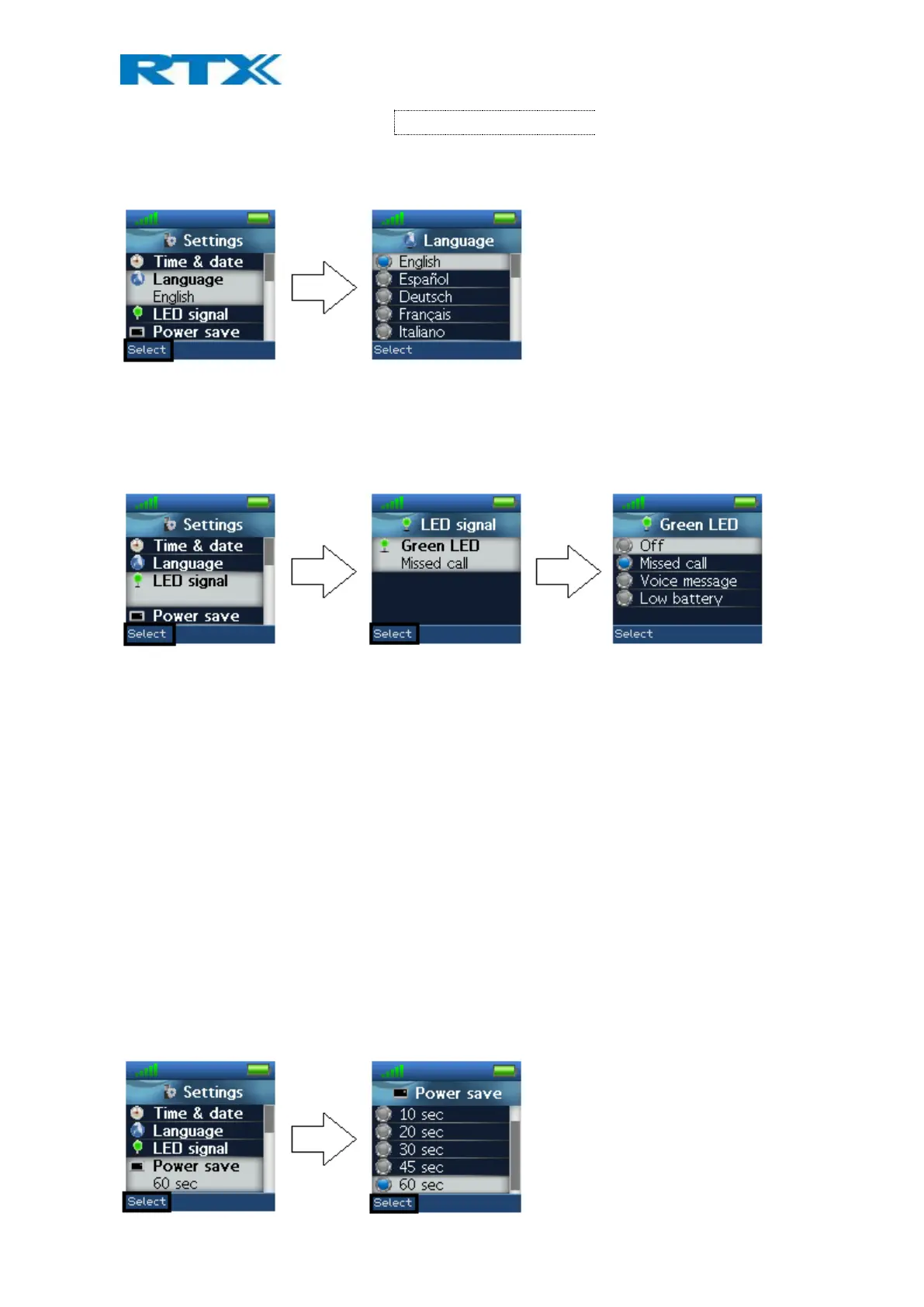
The currently applied language is displayed when highlighting or selecting the menu “Language”.
When entering this menu, a specific language can be selected by pressing the left softkey “Select”. Scroll through
the list by using the up/down navigation keys.
6.5.3 LED Signal
The LED at the upper left of the handset blinks green and can be assigned to distinctive situations by the user.
The green LED can be configured to blink at the following events:
Missed call
The green LED signal blinks when there is a missed call.
Voice message
The green LED signal blinks when there is a voice mail message that has not been listened to.
Low battery
The green LED signal blinks when the battery is low (below 20% battery on the handset).
Off
The LED signal is disabled, and does not blink in any situation.
6.5.4 Power Save
The power save option makes the handset less battery consuming by turning off the display after a certain
amount of time.



 To Next Page