© Safe Fleet | 2020 | All rights reserved | Part #: 700-1234 R1
DH4 Installation Guide
p. 29
DH4 Basic Conguration
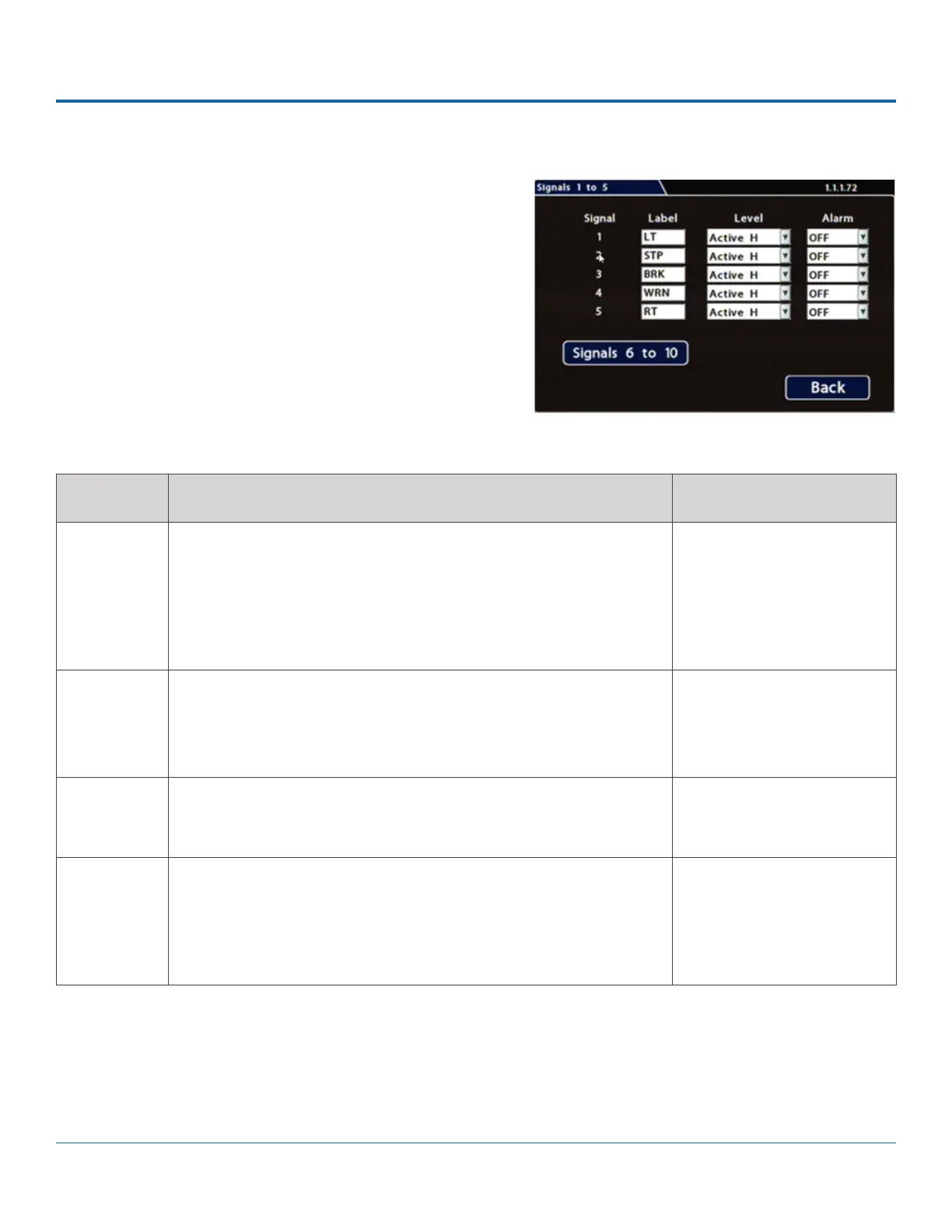
1. Select Alarm/Signal Signals to open the tab.
2.
Each signal displays its status (label) when active, and can
also trigger an Alarm. For details, see Menu Options, below.
3. Click Back to save settings, then click Back again to return to
ITEM DESCRIPTION VALUE [DEFAULT]
Signal Signals 1 through 5 are hardwired inputs, received through the signal
harness (LT/left turn signal - black wire, STP/stop - green wire, BRK/
brake - red wire, WRN/warning lights - brown wire, and RT/right turn
signal - white wire). When these triggers are active, they generate
signals and display associated labels during video playback.
n/a
Label You can edit the on-screen display text label (maximum 3 characters)
to describe each signal as desired.
For instructions on using the mouse to enter data, see DH4 Operation:
Using On-screen Keyboards.
Labels 1 through 5: [LT],
[STP], [BRK], [WRN], [RT].
Labels 6 through 10: [S06],
[S07], [S08], [S09], [S10]
Level Control how the signal senses activation: choose Active H (high) if the
circuit rests at 0 VDC and goes to 12 VDC when active; choose Active L
(low) if the circuit rests at 12 VDC and drops to 0 when active.
[Active H], Active L
Alarm Select the alarm number if the signal is also used to trigger an alarm.
The alarm's input must also be set up in the Alarms menu.
Note: assigning alarms to the default signals 1 through 5 is generally
not recommended, since these would be continually triggered by
normal vehicle operation.
[OFF], ALM1, ALM2, ALM3,
ALM4
Menu Options



 To Next Page