EasyManua.ls Logo

Safe Fleet DH4 - Copying DVR Configuration

Safe Fleet DH4
50 pages
Print Icon
To Next Page IconTo Next Page
To Previous Page IconTo Previous Page
Loading...
© Safe Fleet | 2020 | All rights reserved | Part #: 700-1234 R1
DH4 Installation Guide
p. 32
DH4 Basic Conguration
Copying DVR Conguration
Understanding Conguration Files





automatically.
Copying DVR Settings

including camera names/channels, recording parameters, Alarm and Signal assignments, system preferences, and
networking details.
For more information, see DH4 Conguration: Setting up the DVR.
This procedure requires physical access to the DVR you want to copy settings from, a portable video monitor, a USB mouse,
and a USB storage device formatted by a Windows computer using the FAT
3. Right-click anywhere in the OSD view to access the Main
Menu.
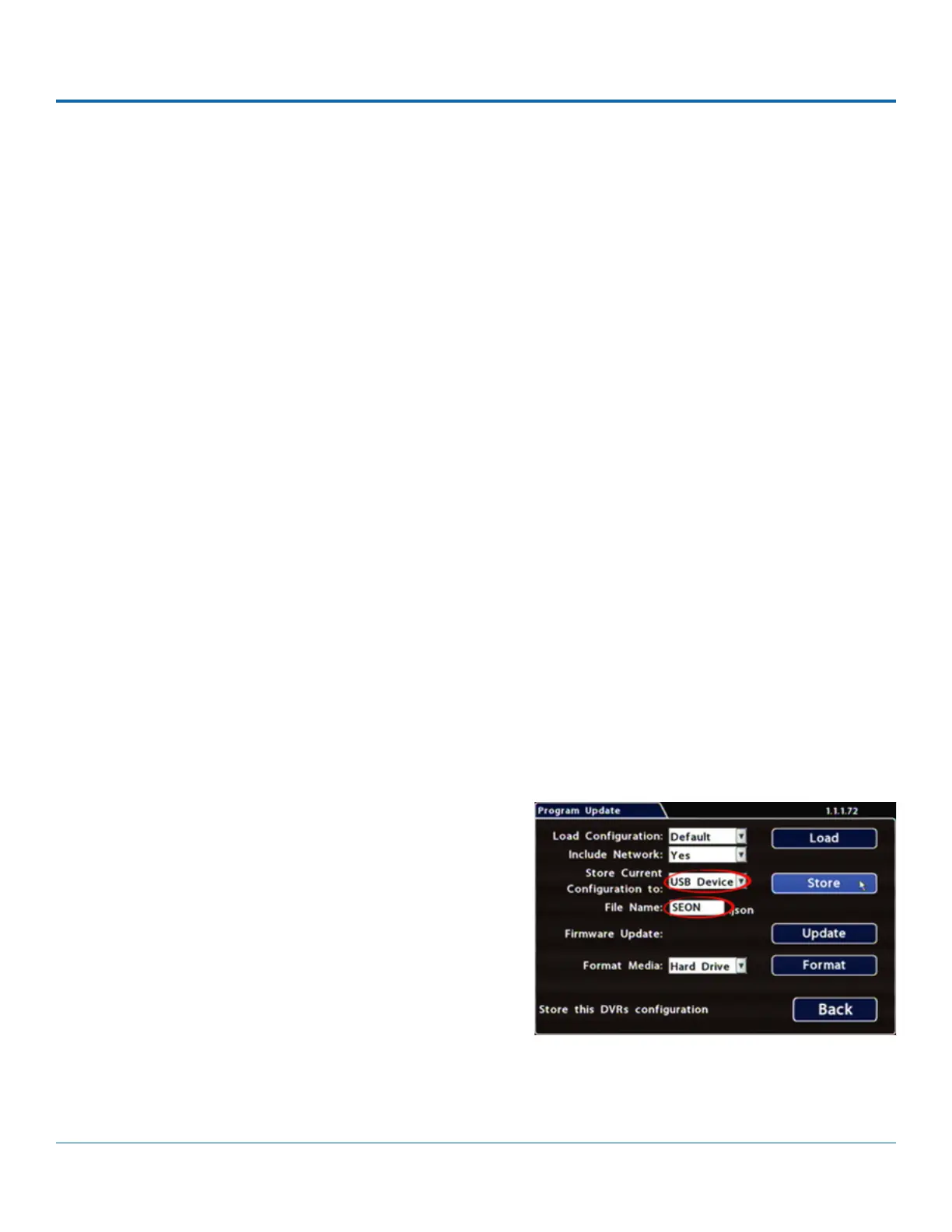
4. Select Conguration System Program Update.
5. In the Store Current Conguration to: pull-down menu,
select USB Device.
6. Click the File Name 



5 cameras).
7. Click StoreYes.
8. Click OK

1. Insert the USB storage device in the USB port on the DVR's front panel. For more information, see DH4 Operation: Front
and Rear Panel Features.
2. Access the OSD (On-Screen Display). For details, see DH4 Administration: Accessing the On-Screen Display.