© Safe Fleet | 2020 | All rights reserved | Part #: 700-1234 R1
DH4 Installation Guide
p. 8
DH4 Installation
Installing the Adapter Harness (Optional)
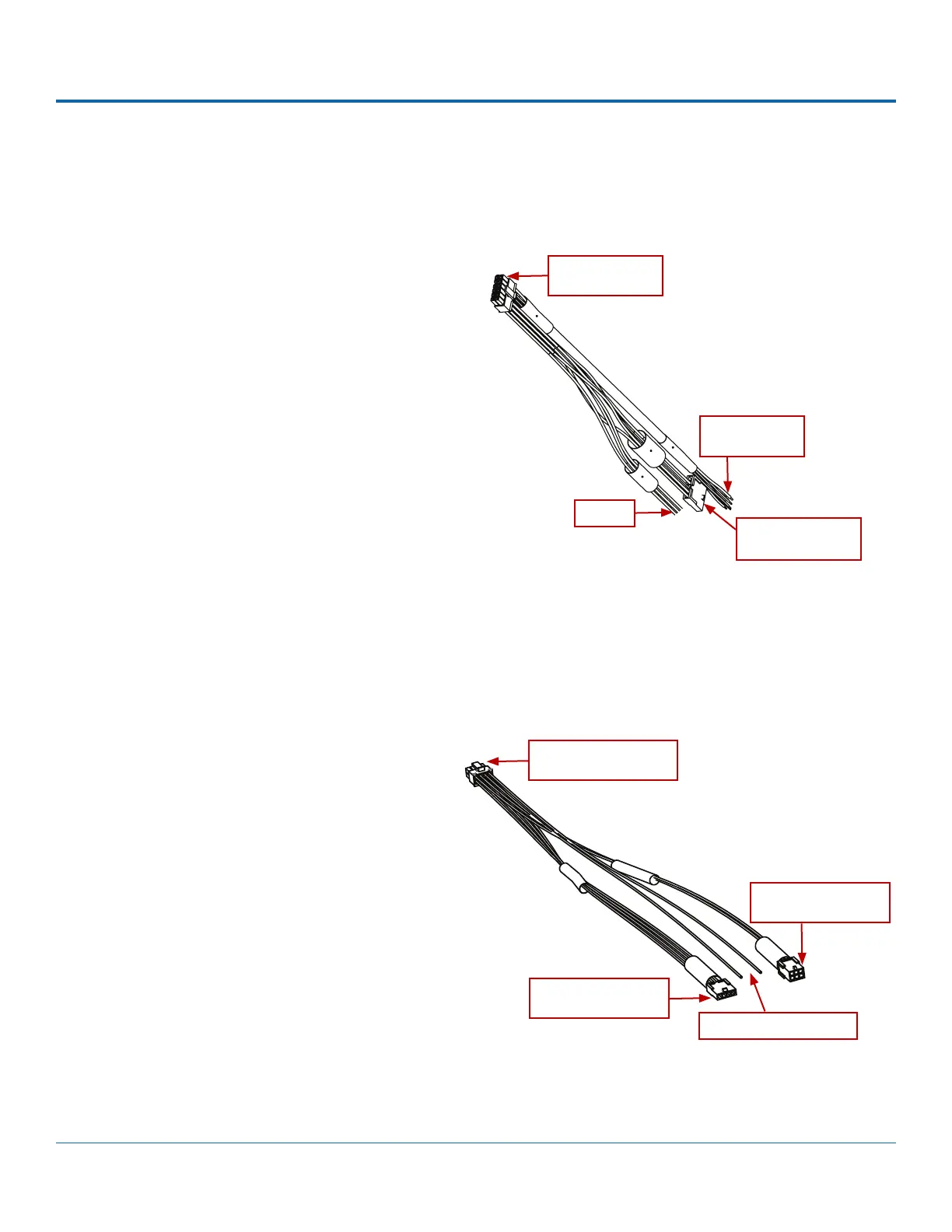
The Adapter Harness (Part # WT2) connects the DVR to Signal inputs and the optional RGY button.
Installing the Expansion Harness (Optional)
The Expansion Harness (Part # 060-1059) can connect the DH4 DVR to Student Tracking and Rear Vision systems.
To install the Adapter Harness:
1.
the DVR rear panel SIGNALS socket.
2. Connect the 5 signal input wires.
3.
button extension harness (optional).
For more information, see the System Diagram on
page 5.
To install the Expansion Harness:
1.
EXPANSION socket on the DVR.
2.
Tracking harness (optional).
3.
System harness (optional).
To DVR SIGNALS
socket (2 x 6)
To Signal inputs
(5 wires)
To RGY Button
extn. harness (1 x 5)
Unused
To DVR EXPANSION
socket (2 x 4)
To Rear Vision System
(optional)
To Student Tracking
harness (optional)
Reserved for future use



 To Next Page